Archives are the records you rarely open but cannot lose: closed files, old contracts, former employees' files and past years' accounts. Document archiving software keeps them safe, searchable and under control, without the boxes.
How digital archiving works
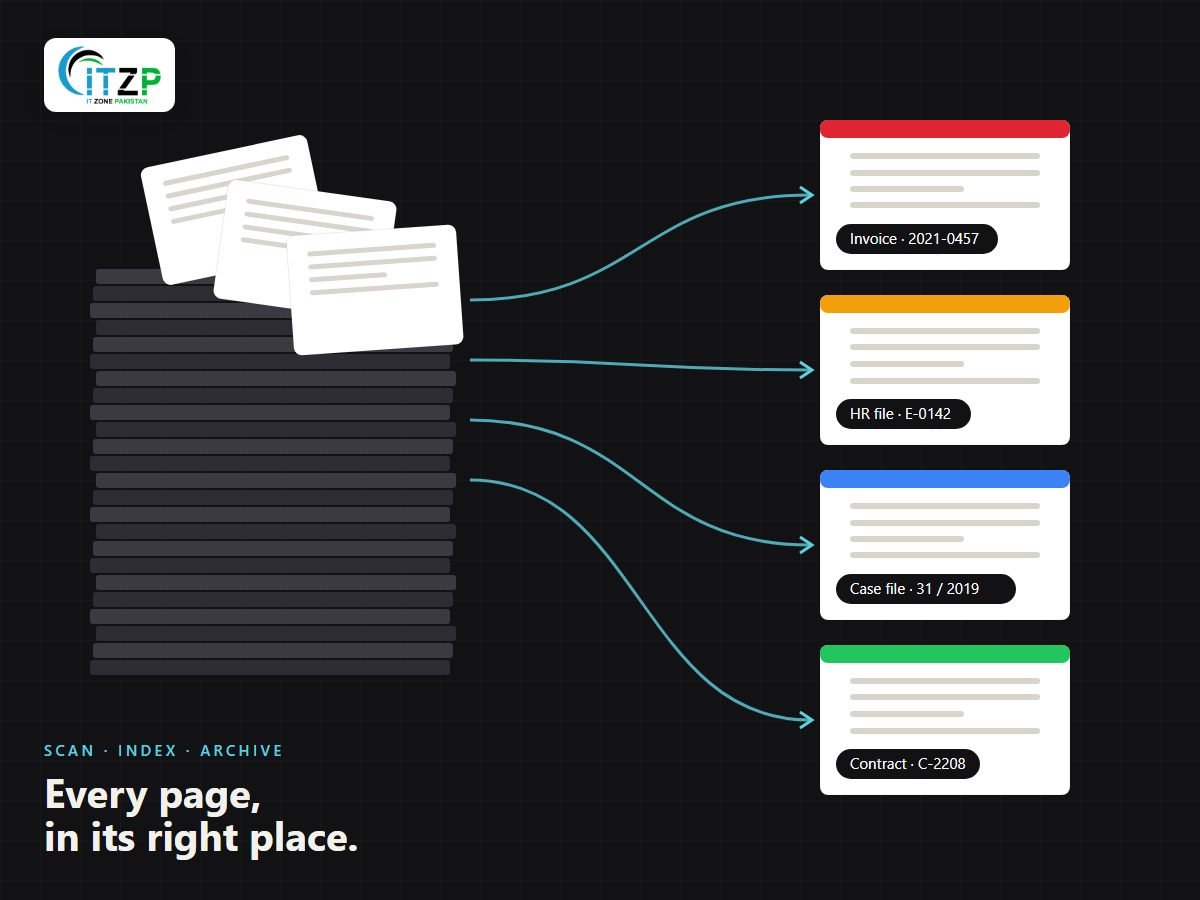
- Scan: paper archives are prepared and scanned in bulk.
- Index: each file gets the fields people search with: number, name, year, type.
- OCR: text inside every page becomes searchable.
- Store: files go into one archive library, organised by department and document type.
- Control: roles decide who can open archived records.
- Retain and dispose: when a retention period ends, records go to review and approved disposal.
Archiving vs backup
A backup copies data to restore it after a failure. An archive organises records so people can find and use them for years. You need both.
What to look for
- Full-text OCR search across the whole archive.
- Index fields you define, not fixed ones.
- Role-based access by department and document type.
- Retention review with a second approval before disposal.
- Bulk upload for large scanned batches.
- Cloud or on-premises hosting.
Getting the old archive in
The software is the easy part; the paper is the hard part. Our document scanning team prepares, scans, indexes and uploads archives, from a few hundred files to hundreds of thousands of pages.
Frequently asked questions
What is document archiving software?
Software that stores old and closed records in a searchable, controlled digital archive.
Is online archiving safe?
It depends on access control and hosting. Choose role-based access and decide between cloud and your own servers.
Can we destroy paper after archiving?
Only when your retention rules allow it. Then it can be securely pulped with a certificate.
See our Document Management & Retrieval System or book a free demo.