+92 314 4166 777 Free quote

•Software

Document Management System

Every document, findable in seconds.

Document Management System at a glance

Software 01

Document Management System

Every document, findable in seconds.

A central document repository to store, search, approve and retain documents, with role-based access, OCR search and retention control.

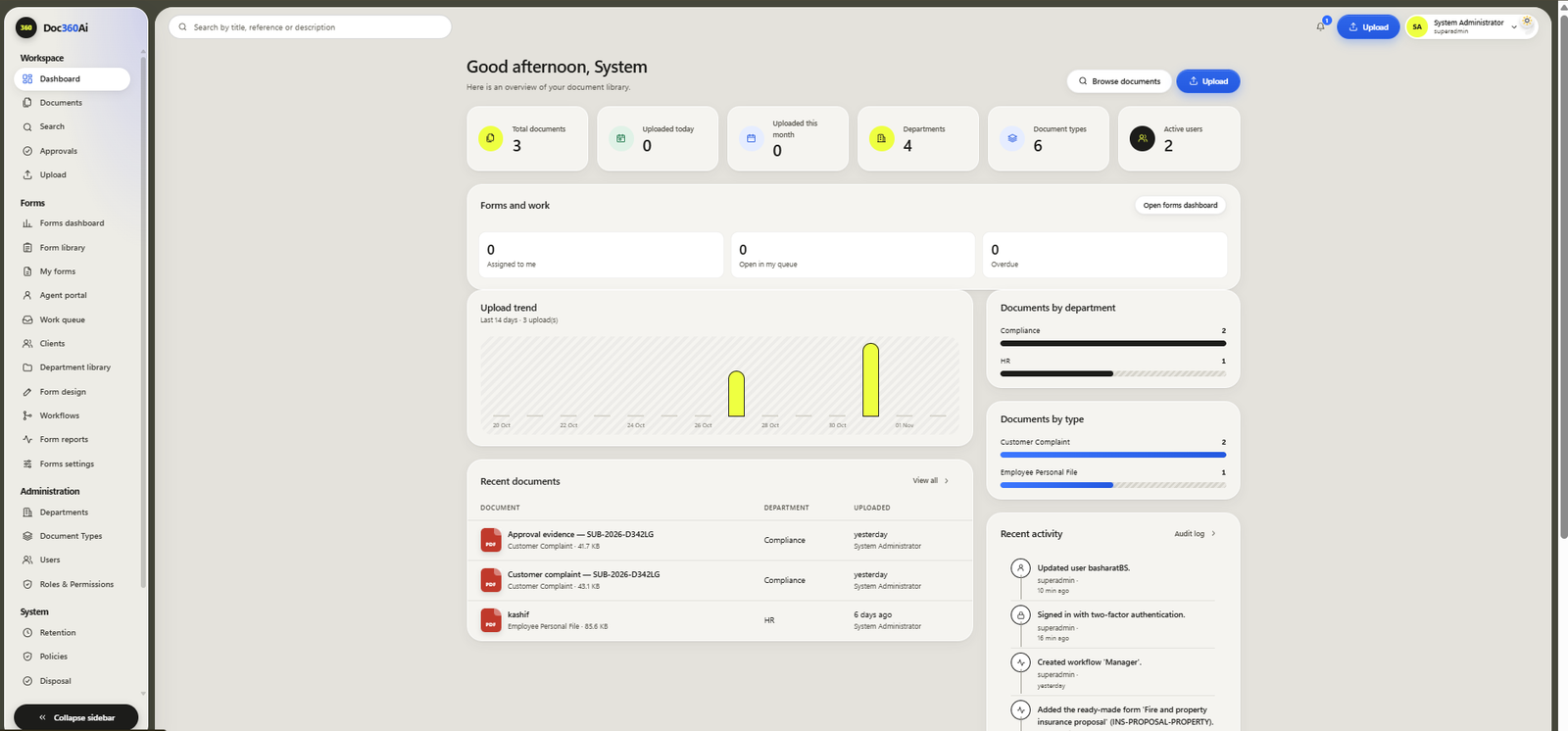
  • Dashboard
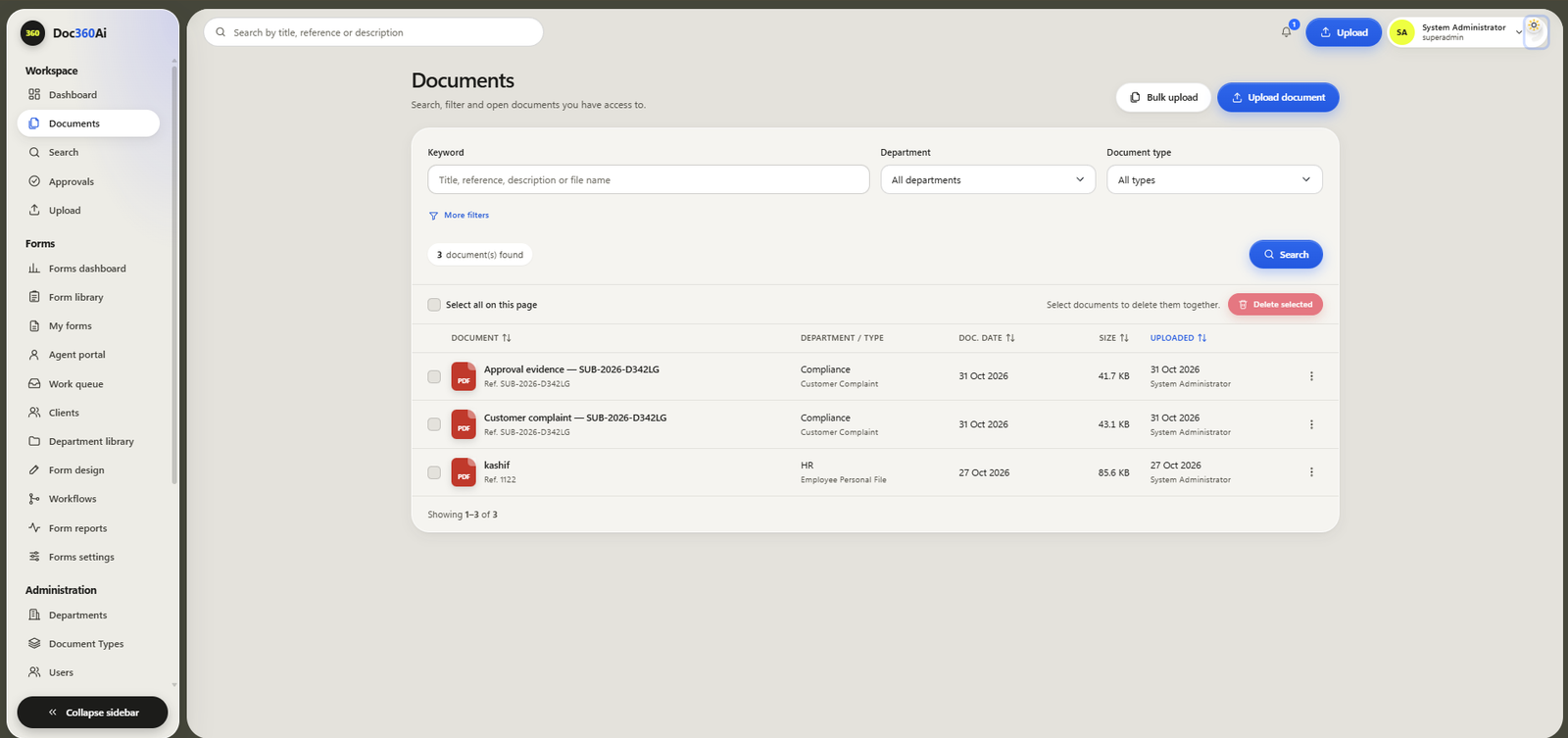
  • Central document library
  • Upload and bulk upload
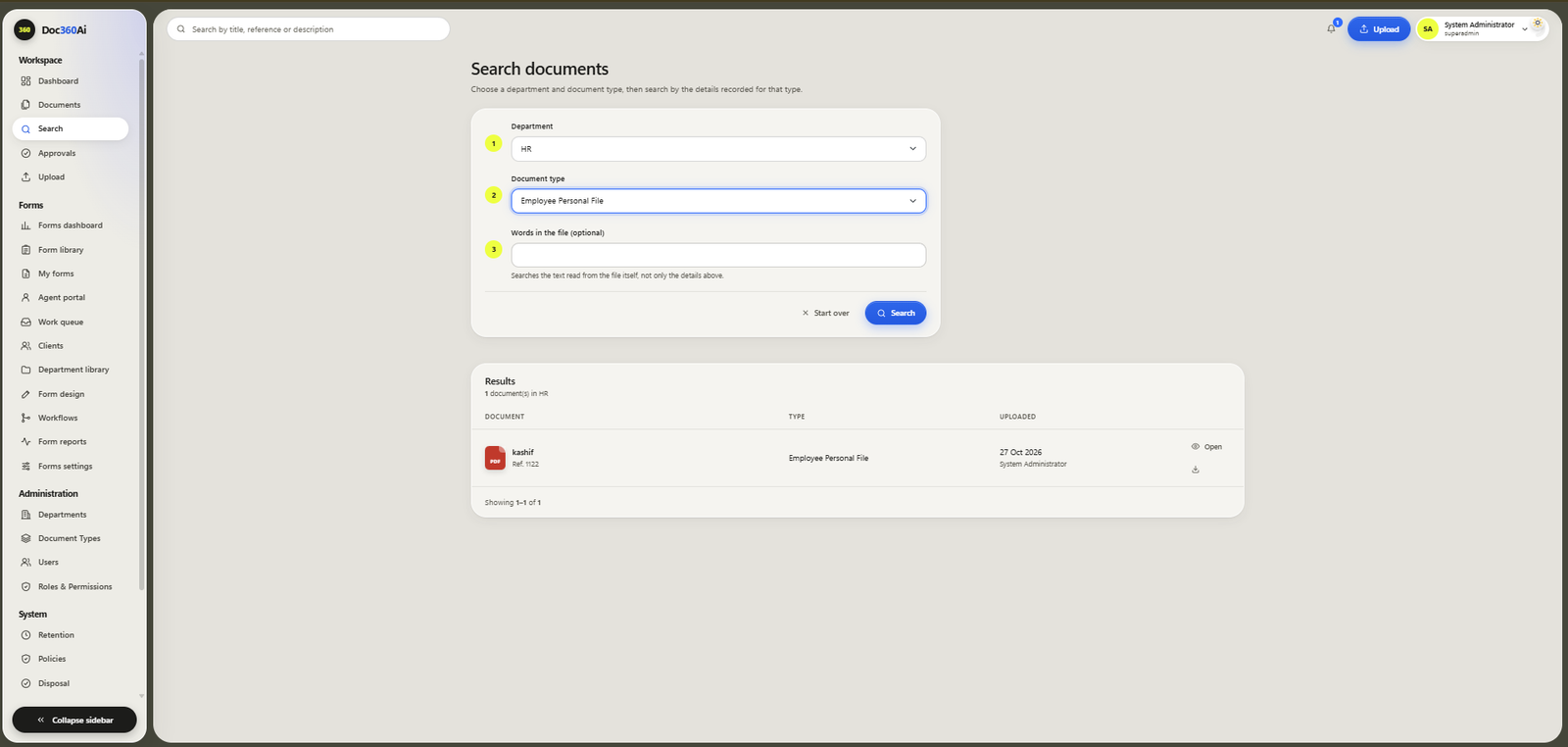
  • Full-text search with OCR
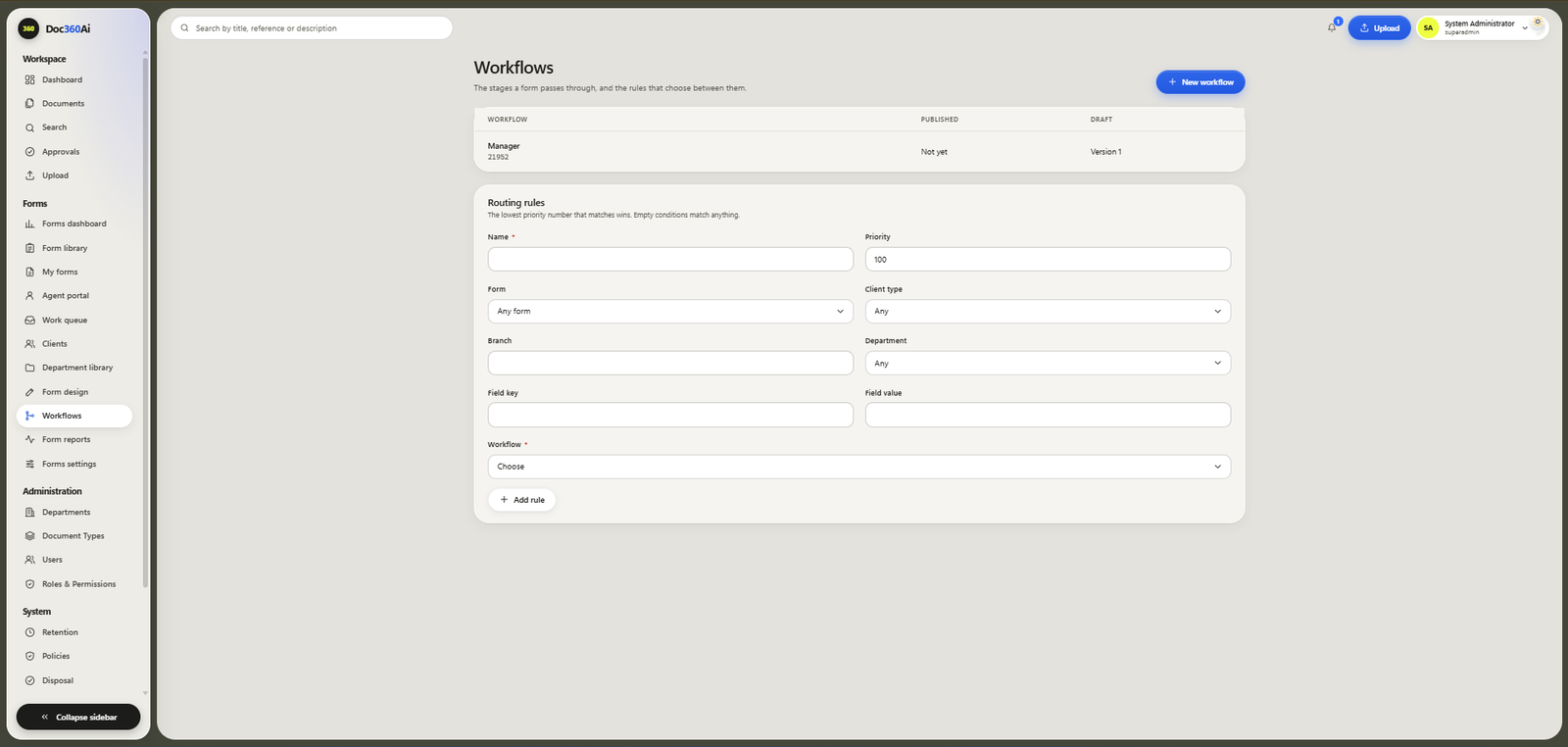
  • Automated approval workflows
  • Custom form designer
  • Departments and document types
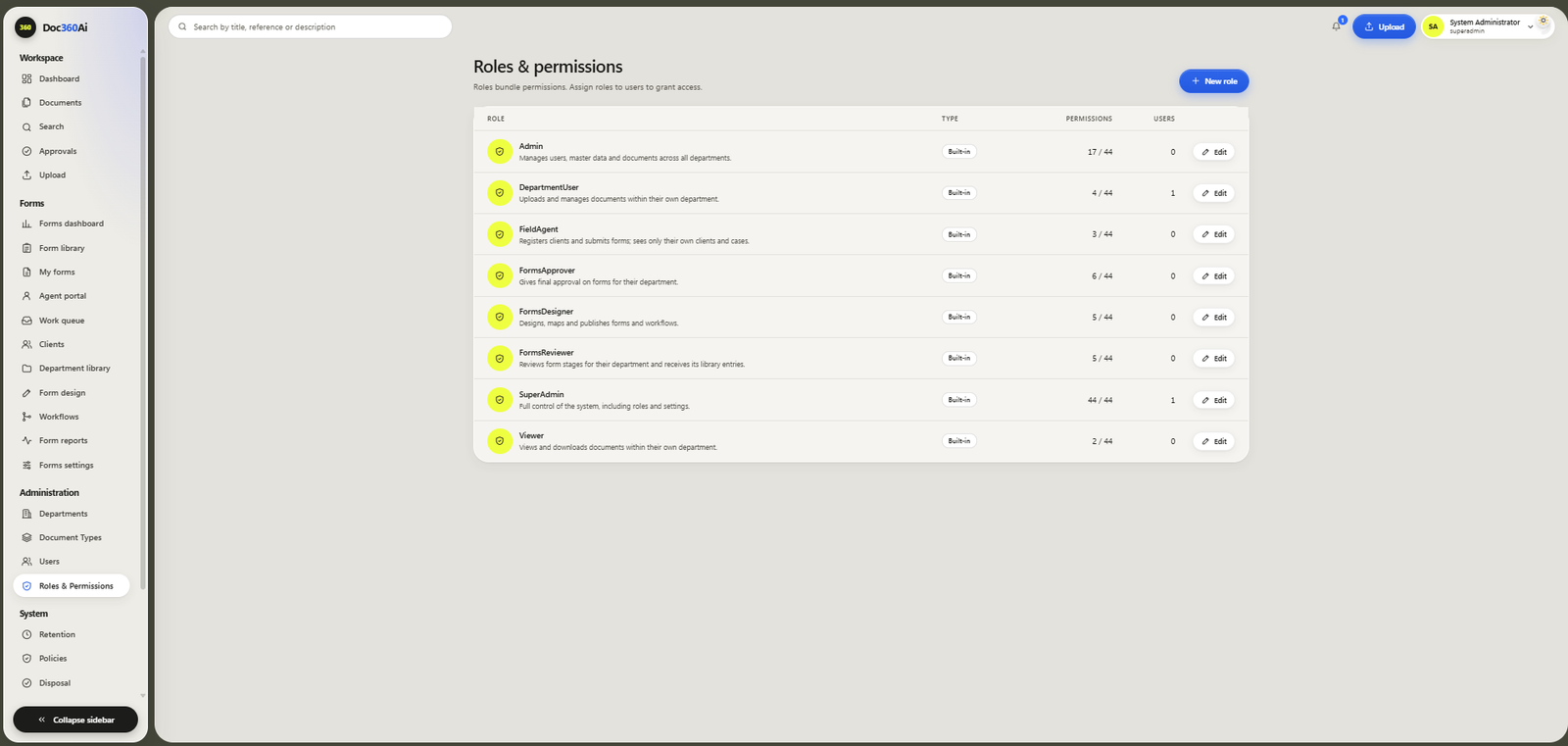
  • Role-based access and permissions
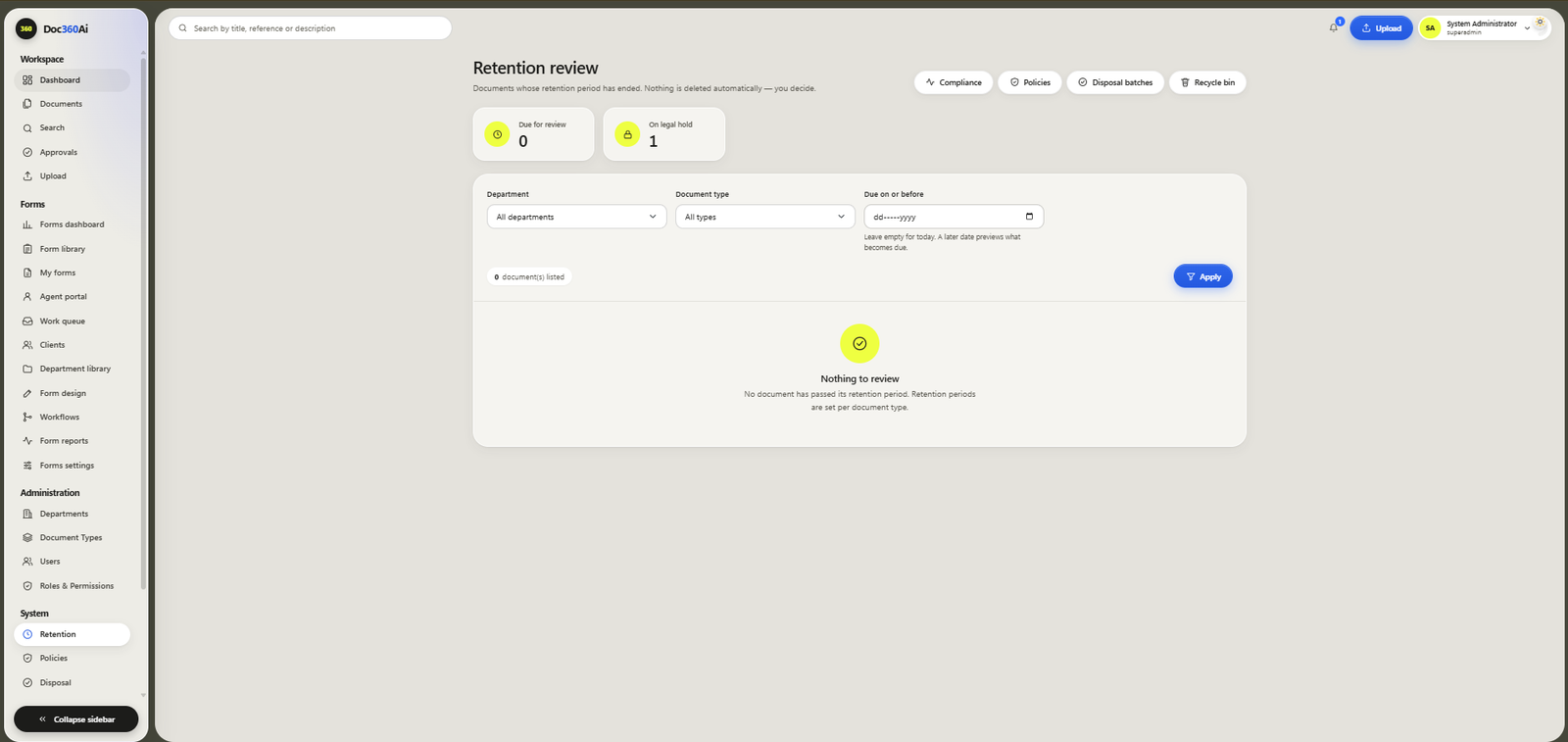
  • Retention review
  • Disposal batches and certificates
Document Management System: Dashboard Document Management System: Document library Document Management System: Search Document Management System: Retention

•Sound familiar?

Problems our Document Management System solves

If any of these sound like your office, a document management system pays for itself in saved time and lower risk.

01

The problem

Hours lost searching for one file

Staff dig through cabinets, shared drives and email attachments, and a simple request turns into a half-day hunt.
Document Management System: Hours lost searching for one file, solved

The fix

Full-text OCR search finds a document by any word inside it, in seconds, from any desk.
02

The problem

Files go missing or get misfiled

A file taken from the cabinet never comes back, or goes back in the wrong folder, and nobody knows who had it last.

Document Management System: Files go missing or get misfiled, solved

The fix

One central repository, organised by department and document type, so every document has one home and one place to look.

03

The problem

Approvals stuck on desks and in email

Documents wait on someone's desk or get lost in long email threads, and nobody can see where an approval is stuck.

Document Management System: Approvals stuck on desks and in email, solved

The fix

Automated approval workflows send each document to the right person and show its status at every step.

04

The problem

Anyone can open anything

Sensitive HR, legal and finance papers sit in open cabinets and shared folders, with no control over who sees what.

Document Management System: Anyone can open anything, solved

The fix

Role-based access and permissions decide who can view, upload or approve each type of document.

05

The problem

Old records pile up, or are destroyed too soon

Without a retention plan, rooms fill with boxes nobody dares to throw away, and some records are destroyed before they should be.

Document Management System: Old records pile up, or are destroyed too soon, solved

The fix

Retention review lists show what has expired, and disposal batches need a second person to approve before anything is destroyed.

06

The problem

Audits mean days of digging

When auditors ask for evidence, teams pull boxes from storage and photocopy files for days.

Document Management System: Audits mean days of digging, solved

The fix

Every document is indexed and searchable, so the evidence auditors ask for can be found and shared in minutes.

•Before and after

Paper and spreadsheets vs our Document Management System

What you needPaper and spreadsheetsWith Document Management System
Finding a documentSearch cabinets and folders by handSearch any word inside any document
StorageRooms full of files and boxesOne central digital repository
ApprovalsPaper files and long email chainsAutomated approval workflows with status
Who can see whatOpen cabinets and shared foldersRole-based access and permissions
RetentionKept forever, or thrown away too earlyRetention review and approved disposal batches
AuditsDays of pulling and photocopying filesIndexed records found in minutes

What is a document management system (DMS)?

Our electronic Document Management System (EDMS) is document archiving software that gives every document a home in one central repository: organised by department and document type, protected by role-based access, and searchable by the words inside it.

Upload single files or batches, let workflows route them for approval, and keep retention under control with review lists and disposal batches that need a second person to approve. Ask for a free online demo over Zoom or Google Meet.

Built for

  • Banks and financial services
  • Hospitals and healthcare
  • Law firms
  • Schools and universities
  • Corporate offices
  • NGOs and public bodies

•How it works

From demo to go-live

  1. 01Free online demo over Zoom or Google Meet
  2. 02Your departments, document types and roles mapped
  3. 03Setup, configuration and team training
  4. 04Existing paper files scanned and uploaded (optional)
  5. 05Go live, with support from our team

•The document life cycle

Scan it, manage it, then destroy it securely

Digitize your physical documents with our scanning services, organise your digital records in our document management system, and securely destroy approved physical documents through paper pulping once applicable retention requirements have been met.

  1. 01

    Document scanning

    Digitize your physical documents with our scanning services, on-site or off-site.

    Learn more
  2. 02

    Document management system

    Organise your digital records in our document management system, searchable and access-controlled.

    You are here
  3. 03

    Secure paper pulping

    Securely destroy approved physical documents through direct paper pulping, once retention requirements are met.

    Learn more

Physical records are destroyed only with your written authorisation, after the retention requirements that apply to them have been met, and never while a legal hold or other restriction applies. We do not give legal advice on retention periods.

•FAQs

Questions about our Document Management System

What is a document management system (DMS)?

A DMS is software that stores, organises and protects your documents in one central place. You can find any document by the words inside it, send it for approval and control how long it is kept.

Can you scan our existing paper files into the DMS?

Yes. Document scanning is our core service. We scan your files on-site at your office or off-site, convert them to searchable PDFs with OCR and upload them into the system, indexed the way your team searches.

Can it search inside scanned documents?

Yes. OCR (optical character recognition) reads the text in every scanned page, so you can search by a name, a reference number or any word in the document.

Does it run in the cloud or on our own servers?

It can run in the cloud or on your own servers (on-premises). We will advise which suits your security and IT setup.

How do we control who sees which documents?

You set up departments, document types and roles. Each role decides who can view, upload or approve each kind of document.

How much does it cost?

The price depends on the number of users, the modules you need and the setup work. Book a free demo and we will send you a clear quote.

→Start a project

Ready to clear the cabinets?

Tell us how many files you have. We will come back with a plan and a quote.