
+92 314 4166 777 Free quote

•Software

Asset Management Software

Know where every asset is, and who holds it.

Asset Management Software at a glance

Software 02

Asset Management Software

Know where every asset is, and who holds it.

Register every asset with a QR label, assign it to a custodian, plan maintenance and run stock-takes, with invoicing built in.

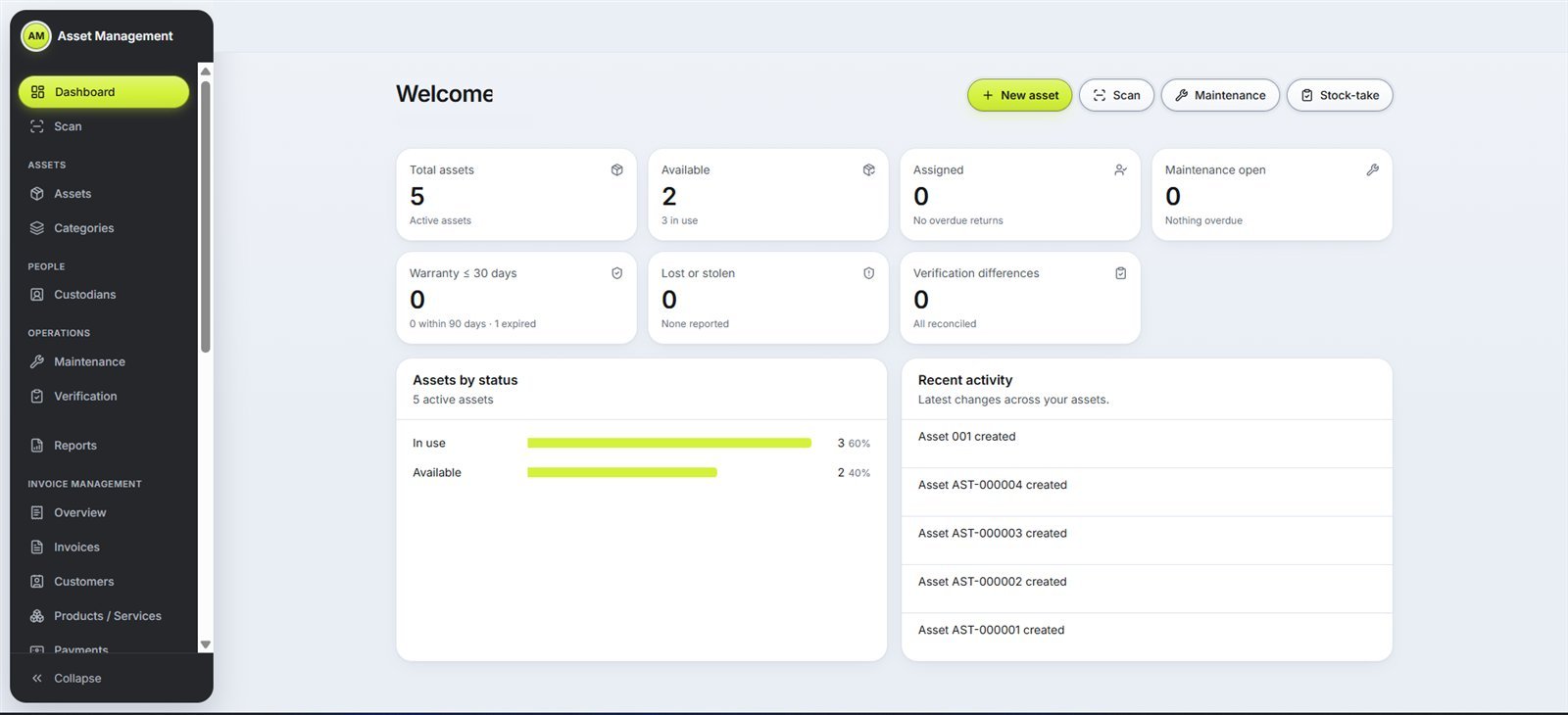
  • Dashboard
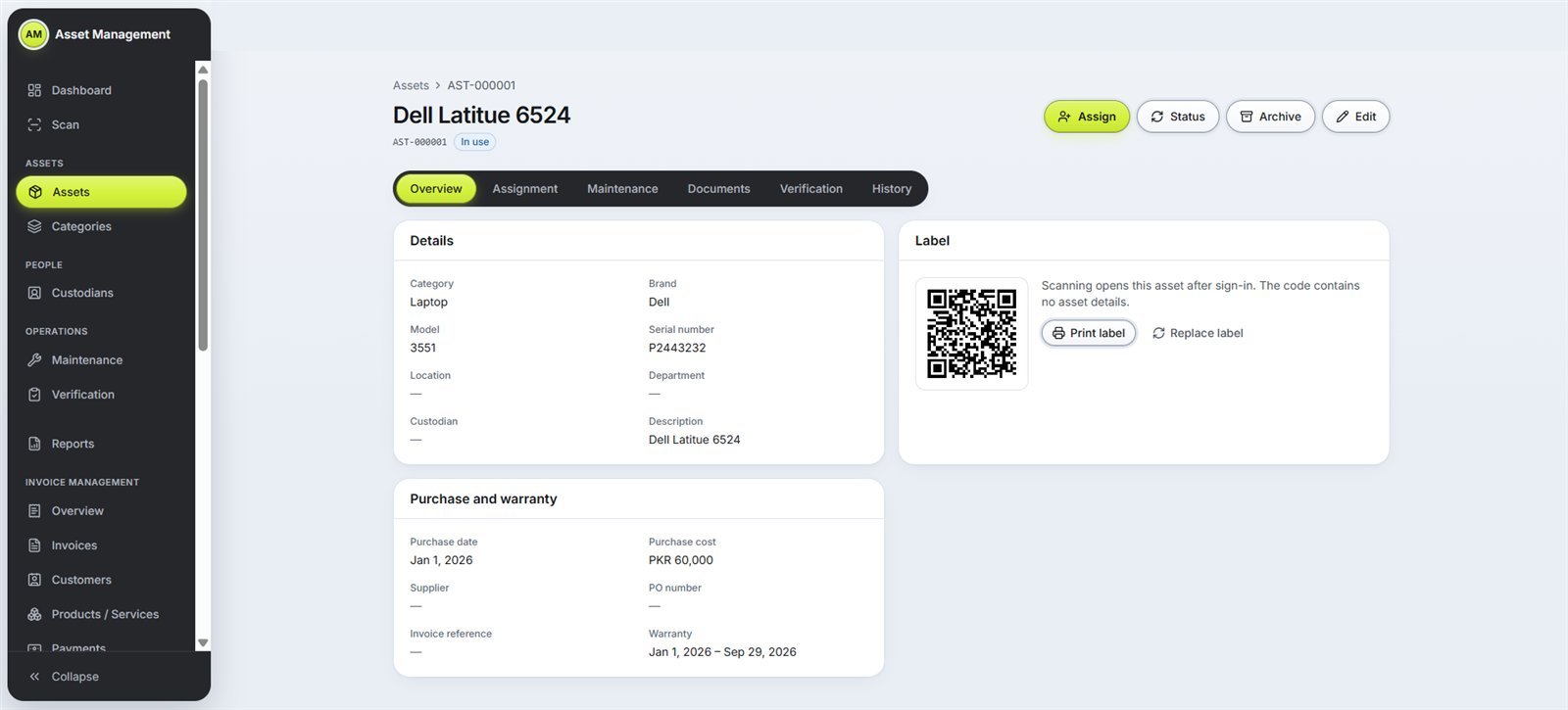
  • QR labels and scanning
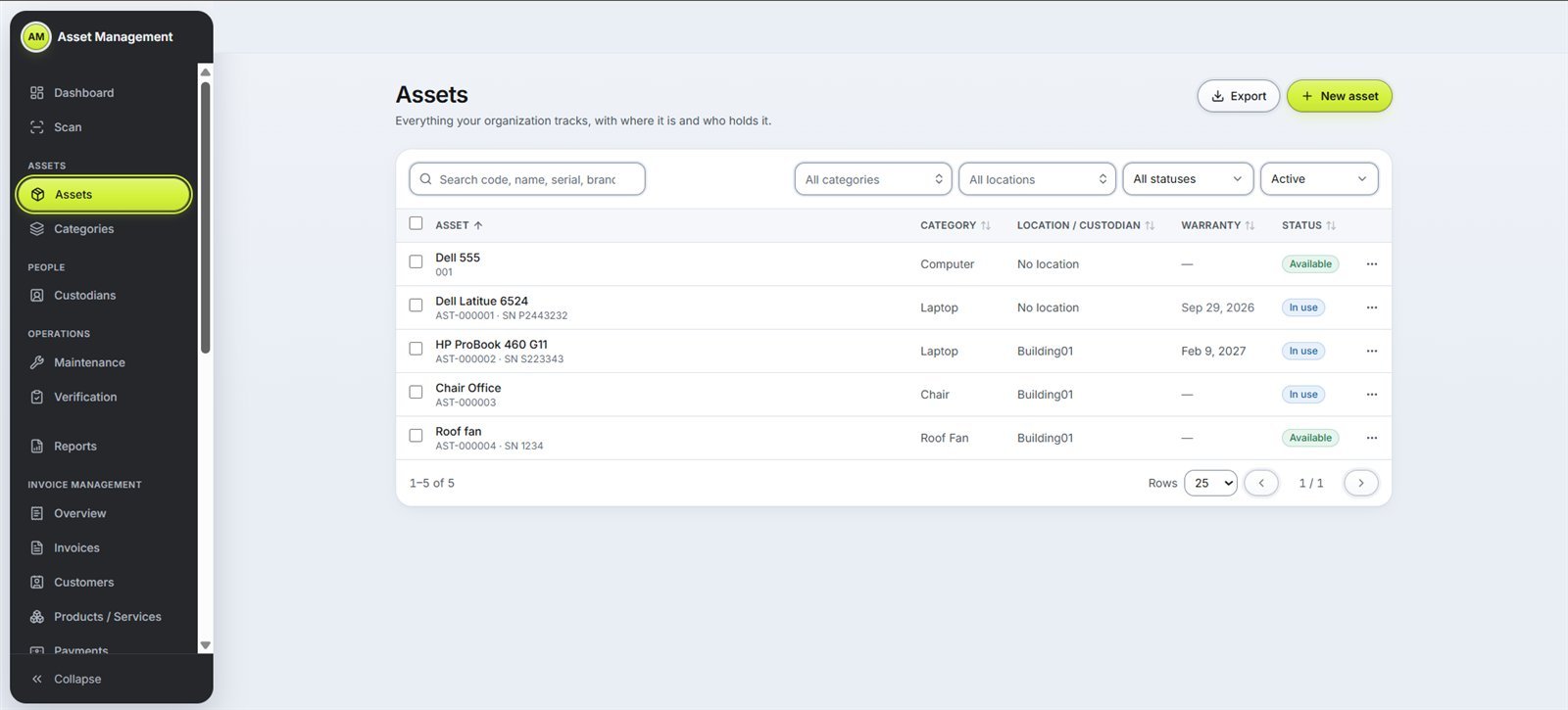
  • Asset register and categories
  • Locations and departments
  • Custodians and assignment
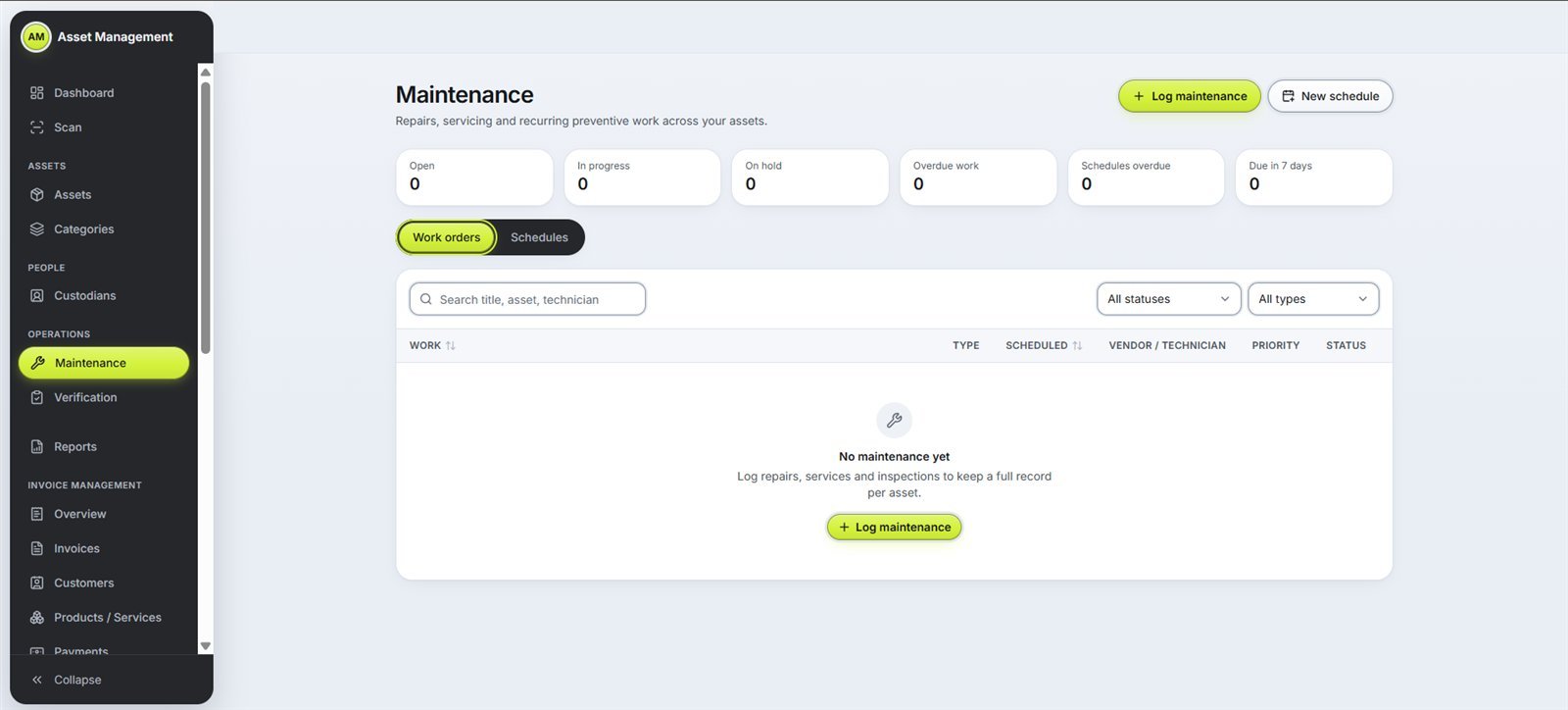
  • Maintenance work orders and schedules
  • Verification and stock-take
  • Reports and export
  • Invoices, customers and payments
  • Users, roles and audit log
Asset Management Software: Dashboard Asset Management Software: Assets Asset Management Software: Asset and QR label Asset Management Software: Maintenance

•Sound familiar?

Problems our Asset Management Software solves

Most organisations do not know exactly what they own until an audit asks. These are the problems we hear most often.

01

The problem

Assets on the books that nobody can find

Laptops, furniture and equipment stay on the register long after they were lost, moved or scrapped: ghost assets that distort your accounts.
Asset Management Software: Assets on the books that nobody can find, solved

The fix

Verification and stock-take runs check every asset against the register, so missing items show up and can be resolved.

02

The problem

A spreadsheet register that is always out of date

Every move, repair or new purchase means another manual edit, formulas break, and nobody knows which copy is right.

Asset Management Software: A spreadsheet register that is always out of date, solved

The fix

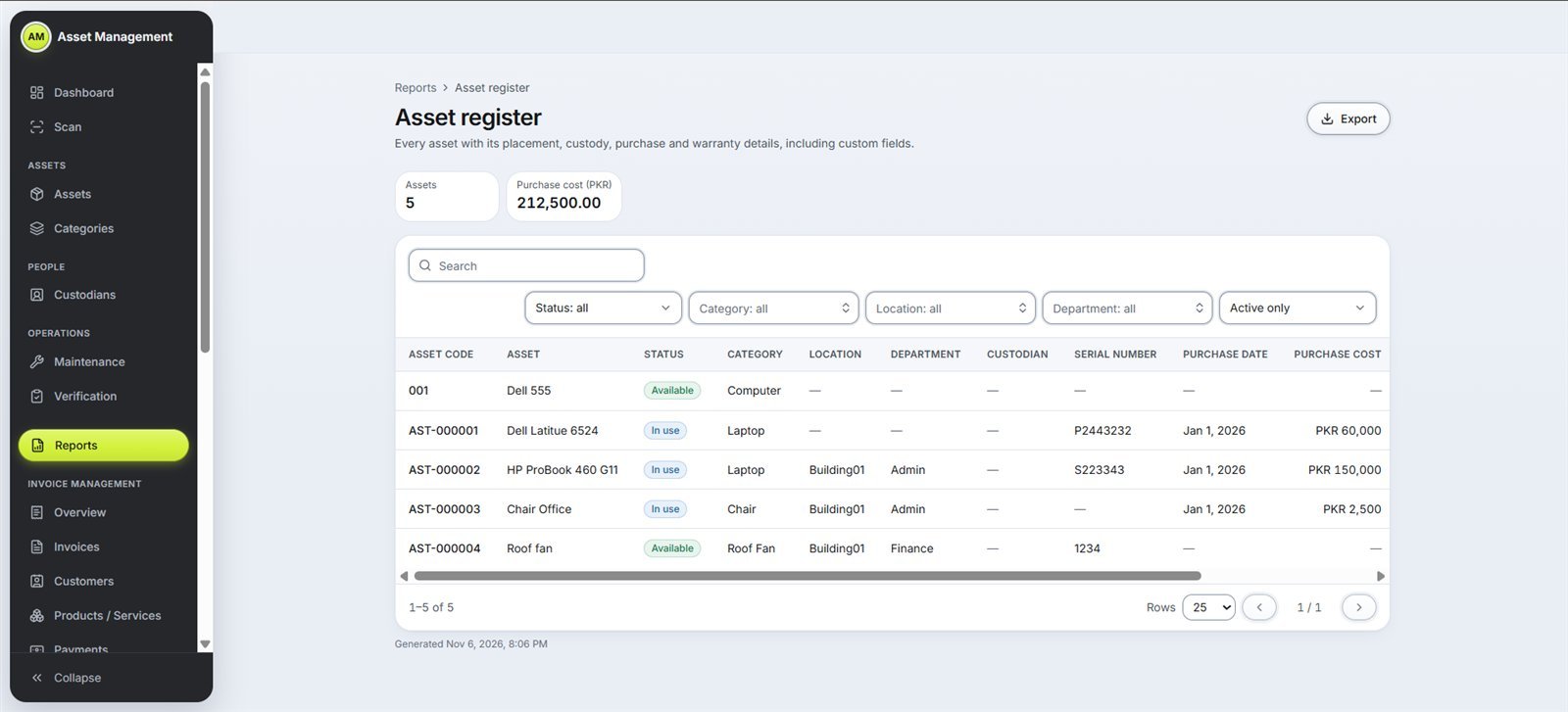
One live asset register with categories, locations, departments and your own custom fields.

03

The problem

Nobody knows who holds what

When someone leaves or changes department, nobody is sure which laptop, phone or tools they still have.

Asset Management Software: Nobody knows who holds what, solved

The fix

Assign each asset to a custodian and see at a glance who holds what, and where.

04

The problem

Maintenance remembered only after a breakdown

Service dates live in someone's head or a notebook, so equipment fails and warranties run out unnoticed.

Asset Management Software: Maintenance remembered only after a breakdown, solved

The fix

Preventive maintenance schedules and work orders, with purchase and warranty details on every asset.

05

The problem

Stock-takes take weeks

Teams walk the floor with printed lists, tick boxes by hand and then spend days reconciling.

Asset Management Software: Stock-takes take weeks, solved

The fix

Printable QR labels: scan a code to open the asset after sign-in and verify it on the spot.

06

The problem

Reports take days to put together

Management and auditors ask for an asset report, and someone spends days merging sheets.

Asset Management Software: Reports take days to put together, solved

The fix

Reports and export of the asset register whenever you need them, plus a live dashboard.

•Before and after

Paper and spreadsheets vs our Asset Management Software

What you needPaper and spreadsheetsWith Asset Management Software
Asset registerSeveral spreadsheets, none up to dateOne live register
Who holds whatAsked around by emailA custodian on every asset
Stock-takePrinted lists ticked by handScan QR labels and verify
MaintenanceDone after a breakdownScheduled preventive maintenance
Missing assetsFound at audit time, if at allShown by verification runs
ReportsMerged by handExported any time

What is fixed asset management software?

Asset Management keeps a live register of everything your organisation owns: category, location, department, custodian, purchase and warranty details, plus your own custom fields.

Each asset gets a printable QR label; scanning it opens the asset after sign-in, and the code itself holds no asset details. Log repairs and preventive maintenance schedules, run verification and stock-takes, and export the asset register whenever you need it. Invoice management, users, roles, an audit log and API access come with it.

Built for

  • Schools and universities
  • Corporate offices
  • Hospitals
  • Factories and warehouses
  • NGOs
  • IT departments

•How it works

From demo to go-live

  1. 01Free online demo over Zoom or Google Meet
  2. 02Categories, locations and departments set up
  3. 03Assets registered and QR labels printed
  4. 04Team training
  5. 05Go live and run your first stock-take

•FAQs

Questions about our Asset Management Software

What is fixed asset management software?

It keeps a live register of everything your organisation owns, such as computers, furniture, vehicles and equipment, with where each item is, who holds it and its maintenance history.

How do the QR labels work?

Each asset gets a printable QR label. Scanning it opens that asset after sign-in. The code itself holds no asset details, so a label on its own reveals nothing.

Can we add our own fields?

Yes. Alongside category, location, department, custodian, purchase and warranty details, you can add custom fields for anything else you track.

Does it handle maintenance and repairs?

Yes. You can log repairs as work orders and set preventive maintenance schedules for each asset.

Can it connect to our other systems?

Yes, API access is included, along with users, roles and an audit log.

What do we do with old computers when we retire them?

We also buy old office computers, laptops and IT scrap in Karachi, with pickup and eco-friendly disposal.

How much does it cost?

The price depends on the number of users, assets and the setup work. Book a free demo and we will send you a clear quote.

→Start a project

Ready to clear the cabinets?

Tell us how many files you have. We will come back with a plan and a quote.