A document management system only pays off when people use it. Most failed projects skip the planning and training, not the software. Here is how a DMS implementation runs, step by step.
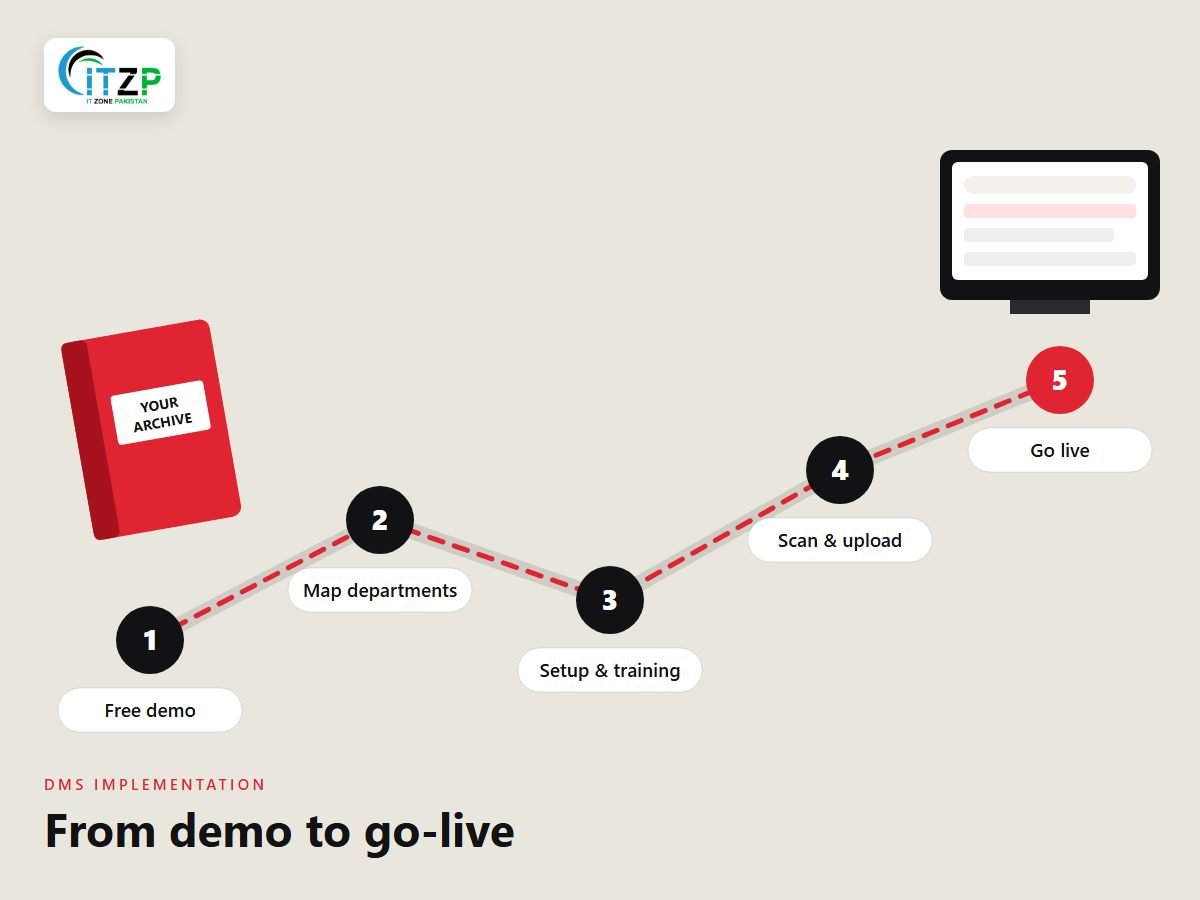
Step 1: free demo with your documents
See the system working with your own types of documents, so everyone can judge the fit. We give demos online over Zoom or Google Meet.
Step 2: map departments, document types and roles
- Which departments will use it first.
- Which document types each department keeps.
- Which index fields each type needs.
- Who can view, upload or approve each type.
Step 3: setup, configuration and training
Libraries, roles, custom forms and approval workflows are configured, then staff are trained on the tasks they will actually do. See our DMS implementation, setup and training service.
Step 4: scan and upload existing files
An empty system is not useful. Existing paper files are scanned, made searchable with OCR, indexed and uploaded. Read what digitization includes.
Step 5: go live, with support
Start with one or two departments, fix small issues, then expand. New documents go into the system from the first day.
Common mistakes
- Too many index fields: staff stop filling them in.
- No owner for each library.
- Training everyone on everything instead of their own tasks.
- Keeping the old shared folder open in parallel.
Frequently asked questions
How long does DMS implementation take?
It depends on departments, users and how much paper must be scanned first. One department can go live before the rest.
Do you train our staff?
Yes. We set up and configure the system and train your team.
Can it run on our own server?
Yes, in the cloud or on-premises.
Start with a free online demo of our Document Management & Retrieval System.