For office document management, a sheetfed and a flatbed tie the knot
I focus on printer and scanner technology and reviews. I have been writing about computer technology since well before the advent of the internet. I have authored or co-authored 20 books—including titles in the popular Bible, Secrets, and For Dummies series—on digital design and desktop publishing software applications. My published expertise in those areas includes Adobe Acrobat, Adobe Photoshop, and QuarkXPress, as well as prepress imaging technology. (Over my long career, though, I have covered many aspects of IT.)
The Fujitsu fi-8270 is a fast, accurate document scanner for midrange to high-volume loads. A combination of sheetfed and flatbed designs, it packs capable OCR and archiving features, too.
Fujitsu’s Image Scanner fi-8270 ($2,195) plays multiple roles in the company’s business scanner lineup—it’s an update to the fi-7260 that premiered in 2015 and an upgrade from the fi-8170 Color Duplex Document Scanner that won our Editors’ Choice honors in March of this year. It also plays dual roles in your office, as a middle- to high-volume sheetfed document scanner combined with a flatbed scanner. In other words, you get the best of both worlds, scanning multipage documents with a 100-sheet feeder, or putting photos or bound book or magazine pages on the flatbed as needed.
Like the sheetfed fi-8170, the fi-8270 is a fast and accurate scanner with a multitude of high-end features and a highly useful software bundle that manages scanning and document management. We liked most everything about this scanner, barring perhaps its steep price and costly software upgrades; some of its more-than-capable competitors are several hundred dollars cheaper. If price isn’t your company’s top concern, however, the Fujitsu fi-8270 will serve you and your busy enterprise office well.
The fi-8270 is the middle of three new high-volume combination sheetfed/flatbed scanners from Fujitsu. The fi-8250 offers most of the same features for less, but it’s a bit slower, and its daily duty cycle is a couple of thousand pages smaller. The fi-8290, on the other hand, is considerably faster than today’s model, with a duty cycle 3,000 pages higher.
Like the Raven Pro Max, another PCMag favorite that combines that company’s Raven Pro sheetfed document scanner with a flatbed attachment, the fi-8270 teams Fujitsu’s fi-8170 with a flatbed, as you can see in the image below. The combined devices measure 9.2 by 11.8 by 22.7 inches, and the unit weighs just over 19 pounds.
Those specs are similar to those of the Raven Pro Max. Another recent sheetfed/flatbed combo, the HP ScanJet Enterprise Flow N6600 fnw1, is much shorter and leaner, closer in size to lower-end models like Epson’s DS-1630 and PCMag’s Best of 2019 winner the Xerox Duplex Combo Scanner.
As it’s primarily an enterprise or a fleet scanner, you and your team will most likely access the fi-8270 via the company network, though many tasks such as setting up and executing basic scans or selecting workflow profiles can be performed from the device’s control panel. The latter consists of a few buttons and a navigation rocker for scrolling through options on a small display.
And of course, most scans from the flatbed—photos, book pages, fragile documents, or whatever—are usually handled from the control panel.
Multipage documents, whether single- or double-sided, are handled by a 100-page automatic document feeder (ADF), which is the standard for document scanners in this class. The Fujitsu’s recommended daily duty cycle is 10,000 scans, exceeded among the machines mentioned here only by the fi-8290 at 13,000. In any case, as I’ve noted before, reaching the daily limit with a 100-page ADF takes dedication—i.e., loading the feeder at least 100 times.
The Raven Pro Max’s daily max is 6,000 scans, and both the Epson and Xerox are rated at well under 5,000 scans daily. (They have 50- and 35-page ADFs, respectively.) The HP N6600’s duty cycle is 8,000 scans daily, though that company’s soon-to-be-reviewed ScanJet Pro 3600 offers a 60-page ADF and a 3,000-scan daily limit at a considerably lower price.
At least two of the fi-8270’s more direct competitors, the Raven Pro Max and the HP ScanJet N6600, come with Wi-Fi wireless and Wi-Fi Direct peer-to-peer networking, in addition to Gigabit Ethernet and USB 3.2 connections. This Fujitsu supports only USB and Ethernet, offering little or no support for scanning from handheld smartphones or tablets. The Raven also has an auxiliary USB port for scanning to flash drives and other USB storage devices.
As I said about the fi-8170 a few months ago, Fujitsu reps tell me the company’s high-end business scanners are usually deployed within existing document-management environments and workflows, whose users often already have a software solution in place. If you’re rolling out a new document-archiving system, however, the fi-8270’s bundled PaperStream programs and utilities (and available add-ons) should have everything you need.
The Fujitsu’s long list of apps and utilities includes PaperStream IP Driver (TWAIN x32/x64/ISIS), WIA Driver, Image Scanner Drivers for macOS and Linux, PaperStream Capture, PaperStream ClickScan, Software Operation Panel, Error Recovery Guide, ABBYY FineReader optical character recognition (OCR) for ScanSnap, and Scanner Central Admin. For enterprise-level document management, you can upgrade to PaperStream Capture Pro and PaperStream NX Manager.
Industry-standard TWAIN and ISIS drivers connect the scanner to the many third-party programs (including most Adobe and Microsoft Office apps) that support scanning into them directly. PaperStream Capture is an adroit front-end scanning utility. Fujitsu says PaperStream Capture Pro offers “an efficient yet easy way to convert paper documents into digital files for high-level data indexing and extraction” and charges $470 per seat for it.
Finally, PaperStream NX Manager is a built-in server solution designed to integrate centralized client-server document management systems easily.
Like its flatbed-free sibling the fi-8170, the Fujitsu fi-8270 is rated at a brisk 70 one-sided (simplex) pages per minute (ppm) and 140 two-sided (duplex) images per minute (ipm), where each page side is counted as an image. (This scanner’s humbler and grander siblings, the fi-8250 and fi-8290, are rated at 50ppm/100ipm and 90ppm/180ipm respectively.)
The Raven Pro Max is just a tick slower at 60ppm/120ipm. The HP N6600 is good for 50ppm/100ipm, and Epson’s DS-1630 and Xerox’s Duplex Combo trail at 25ppm/50ipm.
I tested the fi-8270 via a USB 3.2 connection to our testbed, an Intel Core i5 desktop running Windows 10 Pro and Fujitsu’s PaperStream ClickScan. First, I timed the fi-8270 and its software as it captured both our one-sided 25-sheet and two-sided 25-sheet (50 sides) text documents and converted them to and saved them as image PDF files.
As in all our tests, the Fujitsu performed very closely to its sheetfed sibling the fi-8170. At 72.2ppm and 143.7ipm, the fi-8270 is one of the fastest scanners we’ve seen recently, and certainly the fastest sheetfed/flatbed combo. It beat the Raven Pro Max by about 10ppm and 20ipm and the HP ScanJet N6600 by about 20ppm and 40ipm. The Epson DS-1630 and Xerox Combo finished way back.
Next, I clocked the fi-8270 as it scanned, converted, and saved our two-sided 25-page text document to the more useful searchable PDF format. Like the fi-8170, it captured and saved all 50 sides in an impressive 25 seconds. That beat the HP by 3 seconds and tied the Raven.
To round out my tests, I scanned several colorful business documents, drawings, and other graphics and photos on the flatbed, focusing not on speed but color accuracy and detail. Other than the unavoidable tedium of removing and replacing content on the scanner glass, the flatbed performed fine, reproducing colors accurately with no graininess or loss of detail.
As I’ve said more than once, OCR accuracy is at least as important as raw speed; the fastest scanner on the planet is worthless if you must spend too much time fixing conversion errors. The Fujitsu fi-8270 proved error-free down to 5 points in our Arial font test and 6 points with Times New Roman. That’s superb—and these days, fairly average for professional-grade scanners.
Like most Fujitsu scanners, the fi-8270 comes with everything you need to scan and archive most document types, ranging from business cards with contact information management to financial data such as receipts and invoices. It offers convenient workflow profiles with multiple scanning destinations and a wealth of high-end correction and enhancement features.
The only things that put us off about this scanner are its over-$2,000 list price (though we did find it for $500 to $600 less at some outlets) and the extra cost of Fujitsu’s most advanced document-management software. Even so, the fi-8270 is an excellent product that should, like most Fujitsu document scanners, hold up for years. If your budget allows it, the fi-8270 will not only get the job done, but it will do so elegantly and reliably.
The Fujitsu fi-8270 is a fast, accurate document scanner for midrange to high-volume loads. A combination of sheetfed and flatbed designs, it packs capable OCR and archiving features, too.
Sign up for Lab Report to get the latest reviews and top product advice delivered right to your inbox.
This newsletter may contain advertising, deals, or affiliate links. Subscribing to a newsletter indicates your consent to our Terms of Use and Privacy Policy. You may unsubscribe from the newsletters at any time.
Your subscription has been confirmed. Keep an eye on your inbox!
Advertisement
I focus on printer and scanner technology and reviews. I have been writing about computer technology since well before the advent of the internet. I have authored or co-authored 20 books—including titles in the popular Bible, Secrets, and For Dummies series—on digital design and desktop publishing software applications. My published expertise in those areas includes Adobe Acrobat, Adobe Photoshop, and QuarkXPress, as well as prepress imaging technology. (Over my long career, though, I have covered many aspects of IT.)
In addition to writing hundreds of articles for PCMag, over the years I have also written for many other computer and business publications, among them Computer Shopper, Digital Trends, MacUser, PC World, The Wirecutter, and Windows Magazine. I also served as the Printers and Scanners Expert at About.com (now Lifewire).
Read William’s full bio
PCMag.com is a leading authority on technology, delivering lab-based, independent reviews of the latest products and services. Our expert industry analysis and practical solutions help you make better buying decisions and get more from technology.
© 1996-2022 Ziff Davis. PCMag Digital Group
PCMag, PCMag.com and PC Magazine are among the federally registered trademarks of Ziff Davis and may not be used by third parties without explicit permission. The display of third-party trademarks and trade names on this site does not necessarily indicate any affiliation or the endorsement of PCMag. If you click an affiliate link and buy a product or service, we may be paid a fee by that merchant.

Register for your free TechRepublic membership or if you are already a member, sign in using your preferred method below.
We recently updated our Terms and Conditions for TechRepublic Premium. By clicking continue, you agree to these updated terms.
Invalid email/username and password combination supplied.
An email has been sent to you with instructions on how to reset your password.
By registering, you agree to the Terms of Use and acknowledge the data practices outlined in the Privacy Policy.
You will also receive a complimentary subscription to TechRepublic’s News and Special Offers newsletter and the Top Story of the Day newsletter. You may unsubscribe from these newsletters at any time.
All fields are required. Username must be unique. Password must be a minimum of 6 characters and have any 3 of the 4 items: a number (0 through 9), a special character (such as !, $, #, %), an uppercase character (A through Z) or a lowercase (a through z) character (no spaces).
signNow vs PandaDoc: Electronic signature software comparison
Your email has been sent
PandaDoc and signNow are electronic signature solutions that support the management of electronic documents and contracts. Here’s how to choose which works best for you.
A safe and effective e-signature and document management process is vital for organizations to maintain the safety and efficiency of their operations. Electronic signature solutions like signNow and PandaDoc each provide features designed to simplify users’ electronic signature workflow process. Read on to learn more about these tools and their similar and unique features and capabilities.
SEE: Feature comparison: Time tracking software and systems (TechRepublic Premium)
Jump to:
signNow is an e-signature software solution that enables users to manage their document workflows. In addition to electronic signatures, the tool also provides additional features for businesses and organizations, like team collaboration capabilities, court-admissible audit trails, and template editing options.
PandaDoc is a document workflow automation software platform. It comes with features and capabilities to assist users in creating, managing and signing their digital documents. Furthermore, the software supports individual users and organizations with signature workflows, automated actions, customizable document creation features, and approval process solutions.
signNow provides customizable documents and templates for its users. Organizations can create their own templates of commonly used documents so that staff members can use them for fast and easy document completion. Users can generate the templates within the platform or import them from Word documents. This way, similar documents will not need to be reuploaded into signNow each time. Instead, a fresh copy will always exist, stored within the platform. Users can also create Document Group Templates. These are document templates merged into a group that can be reused as necessary and convenient for multiparty electronic signing.
PandaDoc enables users to choose between more than 750 document creation templates that exist on the platform. These preexisting templates exist for many common business purposes within various industries. Users may then customize the template they choose to suit their needs by adding variables within the document body. PandaDoc users can also create their own custom documents online and utilize them within the platform by integrating popular third-party tools like Microsoft Office, Hubspot, Google Drive and more.
signNow connects different members within an organization to work together through their collaboration features. Users can create teams of designated individuals, enabling them to easily share documents and templates through the team’s shared folder. Shared templates are also beneficial for collaborating with other staff, as members can upload these templates into the team’s shared folder for easy access. signNow also provides features and capabilities for organization leaders to manage their members’ accounts. Once leaders log in as admins or moderators in the system, they can create their organization, dedicate membership roles and manage their staff’s access to the organization within the platform.
PandaDoc helps team members collaborate on document-related work processes. Users can easily invite new members to their workspace by sending an invite link. Once another member becomes part of your workplace and team, you can edit documents simultaneously in real-time or reassign document ownership to them entirely. Authorized members can also create approval workflows to streamline collaboration in the system. The chat feature enables users to send private messages to each other for easy communication. The comment feature lets them share their thoughts directly on documents within the platform. This way, team members and stakeholders can collaborate on creating important documents. The system even provides a way to store contacts for easy access, sharing documents, or populating recipient information.
signNow offers more than 270 integrations with popular business apps, CRM and ERP systems, cloud storage platforms and more.
signNow helps users get more from their e-signing solution through built-in integrations with third-party tools. With the Salesforce integration, users can manage the life cycles of their contracts within Salesforce. The Microsoft Dynamics integration enables leaders to gain more data for team reporting and tracking team progress on tasks and projects. The BIM 360 connection accelerates construction projects with the signNow e-signature capabilities. The Box integration is helpful for document management, and the Dynamics 365 connection provides data for prefilling documents and updating records. Gmail users can quickly and easily send email attachments for signature. Finally, the signNow API allows users to manage their eSignature workflows based on the needs of their organization.
PandaDoc has native integrations and connectors with many other third-party solutions. It lets users connect their platform capabilities with productivity tools like Slack, Zoom, Microsoft Teams, Google Workspace and other solutions for easy collaboration on documents. CRM tools like monday work management, Omniscient, Salesmate and more can help update and streamline sales workflows. Storage integrations with tools like Microsoft OneDrive use automation to back up your documentation and enable easy document and template access. The tool also integrates with Canva for incorporating media and design features within documents, single sign-on for simplifying login management, various payment solutions for requesting and collecting electronic payments through sales documents, and many more interesting integration options. PandaDoc’s built-in integration features provide a wide range of capabilities to users. It also connects with Zapier Connectors and Integromat to enable users to create integrated workflows. The PandaDoc API may also be helpful for users who wish to enhance their document capabilities with automation.
signNow’s API is great for users who wish to create and customize eSignature workflows for their organization. Users can utilize the SignNow API to set up their documents with custom branding, templates and field options. They can then organize their documents into groups to send out to signers.
The signNow API also enables users to perform bulk signing, share files and generate signing links. Documents can be embedded for easy signing and sending on websites and apps, and users can collect payments by adding payment fields to their documents. The API is mobile-friendly, simplifying on-the-go e-signing processes.
Developers can use the PandaDoc API to build automated documentation and e-signature features. The PandaDoc API uses standard HTTP response codes, authentication and verbs, and resource-oriented URLs. Users can automate their documents workflow to create documents from templates and files, list and filter their documentation resources, and update and delete their documents or templates.
Through the PandaDoc API, users can also share documents via emails, links, embeds and downloads, link documents to CRMs and manage their folders. Using Webhooks and the PandaDoc API together allows users to subscribe to document events. The API enables users to access log details and manage their workspace members.
signNow and PandaDoc are two robust solutions for e-signature and document management. Considering your organization’s current needs and solutions is helpful when choosing the best software option for your organization. For example, an organization that uses e-signature documents for multiple purposes may benefit from signNow’s collaboration features which allow users to organize documentation among teams within shared folders. However, PandaDoc’s wide range of integration options may be best for an organization that already uses or plans to use one of those third-party solutions. By considering these aspects, you can get a better idea of which solution has features that would be more beneficial to your organization’s needs.
Strengthen your organization’s IT security defenses by keeping abreast of the latest cybersecurity news, solutions, and best practices.
signNow vs PandaDoc: Electronic signature software comparison
Your email has been sent
Your message has been sent
TechRepublic Premium content helps you solve your toughest IT issues and jump-start your career or next project.
The technologies could enable immersive experiences, accelerated AI automation and optimized technologist delivery in the next two to 10 years, according to the firm.
Are you an IT manager or executive trying to make the case for a new ERP vendor? Compare the top ERP software solutions with our list today.
Learn about the new features available with macOS 13 and how to download and install the latest version of Apple’s flagship operating system.
Get great deals on developer and Linux training courses, Microsoft Office licenses and more through these TechRepublic Academy offerings.
This comprehensive guide covers the use of services from multiple cloud vendors, including the benefits businesses gain and the challenges IT teams face when using multicloud.
Recruiting a Scrum Master with the right combination of technical expertise and experience will require a comprehensive screening process. This hiring kit provides a customizable framework your business can use to find, recruit and ultimately hire the right person for the job. This hiring kit from TechRepublic Premium includes a job description, sample interview questions …
Knowing the terminology associated with Web 3.0 is going to be vital to every IT administrator, developer, network engineer, manager and decision maker in business. This quick glossary will introduce and explain concepts and terms vital to understanding Web 3.0 and the technology that drives and supports it.
While the perfect color palette or the most sublime button shading or myriad of other design features play an important role in any product’s success, user interface design is not enough. Customer engagement and retention requires a strategic plan that attempts to measure, quantify and ultimately create a complete satisfying user experience on both an …
IIoT software assists manufacturers and other industrial operations with configuring, managing and monitoring connected devices. A good IoT solution requires capabilities ranging from designing and delivering connected products to collecting and analyzing system data once in the field. Each IIoT use case has its own diverse set of requirements, but there are key capabilities and …
By Joe White • 6:00 am, June 9, 2022 
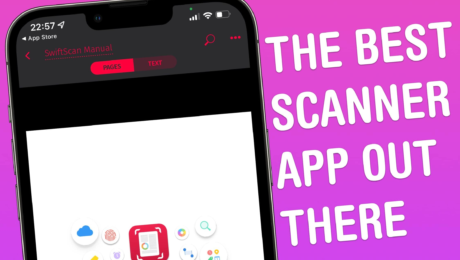
SwiftScan (née Scanbot) is the perfect app for your paperless workflow. It makes capturing images of printed documents — like letters, contracts or reports — as simple as ABC. I’ve been using SwiftScan for years because of its ease-of-use and powerful feature set. Chief among these features is SwiftScan’s auto-capture.
Point SwiftScan at a piece of paper and it’ll automatically recognize the edges, focus the image, and capture a scan. Wait a second or two, and that scan will be transformed into a PDF. And if you’re a VIP member (more on this later), your PDF will also be searchable. Capturing multiple pages is incredibly easy. The whole process, from start to finish, is lightning-fast.
You might use SwiftScan to capture quick scans of receipts and bills, or – like me – digitize physical, printed letters as they land in your mailbox. We’re currently in the process of moving house, and SwiftScan has been invaluable for scanning forms and contracts to send to the legal team.
While scanning is incredibly easy, this isn’t even my favorite feature. Instead, what I love most about SwiftScan is how easy it is to process PDFs once you’ve captured them. This is made possible by a handful of buttons that appear along the bottom of the app’s interface.
First, Actions scours the scanned document for action-able text – like emails, phone numbers or URLs – and presents them in a menu for you to interact with. Second, Send lets you easily share your document or save it to the Photos app, iCloud Drive or Google Drive. And third, Edit lets you annotate, redact or add a note to your scanned document.
There’s also the ability to encrypt the PDF – a feature I really appreciate – or to have SwiftScan automatically upload your scans to a cloud service.
Next, let’s talk color optimization. After completing a scan, you have the option of choosing a filter – presets include grayscale, black and white, and magic color (a personal favorite). There are also the usual crop, rotate and page-delete options to deploy if needed.
We mentioned SwiftScan VIP earlier. Although this sets you back $7 each month, it adds support for a selection of power features that I find indispensable. The main one for me is text recognition – SwiftScan VIP will convert your PDFs into fully searchable documents. Electronic signatures, widgets and an ad-free experience also ship with the pro-level subscription.
While SwiftScan VIP is available for power users, the app is perfectly usable free of charge. Like we said, SwiftScan is available for iOS and iPadOS and won’t cost you a dime.
Price: Free
Available from: iOS and iPadOS App Store
Awesome Apps is a Cult of Mac series highlighting the best apps around. We will feature our favorite apps as well as new and notable ones. Apps are transformative, and these are the best.