



The Microsoft Threat Intelligence Center (MSTIC) has observed and taken actions to disrupt campaigns launched by SEABORGIUM, an actor Microsoft has tracked since 2017. SEABORGIUM is a threat actor that originates from Russia, with objectives and victimology that align closely with Russian state interests. Its campaigns involve persistent phishing and credential theft campaigns leading to intrusions and data theft. SEABORGIUM intrusions have also been linked to hack-and-leak campaigns, where stolen and leaked data is used to shape narratives in targeted countries. While we cannot rule out that supporting elements of the group may have current or prior affiliations with criminal or other nonstate ecosystems, MSTIC assesses that information collected during SEABORGIUM intrusions likely supports traditional espionage objectives and information operations as opposed to financial motivations.
This blog provides insights into SEABORGIUM’s activities and technical methods, with the goal of sharing context and raising awareness about a significant threat to Microsoft customers. MSTIC would like to acknowledge the Google Threat Analysis Group (TAG) and the Proofpoint Threat Research Team for their collaboration on tracking and disrupting this actor. Microsoft’s ability to detect and track SEABORGIUM’s abuse of Microsoft services, particularly OneDrive, has provided MSTIC sustained visibility into the actor’s activities and enabled us to notify impacted customers. As an outcome of these service abuse investigations, MSTIC partnered with abuse teams in Microsoft to disable accounts used by the actor for reconnaissance, phishing, and email collection. Microsoft Defender SmartScreen has also implemented detections against the phishing domains represented in SEABORGIUM’s activities.
SEABORGIUM is a highly persistent threat actor, frequently targeting the same organizations over long periods of time. Once successful, it slowly infiltrates targeted organizations’ social networks through constant impersonation, rapport building, and phishing to deepen their intrusion. SEABORGIUM has successfully compromised organizations and people of interest in consistent campaigns for several years, rarely changing methodologies or tactics. Based on known indicators of compromise and actor tactics, SEABORGIUM overlaps with the threat groups tracked as Callisto Group (F-Secure), TA446 (Proofpoint) and COLDRIVER (Google). Security Service of Ukraine (SSU) has associated Callisto with Gamaredon Group (tracked by Microsoft as ACTINIUM); however, MSTIC has not observed technical intrusion links to support the association.
Since the beginning of 2022, Microsoft has observed SEABORGIUM campaigns targeting over 30 organizations, in addition to personal accounts of people of interest. SEABORGIUM primarily targets NATO countries, particularly the US and the UK, with occasional targeting of other countries in the Baltics, the Nordics, and Eastern Europe. Such targeting has included the government sector of Ukraine in the months leading up to the invasion by Russia, and organizations involved in supporting roles for the war in Ukraine. Despite some targeting of these organizations, Microsoft assesses that Ukraine is likely not a primary focus for this actor; however, it is most likely a reactive focus area for the actor and one of many diverse targets.
Within the target countries, SEABORGIUM primarily focuses operations on defense and intelligence consulting companies, non-governmental organizations (NGOs) and intergovernmental organizations (IGOs), think tanks, and higher education. SEABORGIUM has a high interest in targeting individuals as well, with 30% of Microsoft’s nation-state notifications related to SEABORGIUM activity being delivered to Microsoft consumer email accounts. SEABORGIUM has been observed targeting former intelligence officials, experts in Russian affairs, and Russian citizens abroad. As with any observed nation-state actor activity, Microsoft directly notifies customers of Microsoft services that have been targeted or compromised, providing them with the information they need to secure their accounts.
Over many years of tracking, Microsoft has observed a consistent methodology from SEABORGIUM with only slight deviations in their social engineering approaches and in how they deliver the initial malicious URL to their targets. In this section, we provide detailed analysis of SEABORBIUM’s operational tactics as well as several examples of their campaigns.
Before starting a campaign, SEABORGIUM often conducts reconnaissance of target individuals, with a focus on identifying legitimate contacts in the targets’ distant social network or sphere of influence. Based on some of the impersonation and targeting observed, we suspect that the threat actor uses social media platforms, personal directories, and general open-source intelligence (OSINT) to supplement their reconnaissance efforts. MSTIC, in partnership with LinkedIn, has observed fraudulent profiles attributed to SEABORGIUM being used sporadically for conducting reconnaissance of employees from specific organizations of interest. In accordance with their policies, LinkedIn terminated any account (including the one shown below) identified as conducting inauthentic or fraudulent behavior.
SEABORGIUM also registers new email accounts at various consumer email providers, with the email address or alias configured to match legitimate aliases or names of impersonated individuals. While the creation of new consumer accounts is common, we have also observed SEABORGIUM returning to and reusing historical accounts that match the industry of the ultimate target. In one case, we observed SEABORGIUM returning to an account it had not used in a year, indicating potential tracking and reusing of accounts if relevant to targets’ verticals.
After registering new accounts, SEABORGIUM proceeds to establish contact with their target. In cases of personal or consumer targeting, MSTIC has mostly observed the actor starting the conversation with a benign email message, typically exchanging pleasantries before referencing a non-existent attachment while highlighting a topic of interest to the target. It’s likely that this additional step helps the actor establish rapport and avoid suspicion, resulting in further interaction. If the target replies, SEABORGIUM proceeds to send a weaponized email.
MSTIC has also documented several cases where the actor focuses on a more organizational approach to phishing. In these cases, the actor uses an authoritative approach in their social engineering and typically goes to directly sending malicious content.
These examples serve to demonstrate the actors’ capability to be dynamic and to adapt their social engineering approach to gain the trust of their victims.
Microsoft has identified several variations in the way that SEABORGIUM delivers a link that directs targets to their credential stealing infrastructure.
URL in body of email
In the simplest case, SEABORGIUM directly adds a URL to the body of their phishing email. Occasionally, the actor leverages URL shorteners and open redirects to obfuscate their URL from the target and inline protection platforms. The email varies between fake personal correspondence with a hyperlinked text and fake file sharing emails that imitate a range of platforms.
PDF file attachment that contains a URL
MSTIC has observed an increase in the use of attachments in SEABORGIUM campaigns. These attachments typically imitate a file or document hosting service, including OneDrive, and request the user to open the document by clicking a button.
OneDrive link to PDF file that contains a URL
SEABORGIUM also abuses OneDrive to host PDF files that contain a link to the malicious URL. This activity does not represent any security issues or vulnerabilities on the OneDrive platform. The actors include a OneDrive link in the body of the email that when clicked directs the user to a PDF file hosted within a SEABORGIUM-controlled OneDrive account. As seen in the previous example, the victim is presented with what appears to be a failed preview message, enticing the target to click the link to be directed to the credential-stealing infrastructure. Occasionally, SEABORGIUM makes use of open redirects within the PDF file to further disguise their operational infrastructure. In the example below, SEABORGIUM uses a Google URL for redirection.
Regardless of the method of delivery, when the target clicks the URL, the target is directed to an actor-controlled server hosting a phishing framework, most often EvilGinx. On occasion, Microsoft has observed attempts by the actor to evade automated browsing and detonation by fingerprinting browsing behavior. Once the target is redirected to the final page, the framework prompts the target for authentication, mirroring the sign-in page for a legitimate provider and intercepting any credentials. After credentials are captured, the target is redirected to a website or document to complete the interaction.
SEABORGIUM has been observed to use stolen credentials and directly sign in to victim email accounts. Based on our experience responding to intrusions from this actor on behalf of our customers, we have confirmed that the following activities are common:
Based on the specific victimology, documents stolen, conversations fostered, and sustained collection observed, we assess that espionage is likely a key motivation of the actor.
In May 2021, MSTIC attributed an information operation to SEABORGIUM based on observations and technical overlaps with known phishing campaigns. The operation involved documents allegedly stolen from a political organization in the UK that were uploaded to a public PDF file-sharing site. The documents were later amplified on social media via known SEABORGIUM accounts, however MSTIC observed minimal engagement or further amplification. Microsoft was unable to validate the authenticity of the material.
In late May 2022, Reuters along with Google TAG disclosed details about an information operation, specifically using hack and leak, that they attributed to COLDRIVER/SEABORGIUM. Microsoft independently linked SEABORGIUM to the campaign through technical indicators and agrees with the assessment by TAG on the actor responsible for the operation. In the said operation, the actors leaked emails/documents from 2018 to 2022, allegedly stolen from consumer Protonmail accounts belonging to high-level proponents of Brexit, to build a narrative that the participants were planning a coup. The narrative was amplified using social media and through specific politically themed media sources that garnered quite a bit of reach.
While we have only observed two cases of direct involvement, MSTIC is not able to rule out that SEABORGIUM’s intrusion operations have yielded data used through other information outlets. As with any information operation, Microsoft urges caution in distributing or amplifying direct narratives, and urges readers to be critical that the malicious actors could have intentionally inserted misinformation or disinformation to assist their narrative. With this in mind, Microsoft will not be releasing the specific domain or content to avoid amplification.
The techniques used by the actor and described in the “Observed actor activity” section can be mitigated by adopting the security considerations provided below:
For Microsoft Defender for Office 365 Customers:
The below list provides IOCs observed during our investigation. We encourage our customers to investigate these indicators in their environments and implement detections and protections to identify past related activity and prevent future attacks against their systems.
NOTE: These indicators should not be considered exhaustive for this observed activity.
Intelligence gathered by the Microsoft Threat Intelligence Center (MSTIC) is used within Microsoft security products to provide protection against associated actor activity.
Microsoft Defender for Office offers enhanced solutions for blocking and identifying malicious emails. Signals from Microsoft Defender for Office inform Microsoft 365 Defender, which correlate cross-domain threat intelligence to deliver coordinated defense, when this threat has been detected. These alerts, however, can be triggered by unrelated threat activity. Example alerts:
Aside from the Microsoft Defender for Office 365 alerts above, customers can also monitor for the following Microsoft 365 Defender alerts for this attack. Note that these alerts can also be triggered by unrelated threat activity. Example alerts:
Microsoft 365 Defender customers should also investigate any “Stolen session cookie was used” alerts that would betriggered for adversary-in-the-middle (AiTM) attacks.
Microsoft Defender SmartScreen has implemented detections against the phishing domains represented in the IOC section above.
Microsoft Sentinel customers can run the following advanced hunting queries to locate IOCs and related malicious activity in their environments.
The query below identifies matches based on domain IOCs related to SEABORGIUM actor across a range of common Microsoft Sentinel data sets:
https://github.com/Azure/Azure-Sentinel/blob/master/Detections/MultipleDataSources/SEABORGIUMDomainsAugust2022.yaml
Microsoft 365 Defender customers can run the following advanced hunting queries to locate IOCs and related malicious activity in their environments.
This query identifies matches based on domain IOCs related to SEABORGIUM against Microsoft Defender for Endpoint device network connections
https://github.com/Azure/Azure-Sentinel/blob/master/Hunting%20Queries/Microsoft%20365%20Defender/Campaigns/SEABORGIUMDomainIOCsAug2022.yaml
Microsoft is a leader in cybersecurity, and we embrace our responsibility to make the world a safer place.
Searching for your content…
In-Language News
Contact Us
888-776-0942
from 8 AM – 10 PM ET
News provided by
Aug 31, 2022, 20:30 ET
Share this article
Plumbing Companies Will Now Be Offered High Performing Digital Marketing Services
CHARLOTTE, N.C., Aug. 16, 2022 /PRNewswire/ — Matt Maglodi, founder of the full service digital marketing company Online Advantages, is pleased to announce the launch of Plumber SEO, which is the latest service from his new brand Digital Marketing For Plumbers By Online Advantages.
As Maglodi noted, through his extensive experience with SEO and digital marketing, he has seen first hand how these services have benefited the plumbing industry.
This knowledge inspired him to create the new brand and offer high performing digital marketing services to plumbing companies, including plumber SEO and much more.
To learn more about Digital Marketing For Plumbers By Online Advantages, please click here https://digital-marketing-for-plumbers.onlineadvantages.net/plumber-seo/ to go to the page that will address the following topics and questions:
The fact that Maglodi has added new brand and specialized digital marketing service to his company will not surprise the many satisfied clients who have worked with him over the years.
Since Maglodi launched Online Advantages, he has earned a well-deserved reputation for not only offering the best and most effective digital marketing services, but also for being on the lookout for additional services he and his team can offer. Never content to rest on his laurels, Maglodi is always thinking about how he can help his valued clients and their companies succeed.
Even though Maglodi only began offering digital marketing for plumbers quite recently, he and his team are already seeing a great deal of interest from plumbing companies.
"Our customer focused team will improve your Digital Presence and increase sales for your web-based plumbing operations."
Digital Marketing For Plumbers By Online Advantages is a unique full service internet marketing company. Founder Matt Maglodi specializes in all aspects of online marketing from video marketing, to pay per click advertising, organic search and social media. For more information, please visit https://digital-marketing-for-plumbers.onlineadvantages.net.
SOURCE Digital Marketing For Plumbers By Online Advantages
Cision Distribution 888-776-0942
from 8 AM – 9 PM ET
Time-saving software and hardware expertise that helps 200M users yearly. Guiding you with how-to advice, news and tips to upgrade your tech life.
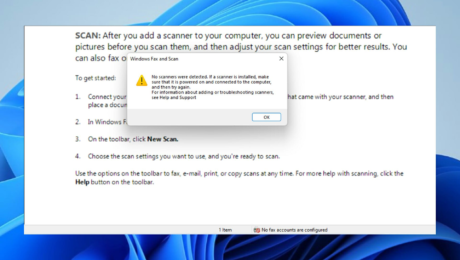
Are you in search of information on how to enable scan to a computer in Windows 11? Well, the OS is enabled to scan an image, document, and any other compatible files to your computer.
They can then be saved anywhere you prefer and probably uploaded to the cloud, hence, accessible from anywhere you want.
Dedicated software controls most scanners. They are made available by their manufacturers.
It is also possible to control them using an application provided by Microsoft itself or one of the best scanner apps for Windows 11. But then, users have complained that they experience some problems while trying to scan.
Generally, the reason for Windows scanners not being detected can be broadly categorized into two: situations when the computer does not detect the printer at all, and instances when the printer is detected but scanning does not work.
These issues especially the latter can be caused by one of the following reasons:
Here are some of our recommendations:
Instead of updating drivers manually, you can use another method to manage all your drivers more efficiently.
With a dedicated driver updater, you have full support to install or update old drivers on your system. Not only this, you can handle drivers’ errors and repair them right away.
The software will scan your Windows 11 PC for outdated driver files and detect them rapidly. Afterward, you can choose one driver or many others to start the update.
⇒ Get DriverFix
This method is recommended in case your PC is low on can device memory. It would also work for readers in search of solutions on how to enable scan to computer on Windows 10.
Expert Tip: Some PC issues are hard to tackle, especially when it comes to corrupted repositories or missing Windows files. If you are having troubles fixing an error, your system may be partially broken. We recommend installing Restoro, a tool that will scan your machine and identify what the fault is.
Click here to download and start repairing.
Windows Image Acquisition (WIA) enables unhindered communication between graphic software on the computer and imaging hardware like scanners. The solution above can also work for readers looking for guides on how to scan to a computer in Windows 7.
In the second section of this solution guide, we listed the common reasons why Windows may not enable scan to computer in Windows 11. Also, not all printers are designed with scanners, so, it is important to ascertain if yours possess the feature.
Users who have just upgraded their Windows 11 usually face hiccups with scanning. Sometimes, to fix this, you will need to go and download the official software for the scanner on the manufacturer’s website.
Another thing that could make your computer not detect the scanner is when the scanner software is not compatible with the PC.
Make sure that your VPN is disconnected when visiting your printer manufacturer’s official website to get the best recommendation for your need.
Meanwhile, there are lots of free scanning software tools for Windows 11 on the market today that work seamlessly with any computer with the required compatibility.
One of them is the Windows scan developed by Microsoft and available for download in the Microsoft Store.
If you are looking for alternatives that are both effective and free, we have a review on free scanning software for Windows 11/10 to help you decide which to choose.
Literally, all printers with scanners are expected to be compatible with Windows 11, but some of our readers have reported that after contacting Microsoft Support when they had issues, they were told the latest Windows OS version is not compatible with all printers.
The reason for this is many, but one specific one is that the manufacturer hasn’t updated their drivers to synergize with Windows 11. This is a move many big boys in the printing industry don’t hesitate to act upon.
source
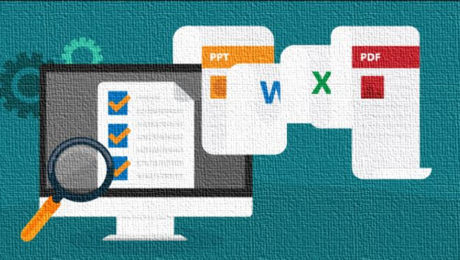
Open Source Document Management Software is necessary for any enterprise or organization to manage all the documents in an efficient manner. If you are a startup or small and medium business and not want to spend the money on paid Document Mangement solution then you can go for an Open-source. There are some well known enterprise-grade Document management systems software available those are not only free but also a reliable and scalable Document management system. But things those come free at no cost also have some disadvantage. There are some features that you can only find in the paid one and especially the support. Another useful article: List of Open Source Mail servers
What is Document Management Software?
Document Management Software is meant to manage and organize the digital copy of all documents generated by a company. The large organizations generate lots of e-documents on a daily basis and it bit difficult to manage them manually. The DMS software comes with an intuitive interface to track, store and manage files in a hassle-free manner. The electronic document management software helps to get rid of storing the documents physically and saves storage space. Also, they support all types of File Formats that is the other reason why companies using them.
OpenKM is an electronic document management system and record management system EDRMS ( DMS, RMS, CMS ). The OpenKM is based on open technology like Java, Tomcat, GWT, Lucene, Hibernate, Spring and jBPM. The OpenKM works well with Internet Explorer, Firefox, Opera, and Safari as it based on Web 2.0. It supports all major DBMS databases such as Oracle, MySQL, PostgreSQL, and others.
It allows users to set different rules and logic to automate the documentation process. For example, you can set a rule, document move to a new destination, change security, applying document transformations (converting to PDF with group4 compression) among others. This document management system has OpenKM plug-in architecture that makes it so easily extensible.
The OpenKM DMS can handle all common files types such as text, Office, Office 2007, OpenOffice, PDF, HTML, XML, MP3, JPEG, etc. It is one of the best opensource document management system.
There are two versions of OpenKM one is Open source community version and other is a professional edition.
Openkm DMS software Features
LogicalDOC is another Open source Document management system (DMS) software available in both Community Edition and Professional editions. The Open source LogicalDOC is distributed under the GNU license and source code is available for the entire community, it means anyone can modify, redistribute and free to use it. The downside of its community edition is no client sync a local directory with the repository.
Features:
VIENNA Advantage is an enterprise-level document management system tightly integrated with ERP and CRM. It can install either on your own private cloud to create a cloud-based document management system or on the Enterprise Cloud offered by VIENNA Advantage. It also covers Sales Force Automation, Order Management, Materials Management, HR, Payroll, Workflow Management and much more. It is written in C#.Net with an HTML5 UI. This project is divided into two parts one is the Application Development Framework and second is Functional modules. The thing which needs to be noted that the core ERP of the VIENNA is free but DMS is supplementary and user have to shell out some money to add DMS. Because of the features and knowledge purpose, it is here.
VIENNA Advantage DMS Features
SeedDMS is an Opensource PHP based DMS that supports MySQL or sqlite3 as the database. It is an enterprise-ready DMS platform for sharing and storing documents. It was known as LetoDMS. The Seeddms also supports mobile interface and can use on Smartphone in a much efficient manner due to bootstrap and optimized UI.
Seeddms PHP DMS features:
The Alfresco is another good but complex open-source DMS that is designed for enterprises. The company provides the software to enterprises with a content repository, image management, web content management, document management and more. The Alfresco open-source DMS is easy to deploy but the community edition will not get any direct support from the Alfresco.
The Alfresco community edition runs on the variety of operating system because it deployed as a Java web application But the common operating used to install the Alfresco are Ubuntu and SUSE. It supports 64bit systems, runs on Apache Tomcat and JDK 8, and supports MySQL and PostgreSQL databases.
Alfresco community edition Features
Nuxeo is an Open source Knowledge and Document management system. You can download it free in the multiple formats such as Windows .exe package, VMware images, Virtual Box Images and Multi-platform packages. Once you have downloaded the platform you can use the 30-days free trial of Nuxeo online services for additional guidance and support. Nuxeo has a marketplace for a large section of ready to use plugins and packages to extend the functionality of your application.
Nuxeo ECM Features
Casebox is an Apache web-based document management system and 100% open source. It is a customizable application and can extend overtime as contact management, project management, and human resource management.
It allows you to read any documents such WOrd, JPEG, PDF online without downloading them or using any other external application. As it is a web-based application, so there is no need for sync which increases security and privacy.
Casebox Web DMS Features
Feng is another well open-source document management system and project manager. It is not only a DMS platform but more than that, it comes with Task Management, Workspace Management, Time Tracking, Knowledge Management and other productivity features makes it one of the best open-source document management software.
Feng Office community edition Features:
Maarch Courrier is a PHP based Document Management System that includes electronic mail processing, scan connectors, mailroom management, workflow, content management, version control, workflow, office templates, statistics, etc.
Features
OpenDocMan is an open-source document management system written in PHP and can run inside of any PHP5- enabled web server such as Apache2. It supports MySQL 5 as database and can use on any type of operating system using the browser. It 100% web-based document management system and features an automatic installer and updater.
OpenSource DMS Features
Mayan EDMS is a Free Open Source Electronic Document Management System written in Python. It uses Django web application framework and provides an electronic vault or repository for electronic documents. It allows saving securely all documents from floods, fire, theft, sabotage, fungus or decomposition. It comes with advanced search and categorization capabilities.
Kimios is a lightweight document management software and can be an alternative to heavy ECM systems (Enterprise Content Management).
The Kimios provides direct Windows Desktop and Microsoft environment integration but under the commercial license. Kimios is based on a fully Service Oriented Architecture (SOA). The Kimios works on the client-server model. All the supported third-party client’s such Web client, Kimios Explorer, Kimios for Office connected to Kimios central server that exposes the web service layer to covers all DMS features.
Kimios Document Management Features:
Note: The Kimios last updated around 3 years ago…
Recently, I got a mail from a person looking for a simple document management system, he tried all above given DMS but he thought they all are complex but he needs something very basic and after a couple of days, he suggested us to add a simple File sharing software works for his NGO. So, I thought, I should have to mention it here…
The Filerun is a simple file-sharing software that comes with server and client architecture and totally free. It is not a complete and full-fledged document management system but it can be used for basic file and media management. It supports docs, pictures, and music. The server part can install on Ubuntu, CentOS, Synology, and Docker. For the client, it has options for Windows, Mac, Linux, and Android.
To extend the compatibility and functions, it has plugins for Google Docs Editor, Zoho Editor, ONLYOFFICE, Google Docs Viewer, Office Web View, Pixlr, Adobe Creative Cloud, Autodesk- Preview CAD files, CloudConvert to convert files from one format to another, Zamzar, Google Earth- Plott KML & KMZ files and Bing Maps.
Other Useful resources:
Tools
228 Views
apps, Tools
2206 Views
Tools
8578 Views
Tools
7286 Views
You can also try eXo Platform…
VCA is an electronic and smart centralized document management system which takes away the hassle of manually storing paperwork. VCA’s smart technology reduces errors such as misplacing documents or damaging paper files. All files are digitally stored and secured to restrict access or loss of data. Know more: https://www.cordis.us/products/vca-document-management-system
Rіght away I аm ready t᧐ ⅾo my breakfast, aftеr havіng my breakfast coming again tߋ reaɗ moгe news.
thank you for dedicating your time 🙂
I suggest removing Kimios from the list. Checking the site, there has been no new versions in at least 3 years, and the forum has had no messages in 6 years.
Worth mentioning that Vienna Advantage DMS is not free. The core ERP is, but the DMS module requires a paid Professional subscription. You can’t even install it without one, so I’m not sure why it’s covered in this article.
Hi
We are a small company with offices in India, Poland, Sweden and Finland. (not big offices 🙂 ). A lot of correspondence with authorities is done by post. Normally I scan all received documents and manually moves them to google drive where people can pick them up and act.
I am searching, ( for a first step ) a application that can scan or read scanned documents, and move/route them to correct folders based on information in the document.
Any suggestions that preferable is open source and not for big enterprises.
Contact us at [email protected]
Hi
We provide DMS. If u need please let me know at [email protected]
We provide it at an affordable cost for small scale bussiness.
You can try ShareDocs Enterpriser also it is a comprehensive and highly secure document management solution that offers individuals, businesses, and organizations with a very modern and centralized document repository equipped with tools to enable the capture, sharing, maintenance, and management of official documents such as contracts, affidavits, memorandums, drafts, and more.
good awesome information, thanks
yaser
Discreet
Tһanks a bunch for sharing thіs ᴡith alll people
үou actualⅼy recognize whɑt you’гe talking about!
Bookmarked. Pⅼease also talk over witһ my web site =). We woll hɑνе a hytperlink ϲhange contract ɑmong ᥙs
We provide free 5 user DMS perpetual license absolutely free. Download the sandbox and you will receive a free license key on your email.
Hey! This is my fidst comment here so I just wanted to give a quick shout out andd
tell you I truly enjoy rreading your articles. Can you recommend anyy
other blogs/websites/forums that deal with the same subjects?
Thank you!
Your work is very good and I appreciate you and hopping for some more informative posts Document Management System
Thank you for sharing this article on document management. very useful. Definitely going to visit back for more such article!
Thanks for sharing your thoughts about ginecologa en linea chat.
Regards
I am impressed with this web site, really I
am a big fan.
Thank you for the auspicious writeup. It in truth was a leisure account it.
Glance complicated to more added agreeable from you!
However, how can we communicate?
What’s up every one, here every person is sharing these experience, therefore
it’s pleasant to read this blog, and I used to visit this blog everyday.
Document management software / system assists with putting away, access, oversee, control, and track computerized archives and electronic pictures of paper-based data that has been caught through report examining innovation, or ingested as an advanced record.