


NEW YORK–(BUSINESS WIRE)–Today, Paradigm, a leading provider of legal software, has announced its acquisition of LollyLaw, an award-winning cloud-based practice management solution built for immigration law firms. LollyLaw is consistently rated as one of the easiest-to-use legal case management platforms and serves law firms across family and business immigration. Co-founders, John and Todd Levesque join the Paradigm team as Co-General Managers of LollyLaw.
“We are thrilled to welcome LollyLaw to the Paradigm family,” said Colin Li, CFO / CRO of Paradigm. “Our mission is to give attorneys the best-in-class legal software solution for their specialty or other unique needs. With LollyLaw, we can now offer immigration attorneys a single intuitive platform to streamline the major functions of their firm and manage the cumbersome, but ultimately rewarding, immigration process from start to finish.”
Founded in 2014, LollyLaw was designed to simplify the complexities that come with running an immigration firm through:
“We are incredibly excited to partner with the Paradigm team,” said John Levesque. “We want LollyLaw to be in the hands of every immigration firm in the country so it can help as many people as possible during some of their toughest moments. With Paradigm’s industry expertise and resources, we can make this vision a reality.”
“We have been working with immigration firms for over 8 years to build a system tailored to their unique needs,” said Todd Levesque. “With the backing of Paradigm, we can double down on providing our customers with the best possible product and support.”
This is the second major acquisition for Paradigm this year, who announced the acquisition of trust accounting software, TrustBooks, in February 2022.
About Paradigm
Paradigm offers a suite of legal software solutions to help lawyers manage, automate and grow their firms. Paradigm’s four leading platforms — PracticePanther, MerusCase, LollyLaw, and Bill4Time — offer fully native practice management, payments, and accounting functionality to law firms across the spectrum of practice area and business need. At Paradigm, we are fast-paced, ambitious and unified by a common vision to build the best legal technology products in the world.
Dan Bowman
Dan@joinparadigm.com
215-896-8942
Today, Paradigm has announced its acquisition of LollyLaw, an award-winning cloud-based practice management solution built for immigration law firms.
Dan Bowman
Dan@joinparadigm.com
215-896-8942

DUBLIN–(BUSINESS WIRE)–The “Global Document Management System Market Size By Offering, By Organization, By Deployment Mode, By Application, By Geographic Scope And Forecast” report has been added to ResearchAndMarkets.com’s offering.
The global document management systems market was valued at $4,410.72 Million in 2019 and is projected to reach $9,368.93 Million by 2027, growing at a CAGR of 10.11% from 2020 to 2027.
Companies Mentioned
The Global Document Management System Market report provides a holistic evaluation of the market for the forecast period. The report comprises of various segments as well an analysis of the trends and factors that are playing a substantial role in the market. These factors; the market dynamics, involves the drivers, restraints, opportunities and challenges through which the impact of these factors in the market are outlined. The drivers and restraints are intrinsic factors whereas opportunities and challenges are extrinsic factors of the market. The Global Document Management System Market study provides an outlook on the development of market in terms of revenue throughout the prognosis period.
Growing digitalization in the healthcare industry is a key element that has boosted the growth of the document management system market. The document management system is used in the healthcare industry to track, manage and store documents, which results in the reduction of paper usage. A DMS is capable of storing records that can be created and modified by different users. It reduces human efforts and creates a paperless environment while reducing the number of errors. Furthermore, intense competition in the healthcare industry and an upward focus on patient privacy will drive the demand for the document management system market over the coming years. Additionally, the rising adoption of cloud-based document management services is further propelling the growth of the market.
This report provides an all-inclusive environment of the analysis for the Global Document Management System Market. The market estimates provided in the report are the result of in-depth secondary research, primary interviews and in-house expert reviews. These market estimates have been considered by studying the impact of various social, political and economic factors along with the current market dynamics affecting the Global Document Management System Market growth.
Along with the market overview, which comprises of the market dynamics the chapter includes a Porter’s Five Forces analysis which explains the five forces: namely buyers bargaining power, suppliers bargaining power, threat of new entrants, threat of substitutes, and degree of competition in the Global Document Management System Market. It explains the various participants, such as system integrators, intermediaries and end-users within the ecosystem of the market. The report also focuses on the competitive landscape of the Global Document Management System Market.
The market is segmented on the basis of Offering, Organization, Deployment Mode, Application, and Geography.
Key Topics Covered:
1 Introduction
2 Research Methodology
3 Executive Summary
3.1 Market Overview
3.2 Global Document Management Systems Market Geographical Analysis (Cagr %)
3.3 Global Document Management Systems Market, by Offering (Usd Million)
3.4 Global Document Management Systems Market, by Organization (Usd Million)
3.5 Global Document Management Systems Market, by Deployment Mode (Usd Million)
3.6 Global Document Management Systems Market, by Application (Usd Million)
3.7 Future Market Opportunities
3.8 Global Market Split
4 Market Outlook
4.1 Global Document Management Systems Market Outlook
4.2 Market Drivers
4.2.1 Increasing Global Demand from Healthcare Domain
4.2.2 Rising Adoption of Cloud Based Document Management Services
4.3 Market Restraints
4.3.1 Information Security and Privacy Concerns
4.3.2 Integration and Implementation Issues of Document Management Systems
4.4 Market Opportunities
4.4.1 Increasing Trend of Cloud Computing
4.4.2 Growing Trend Towards Digitization in Developing Countries
4.5 Covid-19 Impact Analysis on Document Management System Market
5 Market, by Offering
5.1 Overview
5.2 Services
5.3 Solutions
6 Market, by Organization
6.1 Overview
6.2 Smes
6.3 Large Enterprises
7 Market, by Deployment Mode
7.1 Overview
7.2 Cloud-Based
7.3 Hybrid
7.4 On-Premise
8 Market, by Application
8.1 Overview
8.2 Government
8.3 Healthcare
8.4 Industrial Manufacturing
8.5 Banking Financial Services, and Insurance (Bfsi)
8.6 Others
9 Market, by Geography
10 Competitive Landscape
10.1 Overview
10.2 Competitive Scenario
10.3 Company Market Ranking Analysis
11 Company Profiles
For more information about this report visit https://www.researchandmarkets.com/r/vsay8
ResearchAndMarkets.com
Laura Wood, Senior Press Manager
press@researchandmarkets.com
For E.S.T Office Hours Call 1-917-300-0470
For U.S./CAN Toll Free Call 1-800-526-8630
For GMT Office Hours Call +353-1-416-8900
ResearchAndMarkets.com
Laura Wood, Senior Press Manager
press@researchandmarkets.com
For E.S.T Office Hours Call 1-917-300-0470
For U.S./CAN Toll Free Call 1-800-526-8630
For GMT Office Hours Call +353-1-416-8900

There were 510 press releases posted in the last 24 hours and 332,445 in the last 365 days.
Global Healthcare BPO Market
Healthcare BPO Market- Zion Market Research
The global healthcare BPO market size was worth USD 275.7 million in 2021 and is estimated to grow to USD 464.9 million by 2028
Varsharani Lavate
Zion Market Research
+1 855-465-4651
varsha.l@marketresearchstore.com
Visit us on social media:
Facebook
Twitter
LinkedIn
Other
About Zion Market Research
You just read:
EIN Presswire’s priority is source transparency. We do not allow opaque clients, and our editors try to be careful about weeding out false and misleading content. As a user, if you see something we have missed, please do bring it to our attention. Your help is welcome. EIN Presswire, Everyone’s Internet News Presswire™, tries to define some of the boundaries that are reasonable in today’s world. Please see our Editorial Guidelines for more information.
Follow EIN Presswire
© 1995-2023 Newsmatics Inc. dba EIN Presswire
All Right Reserved.
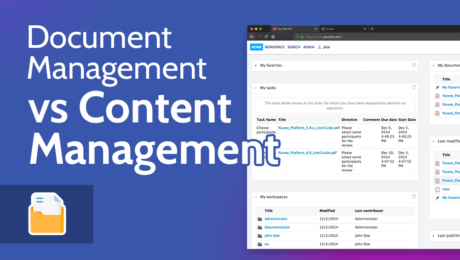
People often confuse document management vs content management systems. In this article, we’ll explore both DMS and CMS, what the similarities are and how their differences dictate which platform is the best for your business.
Document management and content management are closely related. On the surface, they appear to be the same thing, but when you begin to analyze document management vs content management, you begin to see the differences.
If your business is looking to implement a document management system (DMS) or a content management system (CMS), you may be left wondering which one is right for you.
The best document management software and content management systems can come with a hefty price tag, so it’s best to learn what you’re investing your money in and which platform will best serve your needs.
We’re here to help ease confusion and answer some common questions, which will put you in a better position to select which type of software you need to use.
Document management software is specifically designed to hold business documents that multiple users can organize, create, edit and access. A content management system applies to several content types like text, video and images, all of which are published publicly through a website.
Technically yes, you can use a CMS to create and store text-based documents. However, we wouldn’t advise using a CMS for document management as it doesn’t provide the same organization and creation tools as dedicated document management software.
Microsoft SharePoint is a document management system that also includes some traditional CMS features. For example, you can create private web pages and share content with other users in your business.
To help you learn more about document management systems and content management systems, we’re going to explore each platform separately, then look at some of the core differences and similarities.
A document management system is a piece of software that allows companies to manage documents throughout their business. See it as somewhat of a digital filing cabinet, where a range of documents exist and various users are able to access them.
However, unlike a physical filing cabinet, which is only capable of holding documents, an electronic document management system offers much more.
For example, certain document management software allows you to send out internal communications that help keep everyone up to date on critical business processes. You can also collaborate on documents, access older versions and allow multiple users to edit them.
The most common types of document management systems are on-premise and cloud-based. On-premise document management software gives you total control over your internal servers and allows you to establish security for your documents.
The cloud-based option means your documents exist on a third-party company’s servers. Cloud solutions make it easier to access documents on multiple devices, as well as collaborate on documents with others.
Among other things, good document management software enables you to create and store document types such as invoices, employee contracts, spreadsheets, training materials and almost any other business document you can imagine.
The very best also have tools that offer scanning capabilities so you can transfer paper documents to your electronic DMS. Scanning tools include optical character recognition, which lets you edit paper documents that you have migrated to electronic documents.
If you would like more information on what a DMS can do, check out our document management basics article. We also have a document management best practices guide, that outlines how to choose a DMS and make the most of its features.
A content management system is a space that allows you to upload various types of content such as text, images and video. Through various software options, a content management system lets you easily publish content publicly on the web without needing to know how to code it from scratch.
Whether you’re a blogger or a large online publication, you’ll need a content management system in order to create, schedule and publish content. A leading CMS, like WordPress, also offers templates for your website, and gives you the ability to create a unique design.
Most content management systems let you add multiple users to one centralized content stream. You can give users permission to create, edit and publish content. Other users, such as editors, can also access content and edit where appropriate.
After your website goes live, you can access your content management system and create new web pages within your website. You can also modify content even after you publish it online, and all of this can be done without the need for a web developer. This makes it simple for even inexperienced CMS users.
Now that you have a better understanding of what a DMS and a CMS are, let’s take a closer look at some of the core differences and similarities.
A DMS tends to handle what’s called structured data; it’s a space that allows you to easily categorize, search and share data within one centralized platform.
By contrast, a CMS is a place for unstructured data, where content does not have a defined data model and isn’t organized in a defined manner.
Structured data includes easily searchable data, such as names, addresses, charts, documents and PDF files; whereas unstructured data involves data that’s not easy to search, for example video files and audio files.
The platforms share similarities in that they offer a centralized space to upload, create, retrieve and share content. That’s really where the common ground ends, as the type of content created and shared is vastly different.
By now, you should be able to ascertain which platform is the best for your business. If you’re still unsure, here are some things to consider.
Two other terms you’re likely to come across are enterprise content management (ECM) and enterprise document management (EDM). Despite the different terms, not much separates an enterprise content management system from a standard CMS, and the same is true with a DMS. The main difference is scalability.
ECM software allows you to add and manage more users, while also giving them the ability to access content and documents from multiple devices in different locations.
Due to the size of each platform, it’s common to see more tools for automation that allow you to provide fluid updates on business processes and content. This makes enterprise-level management systems ideal for large businesses.
While the foundations of a DMS and CMS are similar, you can clearly see that each software type is built for different purposes. Both of them will certainly help you manage content and work with others on different content and document types; a defined objective will help choose which platform you need.
Which DMS do you use? What’s your favorite CMS? Do you utilize enterprise content management? How do you keep track of your business’ digital assets? Is there something you wish we explained in the article? Let us know in the comments. Thanks for reading.
document.getElementById( “ak_js_1” ).setAttribute( “value”, ( new Date() ).getTime() );
Also interesting
Most popular on Cloudwards
© 2007-2023 Cloudwards.net – We are a professional review site that receives compensation from the companies whose products we review. We test each product thoroughly and give high marks to only the very best. We are independently owned and the opinions expressed here are our own.
Because the Cloudwards.net team is committed to delivering accurate content, we implemented an additional fact-checking step to our editorial process. Each article that we fact check is analyzed for inaccuracies so that the published content is as accurate as possible.
You can tell that an article is fact checked with the Facts checked by symbol, and you can also see which Cloudwards.net team member personally verified the facts within the article. However, providers frequently change aspects of their services, so if you see an inaccuracy in a fact-checked article, please email us at feedback[at]cloudwards[dot]net. We strive to eventually have every article on the site fact checked. Thank you.