


Top 5 Best Document Management Software With Client Portal in 2022 – Tech Times

The best client portal should provide comprehensive document management software so clients can access multiple sections of the entire project process via a secure website. This includes not just document automation but also performance reports, communications, billing, scheduling, requests for modifications, and other transactions.
Needless to say, document portals are the most effective approach to conducting business with clients because they include everything you need to accomplish projects. To help you decide which client document portal is best for you, we’ve selected five of the best here:
Document management software includes a wide range of functionalities to supplement companies in successfully running their work operations completely paperless. It’s one way to store, sort, and manage documents when transacting with clients. These documents can also have version control, workflow integrations, access controls, backup, data security, and more.
Simply put, it’s a commercial software solution that collects, manages, secures, stores, digitizes, and tags company information.
PDF Readers are one of the best and perhaps, popular examples of a document management portal. It allows you to access documents in PDF files offline and save them for viewing, printing, and publishing at any time and from any location. However, it has its few shortcomings, too, since PDF does not support the integration of workflows and other processes associated with effective document automation.
People want to minimize their paper-based tasks and prefer to access important papers from everywhere at any moment as the digitization process continues. For this to happen, one needs to pick the best software for the job. Here are the top 5 best document management software, and we evaluated their features, benefits, and drawbacks.
FileInvite is revolutionizing the way professionals worldwide seek documents and information from their clients. FileInvite’s secure document portal solution replaces email processes in high-document applications such as mortgage applications, education enrollment, legal affairs, accounting, human resources, and banking.
FileInvite is a secure, integrated platform that you can access and request documents, signatures, files, and data from your clients. Set a deadline and submit your requests. Clients will receive an email with a link to their protected client document portal, where they will be able to respond to your requests. From there, both you and your client will have access to the following features:
Automated document collection: There is no need to spend time following up calls, laborious emails, or text reminders with FileInvite. Set due dates for your document requests and let FileInvite remind you. Approve or reject documents and let the automation software follow up clients on your behalf.
With document automation, you are able to keep clients informed about document requests via email and SMS. SMS messages can link from your clients’ phone to their mobile-optimized client portal. At the same time, you may also use the FileInvite Bulk RequestTM tool to send the same request to all of your clients.
Client document portal: You can request all the files required from your clients with this all-in-one platform. The secure document portal provides a seamless customer experience with automated reminders sent as the deadline approaches. Your customers are able to access the document upload portal where they can attach files, utilize their smartphone camera, and also digitally fill and sign forms online.
Create a separate, secure document portal for each new client. Share files, set document rights, add signature requests, and enable or disable password security as needed. You may also include your brand, such as your logo and messaging dependent on the plan. Customize by personalizing introductions, messages, and notifications.
Online forms and e-signature: You can quickly find single or multiple-party signatures on contracts, agreements, and applications using FileInvite’s legally binding eSignature technology. This way, you can quickly convert paper application forms to digital versions and have your clients complete and sign forms online without installing any software.
All the data collected through forms can be downloaded as a PDF file or a CSV file including all data points.
Templates: To request documents from clients in seconds, use FileInvite’s pre-built templates or create your own. Save document lists, messages, forms, and contracts for future use, and populate with customer information. You can keep your team’s company templates, email messages, and alerts. Allow access and share them on your account.
Workflow and dashboard: To obtain the appropriate files, you can approve, reject, and process documents in one platform. On the dashboard, you can always know where each client and file is. Keep all client requests, communications, and history in one centralized location for security and compliance. Delegate duties or share access with your team.
Integration: Speaking of workflows, you can connect FileInvite to your existing work applications to simplify all tasks you need to accomplish. There are over 100 possible integrations, including Google Drive, OneDrive, Dropbox, Zapier and more.
To summarize, FileInvite can collect all the documents, signatures, and data you need up to 80% quicker. Its capabilities demonstrate that it can function as both document and workflow management software, allowing you to streamline your corporate processes and decrease paperwork.
Compared to others, FileInvite’s document management software eliminates the monotony of emails and inefficient procedures. You can save up work hours each week by letting the platform handle the most time-consuming tasks for you.
You don’t have to be concerned about incorrect formatting again, as FileInvite can automatically convert your returned documents to PDF.
It allows you to set the naming conventions for each request you make, so you can easily recognize what they are when returned to you.
Make digital copies of your paper forms. Your clients complete them online via their client document portal.
With FileInvite, you will never have to lose track of documents because a team member is out of the office. Transfer Invite ownership to another team member with a single click.
Contracts, agreements, and applications can be signed easily by a single party or several parties.
Set the frequency your client receives email or SMS alerts.
You can request, assess, approve, and manage documents in one dashboard.
Various documents can be requested and sent from and to multiple clients at the same time.
No freemium version
Furthermore, FileInvite is not confined to a single industry since it may provide legal document automation, banking, financial services, professional services, and other offerings. It can also be utilized in a variety of ways by other professionals.
FileInvite turns document collection into an easy, secure, and seamless customer experience, streamlining workflows and accelerating digital transformation for people-first companies all over the world.
Join the list of industries that rely on FileInvite for document automation. Get your free trial for 14 days or get custom pricing.
Adobe’s Send & Track is a standard Microsoft Outlook plug-in. It may be used to transfer documents, track files, and receive confirmation receipts when others see your files. When you transmit a file, the system publishes it to the cloud and provides a web link that you may give to your client through email. They may then view or download the file, and you will receive a notification when it is viewed.
The Tracker is one of its greatest features in general. You may use it to keep track of the documents you’ve distributed or received. You may also examine and update the location of the response file, as well as monitor which recipients have responded. You can add new recipients, email all recipients, and examine comments made on documents.
In addition, it displays who has joined a collaborative review and how many remarks they have made. You may rejoin a review and email the participants directly. The Latest Updates section summarizes the most recent changes in shared reviews, form files, and servers.
You can sign a document to approve its contents. Then, you may set enhanced security so that a security warning shows when prohibited activity is performed from an untrusted site or file. However, this sort of warning depends on the activity and your version of Acrobat or Reader.
It’s easy to use, so there is no need to learn how to upload documents to a portal.
Send and receive documents in the cloud.
Assess the documents you distributed.
See and manage comments.
Manage reviews being done on documents.
Sign digitally.
Enable security features.
Citrix ShareFile is a secure cloud-based content collaboration tool that enables enterprises to collaborate on their documents on any device, at any time. It combines business-class file sharing, faster processes, and real-time collaboration in a single platform.
You can access and share your files and documents with a few simple clicks. Unlimited storage, an easy email plugin, and the ability to exchange huge files contribute to increased productivity. Its bank-level encryption capabilities safeguard emails in transit and at rest.
You may avoid the hassle of data transfer by using this document automation software to gain secure access to files and folders kept on legacy data systems, with third-party service providers, or any place else. ShareFile provides users with a centralized, secure access point to all data, independent of environment or endpoint.
With configurable workflows that you can handle directly from your ShareFile account, you can automate receiving approvals, feedback, and document-centric activities. Furthermore, its Office 365 interface enables real-time co-editing and versioning.
Send and receive documents securely.
Access everything you need in one platform.
Collaborate with your team on documents you need to work on.
Integrate it with Office 365 for a customizable workflow.
Get legally-binding e signatures.
Experience a customized client portal.
Sync all your files to obtain up-to-date information.
Dropbox is one of the most popular file-sharing services available. It allows you to organize photographs, documents, or any other form of content online and access it from any platform. You may set up a few document automation functionalities for document management software using Dropbox File Request.
It is possible to assign a unique title to each file you receive. Afterward, you can manage these files by categorizing them, storing them as PDFs, photos, or videos, and tagging them.
Dropbox’s digital workflow automation is simple to set up. However, it lacks application cases and may be confined to a few features.
Nonetheless, you may do various activities on each of your files. You may upload and add another file to an existing folder and preview the uploaded file in full-screen mode in Dropbox. You can even share a specific file with someone else on your team. This also applies to those who do not use Dropbox, but they must still sign up for an account.
Set names to each file you send and receive.
Manage files through categories.
Save documents in a different format.
Upload, preview, and share access.
Pin and Star files for easier access.
Access version history.
Tag and make comments on documents.
DocuSign is a market leader in e-signature, providing extensive capabilities for digitally administering and signing documents. Its user-friendly workflow simplifies the signing process, allowing firms of any size to request and perform legally bound and secure digital signatures for documents.
However, DocuSign lacks comprehensive document management features. But it offers a complete way to connect and automate the processes of preparing, signing, acting on, and managing agreements. You can also integrate your process with its platform via 350+ connectors and API.
DocuSign’s toolkit includes a drag-and-drop capability that allows you to simply determine where signatures and other pertinent information are required. You can mark the locations where your receivers must act.
You may add an access code to the document for more security. To open and sign the form, recipients must input the code.
Obtaining signatures is crucial, but so is receiving signed papers. DocuSign’s document tracking tools make this procedure easier. Reports are updated in real-time, so you can see those activities reflected in the reports as signatures are collected, and papers are returned. Its secure nature allows it to be utilized as document automation for healthcare, legal, and other businesses requiring security characteristics for sending and receiving documents.
Easily send, sign and track documents on the go.
It helps standardize the agreement process you’ve made with your client.
Save time by reducing manual work that comes with signing documents.
Utilize tracking and reporting.
It’s capable of integrating with any of your existing business systems.
It provides a secured document signing process.
A competent document management system can assist in organizing your files and data in one location, keeping track of your key papers, speeding up your workflow, improving accuracy, and providing round-the-clock access to documents from anywhere in the globe. But it works best if you can have custom client portals offered by FileInvite, Adobe, and Citrix.
However, if all you need is to digitize your papers and have them saved and handled, Dropbox and DocuSign may be right up your alley.
Sign up for our free newsletter for the Latest coverage!

- Published in Uncategorized
Systems Engineering Innovation Center – The MITRE Corporation

Applying systems thinking to identify creative solutions.
The Systems Engineering Innovation Center uses MITRE’s extensive engagements on hundreds of projects as well as collaborations with industry and academia to develop and apply novel techniques for effective and predictable systems of systems.
Diverse technology is being created at a rapid pace across the world. Our challenge is harnessing that technology to collectively solve problems at scale. And to do so, the systems engineering solutions evolve as technology rapidly improves.
The Systems Engineering Innovation Center identifies, nurtures, and promotes use of innovative technologies for solving our sponsors’ and partners’ most challenging problems.
Capabilities include:
Impact Story
Publication
Publication
Publication
Impact Story
Publication
Impact Story
Impact Story
Publication
Publication
Publication
System of Systems Engineering Collaborators Information Exchange (SoSECIE): Providing guidance, education, and training to share systems engineering best practices.
A MITRE-developed body of knowledge on the intersection of systems engineering and project management.
- Published in Uncategorized
Why ECM Can't Replace Digital Asset Management Platforms – CMSWire

CMSWire's customer experience (CXM) channel gathers the latest news, advice and analysis about the evolving landscape of customer-first marketing, commerce and digital experience design.
Since the launch of Cumulus, the digital asset management (DAM) platform by Canto, in 1992, the challenge of managing digital assets and files has never really gone away. Since then and in the years immediately after, we saw the development of consumer web browsers and the emergence of web-based DAM running in tandem with the emergence of, in the first instant, document management systems and then enterprise content management systems (ECMs).
In the early 2000s, we also saw the rise of web-based solutions and, ultimately, the emergence of the cloud as the leading storage destination for digital content. The debut of the iPhone in 2007 added more complexity, as DAM had to convert images for a variety of devices and operating systems. Despite the emergence of advanced cloud storage systems and cloud-based enterprise content management systems with almost unlimited storage, the problem of managing and tracking digital assets has yet to be resolved. In this respect, a DAM solution acts as a storage and collaboration center for all the digital assets like images, videos, documents, PDFs and other kinds of content for the entire team.
Traditionally, teams would collaborate and share content via mails or storage solutions like Google Drive or Dropbox. But these tools are not primed to solve the problem we face now. For example, it would be a nightmare to find in an email chain the last comment the VP of Marketing left on a banner shared with him. Or for the tech team to know which of the five “logo-final.png” files in a Drive folder are the actual logo that should go live.
A good DAM solution offers many solutions built to ease management, collaboration, and distribution of digital assets, making it a better tool for your organization and help improve efficiency. But an enterprise content management can do much of this so why do you need a separate system?
Related Article: Gartner's Top 19 Enterprise Digital Asset Management Solutions
ECM systems are often, not built to handle custom metadata like DAM platforms are, said Ed Cravo, co-founder, and head of marketing at Chicago-based automation software developer Groundbreaker. Typically, digital asset management systems are for creative content such as images, videos, design files, gifs, and presentations. He pointed out that enterprise content management systems are used primarily for business records, which are almost always text-based documents. Enterprise content management systems are not made to find and present visual files.
They are made for documents and text search. Images may not pop up for previews and may just look like a generic file type in the ECM system. Audio and video playback may be nonexistent. There are great benefits that are brought through the use of a CMS, DAM, or other enterprise content management tool, but the functionality and effectiveness can be boosted by an underlying foundation. “The foundational technology should allow for easy granularization of content into modular components. This will reduce redundancy and improve ease of collaboration,” Cravo added.
“DAM and ECM should no longer be considered as mutually exclusive technologies but should be considered as part of a holistic approach to enterprise content management,” said Alan Porter, director of product marketing at Westlake, Ohio-based Hyland. “You need to be thinking in terms of developing a digital supply chain, to connect content, data, and assets across the organization that allows you to deliver exceptional customer experiences.”
Porter pointed out that DAMs aren’t just about storing and searching for pretty pictures anymore. In today’s fast-paced business environment, DAM serves many roles, from traditional marketing use cases to being positioned at the center of a complex enterprise-wide digital supply chain, he said. DAM and ECM need to work together to enable multiple practical uses cases along a content management continuum that exists between the traditional theoretical simplified applications. To figure out where you are on that continuum you need to ask yourself some key questions:
That last question is perhaps the most important one, because organizations truly need to understand the context within which content is being used and consumed, whether it be rich media, simple documents, or business-driven data.
As the definition of a digital asset continues to expand, it would be difficult for a CMS to ever fully replace a DAM. A CMS, even an enterprise level system may not be able to handle the millions of assets, many binary in nature, that an organization creates and uses, according to Katie Cole, gaming and virtual production evangelist at Minneapolis-based Perforce.
Being able to analyze those binary files, like images, and strip out what they represent using AI, and converting that into useful meta and search data, is not something you typically see in a CMS, but something you do see in modern DAMs.
“What we hear from our customers is a good portion of digital assets are never even intended to be used on their websites,” she said. “For example, digital assets used in a piece of software the organization sells. With these types of assets there needs to be much tighter access control and traceability. Could a CMS do that? Maybe, but it isn’t really the intended use case of a CMS.”
As final thought, Devin Schumacher, founder of Los Angeles-based SERP, points out that even comparing DAM and ECM is difficult. DAM, he says, manages the dissemination and organization of visual content from its central hub. Based on experience, utilizing DAM technology allows users to organize terabytes’ worth of assets and manage the overall accessibility to these files in a smooth, streamlined manner. This technology far outperforms file-sharing cloud platforms like Google Drive, he said.
“Technically, you cannot replace DAM with ECM because the former falls under ECM, “he said. DAM features the single technology needed to organize visual content, which no other ECM technology can do. However, other ECM technologies can also perform functions that DAM cannot. For instance, other systems under ECM are in charge of cybersecurity, file transfer automation, and master file management.
Instead of choosing between ECM and DAM, organizations should first explore these technologies’ features, then objectively assess which ones suit your daily business operations.
- Published in Uncategorized
Managed document-based data stores come of age – The Register

- Published in Uncategorized
What Is a Document Management System in 2022? – Cloudwards
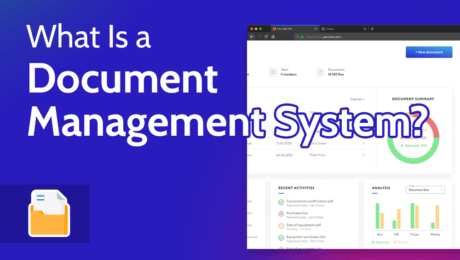
A document management system (DMS) is a form of data storage that allows businesses to access their documents easily. You can choose between a local and cloud-based solution (assuming you’re not using paper storage). Check out the rest of this article for more information on the best approach to implementing a DMS.
It’s essential for businesses to have their documents and data in order. It allows you to easily access company information, and it also helps you be compliant with local regulations. That’s why you need the best document management system (DMS) in place to help keep your house in order.
This article will look at the different types of document management systems, what they do and why your business needs them.
For its versatility and flexible security, Egnyte takes the title of being the best DMS available.
The best document management systems allow businesses to manage, access and create business documents effectively.
Yes. SharePoint is a popular document management system that’s owned by Microsoft. Certain plans also come with Microsoft Office integration, allowing you to create new documents inside your DMS.
A document management system is put in place to help businesses store documents created within the company. The documents could be training reports, employee contracts or anything else business related. Those in the industry sometimes refer to a DMS as “enterprise content management.”
While they’re essentially the same thing, content management isn’t always the same as document management. We have compiled comprehensive document management vs content management guide to help you better understand their differences.
Company documents can be managed either on-premises or through a cloud-based system. Let’s take a look at both options.
Pros:
Cons:
Pros:
Cons:
The first approach to document management is to have your DMS located on your business premises. We’re not talking about physical documents, but rather local hard drives and servers inside your office.
There are several advantages to having your document management system on your premises. First, it gives the business more control over who can access its data. This method significantly reduces the chances of falling victim to hackers accessing your confidential information.
On-premises document management systems mean you should employ an in-house support team. Keeping things in-house removes the need to depend on an external support team, reducing the amount of time it takes to resolve issues if and when they occur.
Furthermore, an on-premise DMS helps the user be more compliant with local regulations. Each country and continent has its own standards for how companies should handle professional and employee data, so businesses must act within the parameters set by their local regulator.
By taking full control of your management system, your business doesn’t need to worry about the actions of a third-party solution that you’ve employed to manage your important documents. Ensuring you are compliant with regulations reduces the risk of being penalized for not following your local laws.
There are some downsides to keeping your DMS on-site. If your local drives are damaged — and you don’t have an alternative backup solution — you risk losing all your critical business documents. The same is true if someone breaches your security and steals your hard drives.
From a financial standpoint, your business will likely need to invest a significant amount up front to install the servers that host your DMS, and the software used to manage it. Factor in the increased energy usage to keep the servers alive, and you’ll soon see a large hole burned in your business account.
The alternative to having a local document management system is to have one that exists in the cloud. While some businesses are reluctant to take this route (fearful someone will compromise their confidential data), there are several benefits to storing your documents in cloud storage.
The most obvious benefit is that it’s much easier to make all your documents accessible across different departments, locations, employees and devices — including mobile devices. That’s especially important now, with the increase in remote work.
With cloud storage document management solutions, all you have to do is create a user account for each member of your staff, and they only need to log in to the cloud to access the documents.
Of course, keeping a cloud-based document management system also ensures that you’ll still be able to access your documents from your new computer if anything should happen to your hardware.
Using a cloud-based DMS is also more efficient. When using an on-site solution, your IT department needs to spend time and energy setting up your DMS software and servers.
A cloud solution removes much of that up-front effort as your service provider does most of the legwork. While there’s still some setting up and maintenance to do, most of it involves creating user accounts and uploading any pre-created documents to the cloud.
The concerns around security are valid. When a third-party cloud company manages your data, it opens up the door to cyberattacks. Naturally, the leading cloud DMS providers implement the most robust security to protect your documents. However, they’re not foolproof, so you must select the most secure solution for your document storage.
If you’re looking for a space to simply store your documents, check out our favorite cloud storage services for documents.
A document management system is more than just a place to keep your documents. Below, we’ll take you through the key features and workflow tools of any leading document management system software.
Document management makes it much easier to sort the countless documents your business creates. Good DMS software allows you to separate your digital records into categories, add tags to your documents, and provide advanced and accurate search functionality.
With a good document management solution, you can use many automations. For example, you can set up automated notifications and messages whenever you create a new document or edit a current document. Once set up correctly, automation makes your workflow process much more efficient.
If you no longer work with paper documents and don’t wish to upload each document you create, document management software will be your best friend.
With many providers, it’s possible to create a document directly inside the platform. For cloud-based users, this makes documents instantly available to authorized users. It also opens the door to collaboration and real-time editing across teams and departments.
File locking means that only authorized users can access a file or grant access permissions to other users. Implementing file locking ensures that nobody opens, views or edits documents without permission. It also helps keep sensitive documents confidential.
Businesses constantly edit documents. However, there are instances when you’ll want to undo edits or access a previous version of a document. Filer versioning allows you to access earlier versions of your documents. Different companies will have different limits on how long previous file versions are retained.
Many DMS options come with strong communication tools for effective document management, which makes it easier to share files and collaborate on content.
There’s no escaping the fact that putting an electronic document management system in place will make it much easier to manage your business. If you’re still using paper and filing it in cabinets, you’re relying solely on human labor to keep things in order — and human error may occur.
Using digital documents that have no rhyme or reason when sorting them on your computer makes life more complicated when trying to find or work on a business doc. Document management software — cloud-based or local — helps you locate documents easily, ensures you don’t lose documents and allows you to create new documents.
Aside from internal processes, most sectors are subject to external audits to ensure they’re compliant with their industry standards. Auditors will want to see a range of business documents to ensure your business is acting within the legal framework set by regulators.
A document management system will help you access the documents requested, and it also shows your commitment to running an efficient and well-managed business. You can start with one of the best free document management software to see how the systems work. We also have a comprehensive document management best practices guide to help you get the most out of the document management system.
If you’re a decision-maker reading this, you’re likely asking yourself, how much will this cost my company?
If you choose to do on-premise document file management, you’ll need to install software that allows you to access and manage your content. Most document management software providers aren’t forthcoming with their prices.
However, we have some data, and we’ll warn you that the up-front cost is expensive. Our team did some digging and a license with one of the leading software providers, FileHold, costs around $3,750.
We also spoke to an agent from eFileCabinet, another leading on-premise software solution; we told them we had 20 to 50 employees in a company, and the agent gave us a ballpark figure of $60 to $100 per user per month.
In comparison, cloud-based document management systems tend to have smaller up-front costs. For example, Microsoft SharePoint starts at $5 per user per month (paid annually), making it ideal for small businesses.
Other cloud-based document management systems require a minimum number of users. For example, OnlyOffice charges $8 per month for its VIP package, but has a minimum of 100 users. Still, this type of package is common and works out cheaper than the up-front costs from locally stored document management systems.
After reading this article, we hope you’re scrambling to find the best document management systems available. If you are, that’s good news, as the implementation of a robust DMS should rank high in your business priorities.
While on-site document management systems give you more control and independence, we’d recommend going for a cloud-based electronic document management system instead. Overall, they’re easier to manage, only require an internet connection for access and can help you be more productive with document creation.
What is your favorite DMS? Which is best for sharing documents and files securely? Is your business a paperless work environment? If so, do you prefer on-premise or cloud-based? Let us know in the comments below. Thanks for reading.
document.getElementById( “ak_js_1” ).setAttribute( “value”, ( new Date() ).getTime() );
Also interesting
Most popular on Cloudwards
© 2007-2022 Cloudwards.net – We are a professional review site that receives compensation from the companies whose products we review. We test each product thoroughly and give high marks to only the very best. We are independently owned and the opinions expressed here are our own.
Because the Cloudwards.net team is committed to delivering accurate content, we implemented an additional fact-checking step to our editorial process. Each article that we fact check is analyzed for inaccuracies so that the published content is as accurate as possible.
You can tell that an article is fact checked with the Facts checked by symbol, and you can also see which Cloudwards.net team member personally verified the facts within the article. However, providers frequently change aspects of their services, so if you see an inaccuracy in a fact-checked article, please email us at feedback[at]cloudwards[dot]net. We strive to eventually have every article on the site fact checked. Thank you.
- Published in Uncategorized
26 DocuSign Competitors & Alternatives (30 Day Free Trial) | by Toby Kiernan – DataDrivenInvestor

DataDrivenInvestor
Jun 17
Save
While you are creating, editing, or sending digital documents, it is necessary to capture an online signature so that the document can be authenticated. For effectively capturing a legally binding electronic signature online, there is a need for an electronic signature service.
Without the implementation of an online signature software, you will end up exposing your company to legal troubles. One of the top electronic signature software that are used by organizations commonly is called DocuSign.
Click to the Image to Check Price
It is available at a nominal fee per month and ends up being a low-risk method to send a couple of documents per month while also getting an understanding of how online document signing actually operates.
As said, DocuSign is not the only choice that there is for an online signature software.
However, I’m just diverting your attention with this statement, DocuSign competition is a burning issue in the electronic signature software industry. Each DocuSign competitor has been trying to beat it by facilitating the user’s with same features in less budget.
Furthermore, all the DocuSign competitors that have been mentioned below provide free trial with some features. You can utilize for a days, if you are not satisfied with them. You can easily switch it and try another alternative to DocuSign.
There are multiple competitors and alternatives to DocuSign that are available in the market and they make a great choice. In this blog, I have listed top DocuSign competitors and alternatives that can make your selection convenient.
Let we start understanding of free DocuSign alternative one by one. Each DocuSign Competitor’s pricing have denoted based on the basic features that they offer. You may find out more about business and enterprise planning by visiting the software’s website.
➽ SignNow — 1st Free DocuSign Competitor & Alternative
In the list of DocuSign’s competitors, SignNow is one of the top Docusign competitor and electronic signature software for small businesses that comes with features needed to sign and send documents. It helps in generating agreements, automating and streamlining processes, accessing payments, and managing documents.
This application has reusable templates that help in simplifying the process of sending documents and saving time. When it comes to workflows, SignNow allows you to organize documents into groups and send them based on the roles of receivers.
With SignNow, it is also possible to set different actions after signing has been completed.
➽SignNow Pricing — Start from $8 per user per month
➽ Wesignature — Free DocuSign Competitor & Alternative
WeSignature is one of the best document signing software and most widely chosen electronic signature software at the present time.
Many professionals have been using this application for their personal and professional use which makes it the best DocuSign competitor.
It is a simple, efficient, and effortless software for signing documents as it enables individuals and organizations to sign a wide range of online documents.
Once you adopt the WeSignature application, you can sign the documents, fill up paperwork, and follow up with the receivers regularly.
It is an application that has consistently proven itself to be the best electronic signature service for small businesses.
Once you start using WeSignature, you will be surprised at the reduction of turnaround time from a couple of days to just a few minutes.
In addition, it also enables the organizations to send multiple documents to people all at once.
➽Wesignature Pricing — Start from $15 per month
➽ Signaturely — Free DocuSign Competitor & Alternative
In another competitors to DocuSign, Signaturely is well known esignature software. It is also preferred by many people who are looking for simple methods to get their documents signed in a legal manner. Signaturely has proven itself to be a great alternative to DocuSign because of its simplicity.
Signaturely is easy to use and also makes online document signing simple. The reason why Signaturely stands out is that it focuses on eliminating the features.
It lays special emphasis on cutting down all unnecessary steps so that it becomes easy to get your documents signed.
➽Signaturely Pricing — Start from $20 per month
➽ CocoSign — Free DocuSign Competitor & Alternative
Over the past few years, CocoSign has emerged as an extremely renowned online signature platform. It is one of best DocuSign competitor and is used for sending, signing, saving, and accessing documents online.
It is capable of automating business processes by closing deals quickly, safely, and legally.
CocoSign enables users to choose a free trial for understanding how the platform should work and how useful it can be. It is easily the best place for online signatures as it improves businesses by automating significant parts of business deals. It is empowered with multiple applications, integrations, APIs, and industry-specific solutions.
CocoSign allows you to get signatures digitally without facing problems in managing paperwork. It provides a user-friendly, digital, and integrated experience for creating e-signatures.
In addition, it also offers cross-platform functionality and can be accessed anywhere. People use it because it is safe, legally compliant, and efficient
➽CocuSign Pricing: The basic plan of CocoSign starts at $8 per user per month.
➽ HelloSign — Free DocuSign Competitor & Alternative
HelloSign is another online electronic signature software that is also understood to bring a wide range of features to the market. It is great with customer service, customization, and flexible pricing as well.
It also comes with a great API that enables you to embed and brand the signing options in the online documents.
This is an electronic signature company that is also compliant with all of the major online signature laws while offering an array of extensions and integrations.
It is an application owned by Dropbox and comes with powerful integration along with many tools such as Google Suite, Gmail, and more.
➽HelloSign Pricing: Start from $15 per month
➽ Adobe Sign — Free DocuSign Competitor & Alternative
Adobe Sign is a feature-rich among DocuSign competitors. It is an online signature platform that provides you with the power to manage the workflows from any location and device. Many people use this app because of the seamlessness that it is capable of offering in electronic document signing.
Adobe Sign is an application that is known for its wide integration with third-party tools along with an added focus on global compliance.
It is full of features for both electronic and digital signatures. Many professionals have been choosing Adobe Sign for their personal and professional use.
➽AdobeSign Pricing: Start from $12 per month
➽ PandaDoc — Free DocuSign Competitor & Alternative
Yet another top competitors to DocuSign is PandaDoc which is very well known for offering a streamlined user interface and ease of use.
This is an online signature tool that is known for providing a streamlined user interface and ease of use.
It is an e-signature tool that comes with great assistance in document management.
PandaDoc comes with a drag and drops integration, automated workflow, and audit history as well. It has multiple integrations including CRM, file storage applications, and payments.
If you are looking for an effective solution for the management of contracts then PandaDoc is worth giving a shot.
➽PandaDoc Pricing: Start from $19 per month
➽ RightSignature — Free DocuSign Competitor & Alternative
Next DocuSign competitor, RightSignature is a perfect alternative to DocuSign that comes with a wide range of integrations as an important part of the e-signature process. It specializes in making document signing a simple process.
The users can upload online documents to RightSignature with a drag and drop tool for placing signature fields inside the document.
Once this happens, the users can send the document through an email to the customer for an optimized online signing experience. Using RightSignature offers plans for individuals and enterprise-level users as well. It provides features that are completely different as is the cost.
RightSignature also treats uploaded documents such as a locked PDF while enabling the users to drag the signature fields on the top of the page.
The custom branding with RightSignature is more like a white labeling feature as opposed to a branding kit.
➽RightSignature Pricing: Start from $12 per month
➽ SignWell — Free DocuSign Competitor & Alternative
SignWell is another one of the competitors to DocuSign that is a cost-effective and user-friendly electronic signature application used by many businesses. It helps in eliminating many hours from the usual document signing process and is also compliant with e-signature laws.
This application comes with a free plan that also includes various features such as document tracking, flexible workflows, and reminders. This is an application that is being used by a wide range of people in recent times.
➽SignWell Pricing: Start from $8 per month
➽ SignEasy — Free DocuSign Competitor & Alternative
SignEasy is yet another top recommendation for many people. It is one of the best electronic signing software for personal use. You can sign up with a free trial and you can instantly begin by uploading documents, preparing them for signatures, and sending them.
SignEasy comes with wide integration support and also works within your favorite applications. You can open a document with Gmail, sign it, and then send it without any stress.
Finally, you can also take benefit of many features such as automated reminders, tracking, and signing sequences.
➽SignEasy Pricing: Start from $10 per month
➽ Eversign — Free DocuSign Competitor & Alternative
The another choice in the list for DocuSign competitors is Eversign. It is a great solution for all users who need legally binding online signatures but are not looking to break the bank with a high fee.
Eversign is a cost-effective choice that comes with the ability to send many documents per month without an added fee.
The basic features that Eversign offers are all included in audit trails, contract management, and app integrations.
The businesses that are looking to onboard more users or seeking additional perks such as in-person signing can exist without any extra price tag.
➽Eversign Pricing: Start from $9.99 per month
➽ DigiSigner — Free DocuSign Competitor & Alternative
DigiSigner is a cloud-based electronic signature software and one of the best DocuSign competitor that focuses on speed, affordability, and convenience of use.
Using the service, businesses and people can sign contracts and agreements from any location in the world, regardless of their location.
DigiSigner is compatible with a wide range of devices, including laptops, tablets, smartphones, and more.
All main e-signature laws, such as ESIGN, UETA, and European eIDAS, are met by DigiSigner.
DigiSigner’s signatures are legally binding and can be used in a court of law.
➽DigiSigner Pricing: Start from $12 per month
➽ SIGNiX — Free DocuSign Competitor & Alternative
A next DocuSign competitor is SIGNiX, which makes it easy for partners in highly regulated industries like real estate, wealth management, and healthcare to use digital signature and online notarization software together.
There are no costs or risks to using the patented SIGNiX FLEX API.
It allows partners to offer military-grade cryptography, enhanced privacy, and permanent legal evidence of a true digital signature without having to deal with paper-based processes.
➽SIGNiX Pricing: Start from $10 per month
➽ Scrive — Free DocuSign Competitor & Alternative
As soon as Scrive was started in 2010, it quickly became a leader in the Nordic e-sign market and take place in the list of top DocuSign competitors.
Today, more than 6000 customers in 40+ countries use Scrive to speed up their onboarding and agreements processes with solutions that use electronic signatures and IDs.
As a trusted digitalization partner, Scrive helps businesses of all sizes, even those in highly regulated industries, move forward with their digital transformations.
This includes improving customer experience, security, compliance, and data quality. Scrive is based in Stockholm and is owned by Vitruvian Partners. It has more than 200 employees.
➽Scrive Pricing: Start from €15 per month
➽ Secured Signing Software — Free DocuSign Competitor & Alternative
Secured Signing Software is a cloud-based service for managing electronic signatures. It works with businesses of all sizes in a wide range of industries, including finance, education, and real estate.
Users can sign documents digitally, send email invitations to complete documents, and make forms with the help of these tools.
Secured Signing lets people send invitations to a group of people. Businesses can set up reminders and add extra fields to documents to help them.
The solution lets users add electronic signatures to word documents and set up approval processes. It may also let recipients add or change text before they sign.
Secured Signing works with Salesforce, Realme, and Microsoft Dynamics 365. Face-to-face signing lets customers use an SMS code to prove their identity and then sign on the screen.
In the dashboard, users can see how long it will take to sign a form, as well as download and store signed copies of the form.
If you want to use Secured Signing’s services, you can pay for them each month or pay as you go.
Customer service is available through an online ticketing system, an online knowledge base, phone, and email, among other ways.
➽Secured Signing Software Pricing: Start from $9.95 per month
➽ eSign Genie — Free DocuSign Competitor & Alternative
This electronic document signing service is actually quite expensive, despite the fact that it appears to be a bargain at first glance. Esign Genie is a splendid choice among top notch DocuSign competitors, despite its low price, is packed with capabilities that make the e-signing process more convenient for both signers and organizations.
The process of connecting to eSign Genie is as simple as creating a network connection and using the form-signing tools.
eSign Genie can help you collect document signing for a fraction of the cost of competing products like PandaDoc and GetAccept.
When it comes to the business, pay-as-you-go is one of the most intriguing aspects. This package also includes the ability to sign papers in person and assign signers, two features that are often reserved for more expensive e-signature services.
➽eSign Genie Pricing: Start from $8 per month
➽ SignRequest — Free DocuSign Competitor & Alternative
SignRequest appears to offer a lot of capability and customizability for senders who need to transmit multiple papers each month. When creating papers for multiple signers, the professional plan comes with features including a post-signature landing page and the ability to alter the document signing sequence.
This platform is ideal for small-business owners who don’t need to transmit a lot of documentation each month, and it offers everything you need.
You can easily see what paperwork has yet to be completed and what documentation has already been finished thanks to SignRequest’s document management features.
When it comes to creating templates, collecting signer attachments, and selecting the authentication mechanism your signatures may use, SignRequest is the best document signing software for businesses or anyone searching for a quick and easy method to sign.
➽SignRequest Pricing: Start from €9 per month
➽ DrySign — Free DocuSign Competitor & Alternative
Due to its cloud-based best electronic signing software for company, it may assist speed up internal and external sign-offs, reduce the need for paper procedures, and increase team efficiency.
It is possible to use DrySign with any of the following cloud storage services: Google Drive, Dropbox, OneDrive, and CRM. It can be utilized on a variety of platforms, including PCs, laptops, and even handheld devices.
The ESIGN Act and the UETA are among the electronic signing regulations that this method complies with. DrySign provides an audit trail, multi-factor authentication, and smart tracking to assist businesses reduce the risk connected with their transactions.
All documents and activity can be viewed from the dashboard. Multiple signatures can be requested, automated notifications can be set up, changes can be viewed in real time, document fields can be altered, and bulk files can be uploaded.
➽DrySign Pricing: Start from $7 per month
➽ KeepSolid Sign — Free DocuSign Competitor & Alternative
Various documents, such as contracts, transactions, and other agreements, can be signed electronically with KeepSolid Sign. In either case, it is possible to set up this product.
As compared to DocuSign, KeepSolid Sign allows you to sync documents between several platforms, including PCs, tablets, and cellphones. The data in the system is encrypted with AES-256. Apps for iOS and Android devices are also available from the company.
Signing and annotating documents without being online is feasible, and the changes you make are saved. In order to keep track of the progress of a document, the service provides an activity dashboard that may be used by the user.
➽KeepSolid Sign Pricing: Start from $9.99 per month
➽ Formstack Sign — Free DocuSign Competitor & Alternative
In the DocuSign competition, Formstack Sign is an e-sign document platform built inside the Formstack data management system, allows users to sign documents electronically.
Filling out surveys and applying for jobs are just two examples of online forms that Formstack Sign is well-suited to handle because of its accessibility and signature automation features.
It is possible to trace the origins of the company back to Ade Olonoh, who founded FormSpring on February 28th, 2006. FormSpring predated FormStack.
Initially, it was designed to be an online form builder that also provided workflow management solutions for businesses like higher education and marketing.
An added benefit is that the integration of more than 50 web applications such as customer relationship management (CRM), email marketing (email marketing), payment processing and document management is available to Formstack customers who don’t have programming or software abilities.
➽Formstack Sign Pricing: Start from $18 per month
➽ ZorroSign — Free DocuSign Competitor & Alternative
Document-based transactions, such as payroll and employee onboarding, can be managed with ZorroSign. It is a cloud-based electronic signature and digital transaction management solution.
ZorroSign uses proprietary forensics technologies to identify document forgery and signature forgery based on Blockchain technology.
If you’re looking for a document signing software that’s more secure than some of DocuSign alternative, such as government, legal, or healthcare, this is an excellent option. ZorroSign is also an environmentally responsible company as compared to other DocuSign Competitors.
➽ZorroSign Pricing: Start from $10 per month
➽ PDF Filler — Free DocuSign Competitor & Alternative
For editing, producing, signing, and maintaining PDF files online, pdfFiller is the best option available. It is one of the greatest alternative to DocuSign.
Using it since 2008, it has made it easier for companies and people to go paperless!
Additionally, pdfFiller is part of the airSlate Business Cloud, a simple bundle that offers a variety of useful services.
➽PDF Filler Pricing: Start from $8 per month
➽ Dochub — Free DocuSign Competitor & Alternative
Online PDF annotation and best electronic signing software, Dochub, allows users to add text and photos to their PDFs online. Multi-signer procedures, document signing in bulk, lossless editing, team collaboration, and more are all possible with this program.
The low cost of this program makes it a standout in comparison to DocuSign. The process of setting up and transmitting documents to users has been made simpler.
With DocHub’s editing features and the option to keep multiple signatures on several devices, it’s easy to collaborate with others. As a result of this functionality, it is a significant DocuSign competitor.
➽DocHub Pricing: Start from $6 per month
➽ EasySIGN— Free DocuSign Competitor & Alternative
They are proud to say that EasySIGN is acknowledged as a real one-stop-shop software solution for the signmaking and digital big format printing businesses worldwide.
The software provides unique, non-destructive design and production capabilities that are both inventive and easy to use in order to convert creative ideas into production-ready realities.
It offers a worldwide network of resellers that are experts in the field. More than 25 nations use the program, which has been translated into numerous languages and delivered to a dedicated clientele.
➽EasySign Pricing: Start from €49 per month
➽ Signority— Free DocuSign Competitor & Alternative
When you use Signority, the eSignature process is completely automated and your document management costs are much reduced. This allows you to focus more on your business.
Electronic signatures and reminders are both possible with the software, which delivers papers for digital signature and eSignature. All of your papers may be securely shared and kept in the cloud after they have been safely changed.
It enables process automation, corporate branding, real-time status alerts and traceability, and a host of additional benefits.
➽Signority Pricing: Start from $25 per month
➽ Contract Book — Free DocuSign Competitor & Alternative
Contractbook is a collaborative contract management platform that automates your process and syncs contract data across your corporate platforms. It is also a good document signing software as well as DocuSign competitor.
You may use it to handle contracts effectively. All forms of legal papers may be signed, created, and stored digitally with this program. It also aids in the creation of a more open company environment.
Compliance is guaranteed and time is saved thanks to the software Using the solution, legal practitioners may monitor and manage their client’s contract online with ease and security.
➽ContractBook Pricing: Start from $400 per month
The above-mentioned are some of the best DocuSign competitors that can help you to figure out which option suits your needs in the best ways. Many online signature software that have been discussed offer a free version so that the customers can find an easy and perfect solution.
If you ask our opinion then Signnow and WeSignature is the best option. It is the best one of the top online electronic signature software that come with a wide range of features. You can use this software to send unlimited documents while professionally designing documents for any purpose and numerous integrations.
You can begin a free trial and see how SignNow and WeSignature can help.
Subscribe to DDIntel Here.
Join our network here: https://datadriveninvestor.com/collaborate
—
—
1
empowerment through data, knowledge, and expertise. subscribe to DDIntel at https://ddintel.datadriveninvestor.com
AboutHelpTermsPrivacy
I’m interested by human creativity and technology. Nature enthusiast, self-motivator, visionary, and energetic communicator. Email me: tobykiernan1984@gmail.com
Islifearecipe
Maryam Eman
CoinStats
The Wealth Advisor
in
The Wealth Advisor
Help
Status
Writers
Blog
Careers
Privacy
Terms
About
Knowable
- Published in Uncategorized
Uptime Legal's LexWorkplace enters Full Commercial Release – PR Web

writeDate(1033);
EDEN PRAIRIE, Minn. (PRWEB) March 28, 2022
Uptime Legal, a leading legal technology company, today announced that its new cloud-based Document and Email Management Software, LexWorkplace, has entered into Full Commercial Release.
Developed specifically to meet the needs of lawyers and law firms, LexWorkplace leverages modern cloud technologies to deliver the first ever streamlined, secure, and completely Mac-compatible legal Document Management application.
Ground-Breaking Development
Using current, second-generation cloud tools, LexWorkplace has a distinct advantage over legacy Document Management Systems (DMS), including other web-based DMS products. Without the limitations of legacy development workarounds, the Uptime Legal team was free to design an intuitive and truly useful application to meet the specific needs of the legal profession.
Uptime’s LexWorkplace is the only legal document management application that delivers both native Mac OS and Windows support. For Mac users that mean no Parallels, no Remote Desktop, and no limitations.
With years of experience working with lawyers and law firms, Uptime’s development team has designed a comprehensive document and email management system that meets the unique needs of legal professionals, including:
Powerful full-text search, document version management, document tagging and profiling, and one-click-edit-and-save are some of the features included in LexWorkplace.
“Legal Document Management has seen real innovation in the past decade,” said Dennis Dimka, CEO and founder of Uptime Legal. “Most document management software today is archaic and unwieldly. Two years ago, we set out to change that, and began building LexWorkpalce.”
Since May of 2020, LexWorkplace has been available to a select group of law firms via its Early Access program. These early adopters have played a vital role in shaping the vision for LexWorkplace. Now, LexWorkplace is available to all law firms in North America.
To learn more about LexWorkplace visit LexWorkplace.com.
About Uptime Legal Systems
Uptime Legal Systems helps law firms manage and grow their practice by delivering world-class cloud, legal technology, and marketing services. Named an Inc. 5000 Fastest Growing Private Company for the past seven consecutive years: Uptime Legal is North America’s leading provider of legal technology services.
Learn more about Uptime Legal.
Share article on social media or email:
View article via:
Questions about a news article you’ve read?
Reach out to the author: contact and available social following information is listed in the top-right of all news releases.
Questions about your PRWeb account or interested in learning more about our news services?
Call PRWeb:1-866-640-6397
©Copyright 1997-2015, Vocus PRW Holdings, LLC. Vocus, PRWeb, and Publicity Wire are trademarks or registered trademarks of Vocus, Inc. or Vocus PRW Holdings, LLC.
- Published in Uncategorized
What Is a Document Management System? – business.com – Business.com

business.com receives compensation from some of the companies listed on this page. Advertising Disclosure
A document management system (DMS) can make a significant difference in how smoothly your business runs. It makes capturing, digitizing and tagging documents quick and easy, giving you the time to focus on more pressing areas of your business. A good DMS will greatly increase the efficiency of your business and can provide valuable extra benefits, such as increased security, collaboration and automated regulatory compliance.
When deciding which DMS service is right for you, focus on both the features you need now and those that you may want in the future as your business grows.
A document management system is software that provides an automated way to store, manage and track electronic documents and electronic images of paper documents. DMS started as a way to convert paper documents into digital documents, which is why a DMS may sometimes be called an electronic filing cabinet, but a DMS has many more sophisticated features these days.
A document management system can be used to capture, distribute, and track documents and to manage channel workflows, output systems, and information retrieval systems. Learn more about the top options in DMS.
Editor’s note: Looking for a document management system for your business? Fill out the questionnaire below to have our vendor partners contact you about your needs.
Not all document management systems are created equal. “DMS” is a broad term representing several different software capabilities. Your business type and productivity needs determine the best DMS for your company.
These are the DMS offerings you could choose for your business:
The three main functions of a document management system are to capture, store and distribute documents. Here’s how it does that.
A document management system must be able to capture a document from any source, be it paper, email, CRM applications or reports, so that the document can be indexed for easy searching later. Indexing is a way to classify a document by adding terms to its metadata, such as tags, order numbers or customer information. Document capture varies by the type of document you are trying to capture.
Proper document storage is the second most important part of a DMS. Having all your documents stored in one central location allows all employees who need access to the documents – both static (documents your company creates every day, like invoices) and dynamic (webpages, forms and emails) – to get to them quickly and easily.
Central storage also helps protect your documents from error and malicious intent. A DMS typically comes with version control, which tracks the changes made to a document and identifies who made them. You can also set permissions to control who has access to which documents, and who can make which types of changes.
The third most important aspect of a DMS is the ability to easily retrieve and distribute documents. A DMS lets you search any document for a keyword and bring it up quickly. This is where the importance of thorough indexing comes in.
You will then be able to send out documents in any manner that you need, such as through email or file transfer protocol (FTP), and automate manual business processes and workflows. For example, you can integrate your DMS with your ERP, setting it so that when an order originates in your ERP, it will trigger a workflow in your document management system that moves the order through an approval and fulfillment process automatically.
Document management systems automatically organize, secure, digitize and index your company’s documents, making them easy to access, edit and share.
Many companies have shifted from traditional paper filing services to DMS because an automated system saves time, money and space. A DMS also eliminates the need for multiple programs to handle your workflow, as all necessary functions are housed under a single interface.
When looking for a DMS, you should keep an eye out for several key features.
Pricing for document management services depends on the type of hosting and how many people in your company will need access. The two main types of hosting are cloud-based and on-premises.
A DMS should make your work easier and more efficient, saving you and your employees hours of repetitive tasks and the frustration of not finding the documents you need.
Here are some of the many benefits of using a DMS system.
If you currently use a manual or paper document management system, you are costing yourself hours that you could devote to more pressing matters of your business. A DMS automates many aspects of document management, taking that responsibility off your hands.
As the world continues to go digital, keeping your information and documents secure becomes a higher priority. Document management systems have built-in security and access controls so that you can control exactly who can access which documents, as well as track and see all activity on any given document.
In the event of a disaster, like a fire or flood, your files are stored safely in the cloud, away from physical harm.
A DMS is more flexible than a traditional paper filing system. It easily grows along with your business, and you can adjust your indexing system with a few clicks. It also reduces the need for physical storage space for files and paper documents.
Compliance requirements for many business documents can be complex and demanding. A DMS can help you avoid fines, revoked licenses or even criminal liability by automating key documents to meet the requirements. For example, HIPAA and Sarbanes-Oxley both have strict security and policy regulations regarding documents and records; a DMS will automatically follow those guidelines for you.
Searching for the right document when you have an entire business’s worth to go through can be difficult and time-consuming, and can even cost you money. PricewaterhouseCoopers estimated that the process of finding one lost document can cost a company $122 on average, and 7.5% of all documents end up getting lost.
Proper indexing lets you find a document in mere seconds, and it also allows employees to remotely access the documents they need.
A DMS makes sharing information and collaborating easy, allowing documents from different sources to be accessible from multiple locations. You can share documents, monitor workflows, grant or deny access to certain documents, and see what changes have been made.
andrei_r / Getty Images
- Published in Uncategorized
Quill legal practice management software – The Law Society

The market-leading, cloud-based solution for legal practice management.
Quill is a long-established, fiercely independent legal software and services provider that is proud to work with over 750 medium and small-sized law firms across the UK.
Turn to Quill for the best, all-in-one legal accounting, case and document management software solution bespoke to law practitioners.
Quill’s practice management software platform connects front-office and back-office functions together so you can keep all your cases, contacts, bills, emails and documents efficiently organised in one place.
The goal? To hand law firms the flexibility to manage practice-wide tasks from anywhere, at any time, within one central, cloud legal practice management software platform.
Quill’s legal software takes the headache out of compliance and puts the flexibility back into hybrid working so legal practices can focus on what matters most – spending less time managing operations and more time earning money.
That’s right – a free month’s access to Quill’s legal accounts, practice and case management software.
This is a limited-time offer. For full details, visit Quill’s website.
Want to see Quill in action first? No problem. Book a demo with one of their friendly sales reps by emailing sales@quill.co.uk.
The trusted legal accounts and practice management software supplier has a long pedigree of providing outstanding service and support to its clients.
“In the pre-Quill period, it’d take me a day’s time to complete the year-end. With Quill, I press a button, press another button and I’m done. It’s just such an easy-to-use package.”
Jayne Curle, legal cashier, Bana Vaid & Associates
“Accounting in the legal profession is so nuanced, it simply can’t be done with generic accounts software. Quill is brilliant, easy to use and contains warnings to keep money management compliant with industry regulators.”
Ross Auld, chief operating officer, Burt Brill & Cardens Limited
“The fact we’re long-term Quill clients is proof enough of how satisfied we are with its software. We’re delighted with Quill and see no reason to leave.”
Julian Stern, solicitor and manager, Nicholls Christie & Crocker Solicitors
“Quill’s legal practice management software itself is excellent. It’s extremely intuitive so managing ledgers and searching is easy. Reports too are straightforward. We can click on a few buttons and get meaningful insights. To top it all, support is responsive. It’s a complete package.”
Imran Khawaja, managing partner, Armstrong & Co Solicitors
View all of Quill’s recent case studies in full
Quill regularly hosts a range of webinars and publishes a variety of useful guides designed to help make managing your law firm as simple as possible.
Download Quill’s:
Ready to make practice management simple with Quill?
Contact them today at 0161 236 2910 or by emailing sales@quill.co.uk.
Have you found this page helpful?
© The Law Society 2022. All rights reserved. – v.2022.08.11.1
This page was printed on 05/09/2022 and the up-to-date version can be found online at https://www.lawsociety.org.uk/membership/offers/quill-legal-practice-management-software
- Published in Uncategorized
15 must-have HR software features and system requirements – TechTarget

Tracking employee data within your company is a key task for the HR team and best managed with HR software. Before starting the process of evaluating HR systems, it’s important to build a list of requirements and understand the different software features and modules available to address them.
When determining the features to include in the requirements document, your company’s culture is important. If the organization fosters a learning culture, for example, a learning management system (LMS) may be more essential than performance management software. Consider the following HR software features when compiling an HR system requirements checklist.
Most HR systems are cloud-based. The software is hosted by the vendor, and corporate access to the application and data is available through a web browser or mobile device. Alternatively, vendors offer HR software that’s installed and managed on premises within the enterprise, typically by IT. Both options have advantages, but cloud-based is the preferred model.
A key component of HR software, the core HR module stores information about employees and is often the hub for functionality that’s applicable to the whole HR system, such as security and reporting. When evaluating the core HR functionality, validate the following points:
This article is part of
HR software typically provides features to track absences and capture working hours on a timesheet. Ensure that the system can accommodate corporate policies and practices. Validate that the system can do the following:
Often referred to as an applicant tracking system, the recruiting module covers the lifecycle of finding and hiring new employees. Most HR systems include this functionality, though it’s not always as advanced as the systems from vendors who specialize in this area. Key HR software features to consider include the following:
An onboarding module can enhance the onboarding process for new hires and provide a positive first impression. At a minimum, new hires use the onboarding module to complete forms and review policies. Consider the following features when developing an HR system requirements checklist:
Many vendors have added features to support informal feedback options, while continuing to provide functionality for a traditional performance review management process. Regardless of the performance management approach, consider the following points when evaluating HR software features:
Incorporating a feature that captures employee benefits information can save significant time during the onboarding process and open enrollment. Based on company requirements, confirm that these capabilities can do the following:
While reviewing HR software features, allocate sufficient time for reporting and dashboards. Too often, those capabilities are left until the end of a demo. Consider the following:
Incorporating an LMS and learning experience platform (LXP) can streamline the administrative tasks of scheduling and running courses, provide online courses and reinforce a corporate learning culture. Consider the following features when exploring an LMS and LXP:
A significant benefit of using HR software is the ability to securely share information with employees and managers. Consider the following self-service features:
The ability to integrate the HR system with other software used within the enterprise can be very valuable. IT systems, for example, might benefit from knowing about new hires and terminations. These two options are typically available:
Data can be edited and audited with HR software’s built-in tools. The following HR software features may be available:
The data between HR and the payroll department is closely tied and warrants consideration, regardless of whether payroll reports to HR or finance. Many HR systems offer a payroll module in addition to prebuilt integrations with the major payroll providers. Consider the following payroll features:
Adding a succession planning module to an HR system can help identify and prepare rising stars within the company for senior roles. But since time and cost are involved to implement and license this module, be sure there’s a companywide commitment to succession planning. Consider the following capabilities when evaluating a succession planning feature:
Although just a once or twice a year process, compensation planning is critical to get right, and the often-used spreadsheet can be problematic. A compensation module can provide the following benefits:
Over its 50-year history, SAP rode business and technology trends to the top of the ERP industry, but it now is at a crossroads …
Third-party support providers make a pitch that they can provide greater flexibility at a lower cost, but customers should think …
SAP’s Thomas Saueressig explains the future of multi-tenant cloud ERP for SAP customers and why it will take some large companies…
With its Cerner acquisition, Oracle sets its sights on creating a national, anonymized patient database — a road filled with …
Oracle plans to acquire Cerner in a deal valued at about $30B. The second-largest EHR vendor in the U.S. could inject new life …
The Supreme Court ruled 6-2 that Java APIs used in Android phones are not subject to American copyright law, ending a …
Coming after the addition of natural language processing capabilities, the new embedded analytics tool strengthens the BI …
The startup aims to augment human decision-making with automation, and its new tools find and explain changes in data, analyze …
Self-service BI tools benefit organizations in four major ways, including improved decision-making, organizational efficiency, …
A content strategy that includes headless CMS, useful product information and visuals can draw the customer’s focus to your …
With seemingly endless options to choose from, picking the right paperless office software tool starts with understanding what …
DAM systems help marketing teams manage the multimedia content they work with every day. With this quiz, test your knowledge of …
The Facebook parent company, along with multiple contributors, including Ahana, Voltron Data and Intel, are developing a new open…
The vendor launched the Alation Cloud Service for Snowflake designed to enable Snowflake users to more easily use Alation’s data …
The vendor raised new money to continue to grow its database technology as the applications for analytics databases have expanded…
All Rights Reserved, Copyright 2017 – 2022, TechTarget
Privacy Policy
Cookie Preferences
Do Not Sell My Personal Info
- Published in Uncategorized