


12 Tricks for Managing Your Files With Windows File Explorer – PCMag
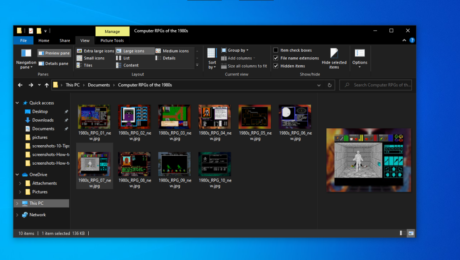
Looking for a lost picture or document? Trying to make it easier to view and manage all your files? These tips will help you master File Explorer in Windows 10 and 11.
File Explorer in Windows has changed in look, feel, and functionality over the years, but its basic goal has always been to help you manage, view, and launch the array of documents, photos, and files nestled on your PC. Even if you’ve been using Windows for a long time, there are likely features in File Explorer that you may not know about or haven’t used in awhile. And that’s even more true in Windows 11, which has tweaked File Explorer visually and functionally.
Within File Explorer, you’ll see a Quick Access section that displays your most frequently used folders and recently used files. A dedicated Share button allows you to quickly share files from File Explorer. If you’re a OneDrive user, the file storage service is embedded inside File Explorer so you can easily store and sync files in the cloud. Read on for other useful features that will ease your use of file management in Windows.
The Quick Access section of File Explorer appears at the top of the left pane and displays your most frequently used folders as well as recent files. As this section is home to the folders you want to access most often, you can customize the Quick Access view to make it more useful.
To add any folder in File Explorer to Quick Access, right-click the folder and select Pin to Quick Access from the pop-up menu, or drag and drop the folder to the entry for Quick Access. Note that you can pin local folders as well as folders from network drives and those from integrated cloud services such as OneDrive or Dropbox.
To remove a folder from Quick Access, right-click it and select Unpin from Quick Access from the pop-up.
You can change the order of the folders in Quick Access. Simply drag and drop one folder higher or lower in the list until you’ve organized them all according to your preferences.
Quick Access even plays a role in the Windows taskbar. Right-click on the File Explorer icon on the taskbar, and your pinned folders for Quick Access appear in the menu.
Not crazy about Quick Access? You can stop it from automatically adding frequently used files and folders.
In Windows 10 File Explorer, click the View tab at the top to display the View ribbon. Click the Options icon just above its down arrow. In the Privacy section of the General tab, click the checkboxes for Show recently used files in Quick access and Show frequently used folders in Quick access to turn them off. Click OK.
In Windows 11 File Explorer, click the “See more” ellipsis icon at the top and select Options from the menu. In the Privacy section of the General tab, click the checkboxes for Show recently used files in Quick access and Show frequently used folders in Quick access to turn them off. Click OK.
Recently used files will disappear and no longer populate. Your frequently used folders will still appear but stop populating.
In Windows 10 and 11, File Explorer launches in Quick Access view by default. But you can tweak this and revert to the “This PC” view instead.
In Windows 10 File Explorer, click the View menu and then click the Options icon. From the Folder Options window, click the Open File Explorer to: setting and use the drop-down menu to change it from Quick Access to “This PC.” Click OK and then close File Explorer.
In Windows 11 File Explorer, click the “See more” ellipsis icon at the top and select Options from the menu. From the Folder Options window, click the Open File Explorer to: setting and use the drop-down menu to change it from Quick Access to “This PC.” Click OK and then close File Explorer.
The next time you open File Explorer, you’ll be taken to the “This PC” view.
Windows 10 File Explorer displays a ribbon full of commands for the Home, Share, and View categories. By default, you have to select each tab to display the ribbon, then click another part of the screen to make it disappear. This saves space since the ribbon appears only when you need it. However, you can tweak it so that you always see the commands available for the current ribbon.
At the very top of the File Explorer window, click the Customize Quick Access Toolbar arrow to the right of the folder icon. You’ll see a menu with different commands, including one to minimize the ribbon, which will likely sport a checkmark in front of it. Select this option to change the size of the ribbon. Maximizing the ribbon will display it in full view all the time. Minimizing the ribbon will restore the default functionality to disappear when not in use.
File extensions are a key way of revealing the types of files displayed in File Explorer. A file with a .DOCX extension is a Word document, a file with a .JPG extension is a JPEG image file, and a file with a .PDF extension is obviously an Adobe PDF file. But sometimes you may not want or need to see the extension, especially if you already know the file type based on its name or location. You can turn file extensions on or off easily enough.
In Windows 10 File Explorer, click the View tab at the top to display the View ribbon. Click the box next to File name extensions to turn on the checkmark and reveal the extensions. Click off the box to remove the checkmark and hide the extensions.
In Windows 11 File Explorer, click the View menu at the top and move your mouse to Show. Uncheck the option for File name extensions to turn them off. Check it again to turn them back on.
Windows offers a Libraries feature in which you can house your most often-used folders, but it doesn’t show your libraries by default. If you like to use libraries and want them easily accessible, you first have to set them to display in File Explorer.
To do this in Windows 10 File Explorer, click the View tab and then click the icon for Navigation pane. From the pop-up menu, click Show libraries. Your libraries then appear toward the bottom of the left pane in File Explorer.
In Windows 11 File Explorer, click the “See more” ellipsis icon and select Options. At the Options window, click the View tab. Scroll down the list of items and check the box for Show libraries. Click OK.
File Explorer offers various panes to display certain information about folders and files. You can turn those panes on or off to see or hide specific details.
To start, the Navigation pane on the left side of the window displays all the drives and folders on your PC, so you can easily explore them. You’ll likely want to leave this pane alone, but you can turn it off to create more space for the other pane.
In Windows 10 File Explorer, select the View tab in the ribbon, click the Navigation pane icon, and uncheck the checkmark next to Navigation pane. To re-enable the pane, click the icon and click the command back on again.
In Windows 11 File Explorer, select the View menu, move to Show, and uncheck the option for Navigation pane.
The Preview pane lets you see the contents of certain types of files without actually opening them, such as photos, Word documents, Excel spreadsheets, PDFs, and more. It’s a handy way to peek at a file without having to launch its associated program.
To enable the Preview pane in Windows 10 File Explorer, click the View tab and then click the option for Preview pane. Now select a particular file, such as an image or PDF, and you’ll see it previewed in the right pane of File Explorer.
In Windows 11 File Explorer, select the View menu, move to Show, and check the option for Preview pane.
The Details pane shows you key data on individual folders and files, such as the name, size, and last modified date. To turn enable this pane in Windows 10 File Explorer, click the Details pane option on the View tab of the ribbon. Note that you can display the Preview pane or the Details pane, but not both together.
In Windows 11 File Explorer, select the View menu, move to Show, and check the option for Details pane.
In Windows 10, File Explorer offers a Quick Access Toolbar at the top with icons for certain default commands and feature. You can easily customize this toolbar to add or remove icons. Right-click the down arrow at the end of the Quick Access Toolbar. Check any items you want to add; uncheck any you wish to remove. You can also reposition the toolbar below the ribbon.
Right-clicking a folder, file, or other object in File Explorer triggers a menu with a series of commands that vary depending on what you’ve selected. At a minimum, the menu features commands for Cut, Copy, Paste, Delete, Rename, Send to, Share, and Properties. Additional commands appear not just based on what you’ve selected but on what applications you’ve installed that hook into this menu. In Windows 10, just right-click on any object to see and use the menu.
The problem with the context menu is that the more applications you install, the more lengthy and cluttered the menu becomes. To deal with this problem in Windows 11, Microsoft pared down the menu to display certain core commands as icons and removed other commands considered extraneous. Seeing all the commands requires an extra step. Right-click on an object in Windows 11 File Explorer. The commands for Cut, Copy, Paste, Rename, Share, and Delete appear as icons at the top. To see all the commands, click the entry for Show more options.
In Windows 11, you can restore the classic context menu by default via a Registry hack. Open the Registry editor by click the Search icon and typing regedit. Open the result for Registry Editor.
Navigate to the following folder: HKEYCURRENTUSERSOFTWARECLASSESCLSID. Right-click the CLSID folder, select New and then Key. Name the new key {86ca1aa0-34aa-4e8b-a509-50c905bae2a2}.
Right-click the new key, select New and then Key. Name that new key InprocServer32. Double-click the key named Default inside the InprocServer32 key. Make sure the value data for the Default key is blank.
Restart Windows. Reopen File Explorer, right-click on an object, and you should see the full legacy context menu back in place. To revert back to the new menu, reopen the Registry Editor and delete the {86ca1aa0-34aa-4e8b-a509-50c905bae2a2} key you created.
In Windows 10 and 11, File Explorer includes built-in functionality to compress and decompress files as zip archives. To compress a series of files in Windows 10, select and then right-click the files. From the menu, move to Send to and select Compressed (zipped) folder. The zipped file is created, which you can then rename.
In Windows 11, select and right-click the files you wish to compress. From the menu, select the command for Compress to ZIP file. Rename the resulting zip file if you wish.
To decompress a zipped file in Windows 10 or 11, right-click the file and select Extract All. Confirm the destination and click the Extract button.
You can share a folder or file with a person or application of your choosing, another handy option that saves you time and effort.
In Windows 10, select the folder or file you wish to share. Click the Share tab at the top of the screen to display the Share ribbon. Click the Share icon to open a small window with a list of people and apps with which you can share that file. The number of apps listed will depend on the type of file and which apps are already installed. Select the person or app you want to receive that item.
In Windows 11, select the folder or file and click the Share icon on the top toolbar. Again, select the person or app with which you want to share the item.
To some extent, you can tweak your photos and other image files in File Explorer. Right-click a photo in File Explorer and use the Rotate right or Rotate left commands to change the orientation of the image. To turn a photo into your Windows wallpaper, right-click on it and select Set as desktop background from the menu.
In Windows 10, you can also watch a slideshow of all the photos in a particular folder. After selecting an image, click the Picture Tools tab and then select Slide Show. Now just sit back and enjoy the show. Each image appears for about five seconds, but you can click an image to advance to the next one. Right-click on any image in the slideshow to display a pop-up menu that will let you change the speed, go forward or backward, pause the show, or exit.
For some reason, Microsoft removed the slide show feature in Windows 11 File Explorer. You’ll have to open the Photos app if you want to see a slide show of all your photos.
You can search for specific files by name, extension, or other attributes. You can also use the always popular “?” or “*” wildcard characters to seek out files with certain names or extensions. In File Explorer, click the folder that contains the file you wish to find. In the upper-right corner, you’ll see a search field with a magnifying-glass icon.
Let’s say you’re looking for a file with the word “business” in the title or contents. In the search field, type the word and then click the right arrow to run the search.
Now, let’s say you want to narrow the search to only Word documents with “business” as part of the filename. In the search field, type business.docx, and File Explorer returns only Word documents in the results.
You can further expand your search to include every file of a specific type. Maybe you’re looking for all PNG files. Simply type *.png in the search field.
You’ll notice the Search menu or ribbon contains a host of other ways to refine the search. You can search by kind, size, modified date, and other properties and even save your search to use it again in the future.
Sign up for Tips & Tricks newsletter for expert advice to get the most out of your technology.
This newsletter may contain advertising, deals, or affiliate links. Subscribing to a newsletter indicates your consent to our Terms of Use and Privacy Policy. You may unsubscribe from the newsletters at any time.
Your subscription has been confirmed. Keep an eye on your inbox!
Advertisement
I’ve been working for PCMag since early 2016 writing tutorials, how-to pieces, and other articles on consumer technology. Beyond PCMag, I’ve written news stories and tutorials for a variety of other websites and publications, including CNET, ZDNet, TechRepublic, Macworld, Popular Science, Time, Fortune, US News & World Report, and AARP Magazine. I spent seven years writing breaking news for CNET as one of the site’s East Coast reporters. I’ve also written two books for Wiley & Sons—Windows 8: Five Minutes at a Time and Teach Yourself Visually LinkedIn.
Read Lance’s full bio
PCMag.com is a leading authority on technology, delivering lab-based, independent reviews of the latest products and services. Our expert industry analysis and practical solutions help you make better buying decisions and get more from technology.
© 1996-2022 Ziff Davis. PCMag Digital Group
PCMag, PCMag.com and PC Magazine are among the federally registered trademarks of Ziff Davis and may not be used by third parties without explicit permission. The display of third-party trademarks and trade names on this site does not necessarily indicate any affiliation or the endorsement of PCMag. If you click an affiliate link and buy a product or service, we may be paid a fee by that merchant.
- Published in Uncategorized
FourKites ‘sunsetting’ document management platform Haven, lays off some workers – FreightWaves

Real-time visibility provider FourKites plans to shut down ocean shipping document management and tracking solution Haven by the end of this year, according to multiple sources familiar with the matter. Founder and CEO Mathew Elenjickal says Haven has simply become part of a broader platform.
Separately, the company has conducted a number of layoffs, Elenjickal confirmed.
In April 2021, FourKites acquired Haven to integrate its document management capabilities into a new visibility product. That product is called Dynamic Ocean, and would give its global shippers one platform to manage their supply chain.
According to an email sent by Elenjickal and acquired by FreightWaves, the board of the Chicago-based company has requested a full “product portfolio review to align with market realities.”
“Our analysis has revealed that Haven modules are one of our highly unprofitable product lines,” Elenjickal said in the email. “It is costing us almost $50/container to serve the documentation module and we are not seeing willingness by BCO’s to pay anywhere close to cover the costs. …With that said, we are sunsetting the Haven booking and documentation modules this year.”
In a response from FourKites on the matter, Elenjickal said, “the [Haven] modules are highly customized to those customers, and are simply not scalable or viewed as relevant to the market as a whole.
“The real value in acquisitions comes in having one singular global platform for all providers and all data. If you don’t integrate those systems, you wind up with a bunch of siloed platforms that don’t deliver much value for the customer. The real value for our customers comes from having one cohesive, user-friendly solution, so we’re very strategic about how we acquire and integrate. As is industry best practice, we sunset old acquired platforms after that integration is successful.”
In an interview with FreightWaves in April 2021 after the announcement of the Haven acquisition, Elenjickal described Haven as the technology piece the company needed to build “an end-to-end platform [that] seamlessly manages ocean transportation.”
“Starting with supporting the booking process, it will help you communicate with steamship lines, create the bookings and change the bookings. It has a robust documentation platform and you can define the rules by the country of origin and country of discharge, and you can ask what are the documents needed for a seamless transfer, who is responsible for that, and at what point should I upload the documents.”
According to a source who uses the product and asked to remain anonymous for fear of retaliation, Haven’s documentation management capabilities never came to fruition.
“I think what [FourKites] saw was that the track-and-trace capabilities were not really why [customers] purchased [Haven]. It was more for the documentation perspective,” said the source. “They were seeing that more customers were not necessarily interested in the [track-and-trace] application of the product. … We really only bought it for the documentation.”
Elenjickal confirmed this in his email, stating that because beneficial cargo owners weren’t willing to cover the costs that FourKites had failed to consider when making the acquisition, he “assumed this was reflective of the value (or lack thereof) of the documentation module to [FourKites] customers.”
According to the source, the lack of documentation management capabilities with Haven and its integrated solution Dynamic Ocean hurt sales. The source said FourKites representatives indicated that the company was only able to onboard four additional customers onto the product since it acquired Haven.
In response to FreightWaves’ request for comment, Elenjickal said: “Haven features have been folded into our core Dynamic Ocean platform, so there is no need to maintain Haven as an independent product. Dynamic Ocean remains a profitable product line for us; over the last 12 months, we have seen an increase of 240% more ocean shipments in our platform.”
In regard to his comments in the email, Elenjickal said he was referring to the Haven Freight Audit Module, not Dynamic Ocean as a whole.
This week, according to other sources familiar with FourKites’ operations, the company has conducted a number of layoffs. It has terminated some employees in general sales. Other layoffs include those roles in its yard management software solutions, such as sales, sales engineering and implementation. The company also laid off an undisclosed number of people in product and engineer roles. The source believes FourKites will outsource some roles to India.
In response to FreightWaves’ request for comment, Elenjickal said, “Yes, we have made the difficult decision to let go of some of our colleagues. As is true for many other companies, with the current market conditions and ongoing economic uncertainty, we had to make some very difficult decisions to ensure the long-term profitability and sustainable growth of our business.
“Looking forward, we are continuing to drive product innovation and new partnerships, including our recent announcement with FedEx, and we remain focused on supporting our customers and helping them drive value throughout their end-to-end supply chain.”
Do you have a story to share? Send me an email. Your name will not be used in a follow-up article without your permission.
Digital freight startup Convoy lays off 7% of tech workforce
Project44 cuts 5% of global workforce, plans for ‘engineering-first’ focus
Logistics provider GXO closing Wisconsin facility, laying off 144 workers
The FREIGHTWAVES TOP 500 For-Hire Carriers list includes FedEx (No. 1).
Your email address will not be published.
document.getElementById(“comment”).setAttribute( “id”, “a7092530e1543a05a1f2ea42fc22d04a” );document.getElementById(“c6ae5b620f”).setAttribute( “id”, “comment” );
- Published in Uncategorized
Best project management software and tools 2022 – TechRepublic

Register for your free TechRepublic membership or if you are already a member, sign in using your preferred method below.
We recently updated our Terms and Conditions for TechRepublic Premium. By clicking continue, you agree to these updated terms.
Invalid email/username and password combination supplied.
An email has been sent to you with instructions on how to reset your password.
By registering, you agree to the Terms of Use and acknowledge the data practices outlined in the Privacy Policy.
You will also receive a complimentary subscription to TechRepublic’s News and Special Offers newsletter and the Top Story of the Day newsletter. You may unsubscribe from these newsletters at any time.
All fields are required. Username must be unique. Password must be a minimum of 6 characters and have any 3 of the 4 items: a number (0 through 9), a special character (such as !, $, #, %), an uppercase character (A through Z) or a lowercase (a through z) character (no spaces).
Best project management software and tools 2022
Your email has been sent
With so many project management software options to choose from, it can seem daunting to find the right one for your projects or company. We’ve narrowed them down to these nine.
Jump to:
After two months of reviewing the best in project management software solutions, I can attest there’s no shortage of solutions capable of transforming process and team management.
From developers to restaurant managers and department heads to startup founders, PM software offers a universe of teams and industries a central platform to plan, collaborate, and execute tasks.
I reviewed ten project management platforms to review their capabilities and ease of use for an IT project. Below I’ve summarized those findings and linked to the full review in each section.
Jump to:
The monday.com Work OS is a reputable project management brand with a flexible platform for teams of all flavors. While initially intimidating, the monday.com interface is packed with features and offers extensive configuration management capabilities. While other solutions lean into a few views of project data, monday.com gives users the most flexibility in adding and configuring valuable visualizations.
Though I ran into hiccups using monday.com, the PM software excels in configurability, giving teams the expected control to optimize workflows.
SEE: monday.com Work OS review (TechRepublic)
Launched in 2005, Smartsheet’s project and work management platform is one of the safest bets in the PM software market. From onboarding to using the platform, I was impressed by the interface’s user-friendliness and the features’ extensibility. Smartsheet offers an upgrade from traditional tools by adding accessible UX, needed integrations, robust configurability, and no-code capabilities to a spreadsheet interface.
Smartsheet pricing is among the highest in the market, and there is no unlimited free plan. Still, I believe the platform’s benefits more than justify consideration for small teams up to enterprise organizations.
The fastest mover in the project management software space is ClickUp. Only five years after its founding, the San Diego-based startup has grown into one of the top PM solution providers. ClickUp far exceeded my expectations with a stack of project views and tools to enable productivity and collaboration for a wide variety of functional teams.
Add in that ClickUp offers a handful of affordable subscriptions for different team sizes, and it’s difficult not to consider the market’s budding PM software.
As the name implies, Teamwork is project management software that enables team and workload management. The Ireland-based platform offers a similar range to other top PM solutions but excels in time tracking, budgeting and stakeholder management. Whether it’s personnel or a third-party contractor, Teamwork is fit for optimizing the globally distributed workflows of tomorrow.
While a few actions during my experience with Teamwork didn’t seem as intuitive as other platforms, the platform and its potential to organize team projects are impressive.
The newest subsidiary of Citrix, Wrike was already one of the biggest names in project management software even before its backing by the cloud computing giant. With the capacity to manage entire project portfolios, Wrike’s feature set includes custom request forms, risk predictions, invoicing software, and enterprise-grade security. I found the platform incredibly powerful, with clear use cases for small businesses, enterprise organizations, and various team functions.
Upon first glance, the user interface is busy, and Wrike’s learning curve is likely the steepest in the PM software space. That said, few vendors offer the same extent of enterprise capabilities.
SEE: Wrike review (TechRepublic)
One of the most popular PM software solutions, Asana is the work management platform started by former Facebook developers in 2008. The Silicon Valley-based company has grown dramatically in that time, and the platform’s extensibility affirms why so many businesses choose it. From viewing team member workloads to adding strategic goals and setting user security policies, I believe Asana has something for every team.
Though some actions were less intuitive, Asana made up for them with the documentation and resources to guide platform projects efficiently.
SEE: Asana review (TechRepublic)
A decade after its founding, Airtable has raised over $1.4 billion to develop a PM software solution. After using it myself, I can attest it’s been money well-spent. Behind its friendly interface, Airtable is a powerful platform offering teams granular control over extensions, scripts, and workflows to optimize process management.
While the newest platform tool, the Interface Designer, struggled to maintain a server connection during use, I was impressed by my experience with Airtable.
SEE: Airtable review (TechRepublic)
Under the Zoho portfolio of solutions, Zoho Projects offers teams a stack of features for tracking tasks, issues, time, and resources to maximize collaboration and productivity. Users can visualize and adjust project data through views like a traditional spreadsheet, simple list, Kanban board, or Gantt chart in real time or automate mapped workflows with the Blueprints tool.
Zoho Projects offers a lot of functionality, considering it’s the most affordable PM software. However, it also lacks some of the configurability and advanced features included in the top tier of platforms.
SEE: Zoho Projects review (TechRepublic)
Likely the least familiar pick, Zenhub’s native integration with GitHub gives the project management software solution a distinct advantage. Project managers unfamiliar with GitHub have a mighty learning curve, but developer teams will love the ease of managing and visualizing data through a familiar interface.
Zenhub supplements the world’s leading repository with tools like planning poker, a sprint generator, workflow automation, and reporting to make the most of GitHub project management.
SEE: Zenhub review (TechRepublic)
Atlassian’s portfolio of collaboration, code management, and security solutions is led by its flagship project tracking software, Jira. In response to a growing number of general-use project management solutions, Jira Work Management—an extension of Jira Software, which is designed to be used by developer teams—offers a similar mix of project data views, reporting, and configuration capabilities.
Jira Work Management is ideal for organizations already using Jira Software or teams relying on integrations like private repository host BitBucket. Otherwise, its general PM use functionality is below par relative to the broader PM marketplace.
SEE: Jira review (TechRepublic)
Project management software is the on-premises or cloud-based solution developed to enable the planning and execution of project tasks for various teams and functions.
Most PM solutions today are available through a cloud-based platform for teams to create and modify projects, tasks, and workflows through collaborative spaces and views. Project managers are most hands-on in configuring the software to set team use guidelines, integrate critical applications, and optimize the project management life cycle.
While various project management platforms offer a range of potential productivity, collaboration, and process improvement opportunities—there is a standard set of features that threads the market together.
Tenured professionals probably know their way around a spreadsheet, but the PM market shows how far collaboration and project visualization software has come in almost four decades.
Teams can collaborate with their project view of choice from several different perspectives. The most common project views offered include:
Web-based spreadsheets like Google Sheets and Excel via Microsoft 365 remain popular solutions and the primary predecessor application to adopting PM software. As a result, most PM solutions offer a similar starting point (e.g., table view) to deliver a clean onboarding experience. From there, Kanban-style boards are the second most popular view with roots in Agile software development, followed by time-based views like Gantt charts and calendars.
Dashboards are another standard view, giving users a pre-built or configurable space to visualize project metrics. Not all dashboards are created equally, so note those offering the most flexibility with building widgets reflecting team KPIs.
The unique tools offered by PM platforms are those capable of transforming project data into real-time visibility and actionable insights. While this varies between solutions, the above views can filter data by platform or field value condition. Widgets for tracking project data are another critical ingredient to plan and act on insights.
Automation is also a standard tool across PM solutions, offering some extent of pre-built automation rules and the option to build your own. Pre-built automations are as simple as sending a notification to Slack when a task’s status changes; meanwhile, most offer a list of prospective trigger and response actions to ease workflows and reduce manual efforts.
While entire companies can adopt project management software, its typical deployment is within a select department or team. In either case, reporting and metric visibility for internal personnel and external stakeholders is often necessary.
Every PM platform offers some way to export or share project data, but these methods vary. The classic option is exporting a set of data or metrics as a .CSV or .PDF document. Another popular choice for PM solutions, like in the case of Airtable, is designing a shareable webspace capable of modification or view-only. Stakeholders can get a quick, in-platform view of needed data.
Most project management software solutions speak to a broad audience of potential use cases. Across industries and departments, the use cases mentioned most for PM tools include:
As with the two software development PM picks, the range of integrations offered by top project management platforms is a crucial differentiating factor. Teams across the globe increasingly rely on a stack of applications to conduct everyday work. Considering PM software is meant to enable productivity in teams existing workflows, the lack of a critical integration is a dealbreaker.
Finally, teams relying on PM software for critical business operations also need to ensure the level of technical support meets expectations. Teams are bound to encounter unexpected outages, roadblocks, and platform issues, making regular availability by phone or web chat essential to business continuity.
When asked to review the top PM tools, my view from a glance told me the market was generic, with minute differences between some platforms. While commonalities exist, like visualization tools or workflow automation pipelines, there is enough to differentiate the market.
The best PM platforms stand out with the intuitiveness of their UX, advanced features, and integrations critical to team processes. Like most software choices, it’s easy to sign up, and all featured solutions offer a free trial without a credit card to avoid unnecessary expenses. Teams must ultimately ask how the platform will replace legacy tools like Excel spreadsheets, improve project management, and lastly if the cost and utilization will justify those benefits.
Our editors highlight the TechRepublic articles, downloads, and galleries that you cannot miss to stay current on the latest IT news, innovations, and tips.
Best project management software and tools 2022
Your email has been sent
Your message has been sent
TechRepublic Premium content helps you solve your toughest IT issues and jump-start your career or next project.
Windows 11 gets an annual update on September 20 plus monthly extra features. In enterprises, IT can choose when to roll those out.
Edge AI offers opportunities for multiple applications. See what organizations are doing to incorporate it today and going forward.
This is a complete guide for Apple’s iPadOS. Find out more about iPadOS 16, supported devices, release dates and key features with our cheat sheet.
Discover data intelligence solutions for big data processing and automation. Read more to explore your options.
Whether you are a Microsoft Excel beginner or an advanced user, you’ll benefit from these step-by-step tutorials.
Recruiting a Scrum Master with the right combination of technical expertise and experience will require a comprehensive screening process. This hiring kit provides a customizable framework your business can use to find, recruit and ultimately hire the right person for the job. This hiring kit from TechRepublic Premium includes a job description, sample interview questions …
Knowing the terminology associated with Web 3.0 is going to be vital to every IT administrator, developer, network engineer, manager and decision maker in business. This quick glossary will introduce and explain concepts and terms vital to understanding Web 3.0 and the technology that drives and supports it.
While the perfect color palette or the most sublime button shading or myriad of other design features play an important role in any product’s success, user interface design is not enough. Customer engagement and retention requires a strategic plan that attempts to measure, quantify and ultimately create a complete satisfying user experience on both an …
IIoT software assists manufacturers and other industrial operations with configuring, managing and monitoring connected devices. A good IoT solution requires capabilities ranging from designing and delivering connected products to collecting and analyzing system data once in the field. Each IIoT use case has its own diverse set of requirements, but there are key capabilities and …
- Published in Uncategorized
FileHold Systems launches a new website with a focus on solving document-related business problems – Digital Journal

Hi, what are you looking for?
By
Published
The company has redesigned the website to provide a quick reference to the many document-related business problems organizations have and to enhance the user experience. The new home page graphically features different document-related business problems that prospective customers typically want to solve. Problems like lost documents, version control, going paperless, or compliance needs are graphically illustrated. By clicking on any of the problems, users are immediately taken to resources that describe how FileHold can solve that problem. The new website has been designed to be faster than ever to navigate and with a cleaner more modern interface. It has improved navigation and improved functionality for a user-friendly experience.
For organizations that do not have internal IT resources, the newly designed website has extensive information about FileHold Cloud. FileHold Cloud is installed in the Microsoft Azure cloud and includes redundant back-up, IT support, and 98% or greater availability. For organizations who for security reasons must keep the software in their own environment, FileHold can be installed on-premise on their private server or their own private cloud. For on-premise customers, FileHold comes with a two-hour installation guarantee. The document management software provides a secure central repository of documents and a single point of document truth. Powerful search features allow users to find version-controlled documents instantly. FileHold is feature rich, enterprise grade and yet, still very affordable. Watch the FileHold Mission Statement.
The FileHold document management software website explains how businesses convert paper documents into electronic ones allowing a transition from cabinets of paper to a paperless work environment. The software stores information in an organized, searchable electronic library. It provides secure and controlled access to documents; the document review and approval module streamlines paperless workflows. The securely stored documents can be accessed anytime, from a desktop computer or any mobile device from anywhere there is access to the internet.
Larry Oliver, FileHold President said, “We want to ensure unparalleled user experience and 100% customer satisfaction. We have carefully redesigned the site to make it more informational, creative, and very easy to navigate. We have included case studies from FileHold customers to highlight how the document management software solves problems in any organization type. The website helps users stay informed about product release updates, it contains technical resources, blogs, video tours, webinar registration and an extensive Knowledge Base. The website has an improved user interface, improved layout, with new graphics that enhance the online experience. New prospects are able review product information based on their business needs. This new website, will help our customers and potential customers learn everything about FileHold.”
About FileHold Systems:
FileHold empowers both deskbound and mobile workers to store and find their important documents, including e-mail, while maintaining tight version control and managed workflow. FileHold is deployed on the Microsoft Azure cloud as a fully supported hosted solution. FileHold Systems Inc, www.filehold.com is a privately owned, Microsoft Gold certified, manufacturer of document management and workflow software for mid to large size organizations. There are over 30,000 seats of FileHold software in production throughout the world. FileHold software is the fast track to the “paperless office”, is easy to use, interfaces with third party applications, is tightly integrated with Microsoft Office and yet remains affordable.
Media Contact
Company Name: FileHold
Contact Person: Larry Oliver
Email: Send Email
Phone: 604-734-5653
Country: United States
Website: https://www.filehold.com/
15 percent of people aged 40-75 have a form of undiagnosed high blood pressure (or hypertension) that occurs only at night-time.
100 percent of pay for 80 percent of the time. Sounds good?
Go out and vote to protect your rights, top Italian designers urged compatriots this week as the Milan shows coincided with elections.
On the half-ruined top floor of an apartment block in war-scarred Irpin near Kyiv, Mr. Kyrylenko looks proudly at the new roof taking shape.
COPYRIGHT © 1998 – 2022 DIGITAL JOURNAL INC. Sitemaps: XML / News . Digital Journal is not responsible for the content of external sites. Read more about our external linking.
- Published in Uncategorized
Appfire Acquires Comalatech To Elevate Document Management in the Atlassian Ecosystem – Business Wire

Acquisition will continue to accelerate Appfire’s position as a leading platform of enterprise collaboration software
BOSTON–(BUSINESS WIRE)–Appfire, a leading provider of software that helps teams solve modern challenges with digital solutions, today announced it has acquired Comalatech. Comalatech’s suite of document management apps joins Appfire’s portfolio of software solutions to improve collaboration for teams of all sizes. As part of the One Appfire initiative, Comalatech will become fully integrated into the Appfire brand for a streamlined customer experience with the Appfire platform.
Founded in 2005, Comalatech was first-to-market with powerful collaboration solutions for Confluence, one of Atlassian’s leading work management solutions. Notable Comalatech products include Comala Document Management, Comala Publishing, and Comala Metadata. The addition of these products to Appfire’s portfolio further cements Appfire’s position within the Atlassian communities as a trusted software platform to help make work flow.
“Confluence is at the center of knowledge management and collaboration for teams, and it integrates natively with many of the top products teams rely on each day, including Slack, Microsoft Teams, and Google Workspace,” said Randall Ward, Co-Founder and CEO of Appfire. “Comalatech’s suite of products amplifies collaboration in today’s distributed workplace by introducing governance and workflow, making it easier to create, approve, and distribute content. We’re excited to welcome this talented team to Appfire.”
Comalatech Founder and CEO Roberto Dominguez and Comalatech’s 40-plus team members bring decades of deep experience solving document management challenges across the enterprise. The team will continue to develop these solutions with additional investments, support, and infrastructure within Appfire.
“Appfire has always had a close pulse on the latest and greatest apps in the Atlassian Marketplace,” said Roberto Dominguez, Comalatech Founder. “We’re looking forward to joining the team and so many other innovative app developers, creators, and collaborators in the Appfire family.”
Comalatech has offices in British Columbia, Canada and Bilbao, Spain. Appfire plans to keep both offices and further expand headcount in both geographies.
About Appfire
Appfire is a global authority in the Atlassian ecosystem. Appfire’s popular solutions help teams with Workflow Automation, Product Portfolio Management, IT Service Management, Document Management, Business Intelligence and Reporting, Administrative Tools, Agile, Developer Tools, and Publishing. The company has the largest portfolio of apps on the Atlassian Marketplace with 225,000 active installations worldwide. Learn more at www.appfire.com.
Allison Baldwin
AppfirePR@walkersands.com
401-782-7844
Allison Baldwin
AppfirePR@walkersands.com
401-782-7844
- Published in Uncategorized
Top Enterprise Content Management Systems for 2022 – CIO Insight

As companies continue to digitally transform, they increasingly turn to enterprise content management systems to help manage high volumes of information. In fact, the global enterprise content management market is expected to grow to $37.7 billion by 2026. Enterprise content management helps businesses manage information, such as records, images, and documents, under one roof.
Table of Contents
We’ve compiled our top enterprise content management systems based on key features, such as search capability, AI functionality, analytics, and more.
Hyland’s content management platforms help manage, organize, and distribute content effectively across an organization. The features of the suite include common features, such as advanced search and process automation but also less common features, such as case management and customer communications management. Hyland offers two content management solutions: OnBase and Perceptive Content.
Hyland’s OnBase solution is a secure, central content hub designed for software development environments. It’s built on a database, code base, and content repository so customers can build and deploy applications at scale. Document capture, data extraction, document management, system performance analytics, and more are available with this product.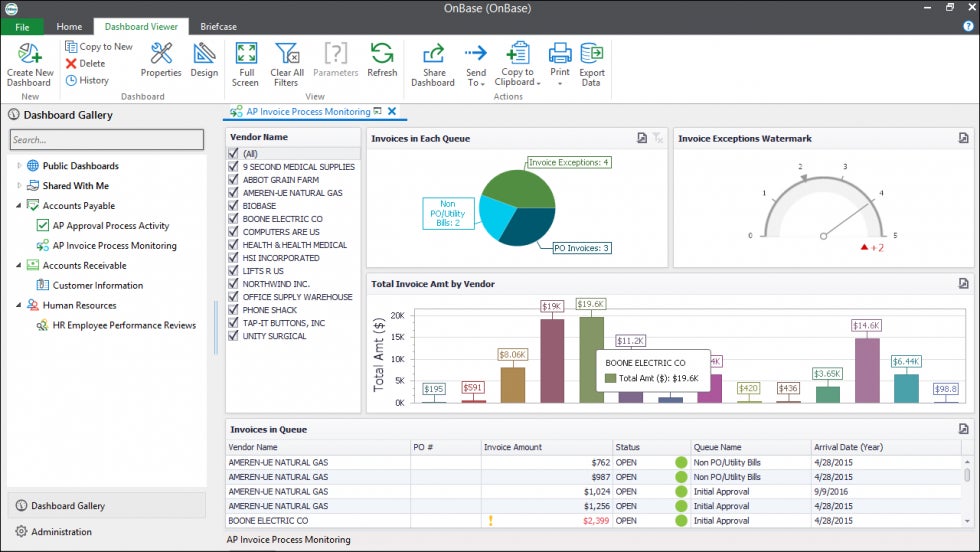
Hyland’s Perceptive Content platform is geared toward content production and lifecycle management. It features interactive forms, widgets, and portals to enhance the end-user experience. Like OnBase, Perceptive Content also captures and extracts information from a variety of formats but manages multiple types of content across their lifecycle.
For instance, the Perceptive Interact tool assists in email lifecycle management by archiving and categorizing email information in a way that’s easily searchable and purges old email data. Perceptive Content’s email management feature integrates with Outlook, but if your company uses the Google Workspace, this functionality might not be available.
While OnBase focuses on back-end content management, Perceptive Content assists with front-end, externally facing content.
Best for: Enterprises that want to promote optimal end-user interaction with content.
iManage offers a comprehensive platform to help organizations manage knowledge to achieve business outcomes. As part of that platform, email management and document management leverages company knowledge into actionable insights. 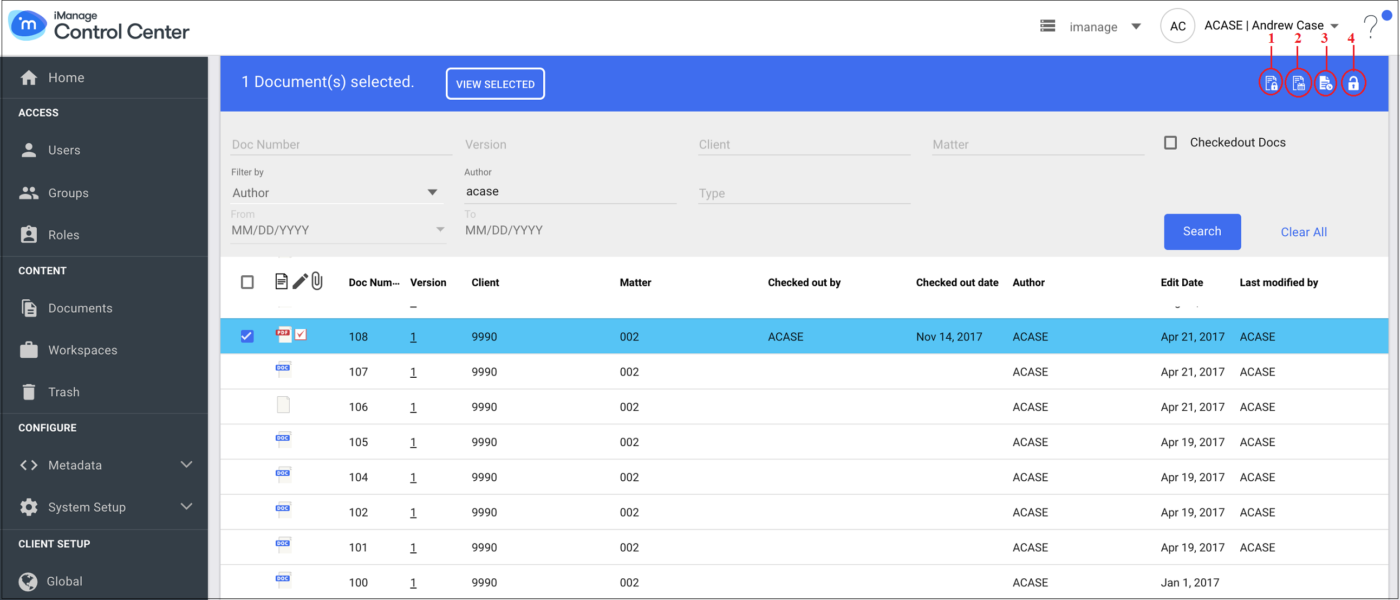 iManage is a single source of truth that increases overall productivity by uniting information originating from documents and emails to break down organizational silos. At the same time, it organizes the information by client, project, etc.
iManage’s document management feature is a shared, self-service network drive that empowers end users to easily find the information they need when they need it. For example, it allows users to securely connect from any device, even work offline, and it automatically syncs users’ changes to files.
Also read: Why Data Democratization is Better Than Busting Down Silos
To help employees work smarter, not harder, iManage’s document management tool enables users to rename files in bulk, upload files to third-party apps, and more. The document management tool is designed to be quickly implemented with no training for end users, and current customers indeed confirm in their reviews that this is the case.
Designed to work well with Microsoft 365, iManage may not be the best fit for your organization if you use Google Workspace.
Best for: companies of any size looking to securely streamline email and document management.
Laserfiche’s content management solution includes document management, process automation, analytics, security, and flexible hosting–whether cloud-based or on-premise. The platform’s standout feature is its artificial intelligence (AI) functionality.
For example, Laserfiche’s AI-powered analytics estimates how long tasks will take and which tasks are likely to finish past deadlines. This allows project managers to proactively address workflow issues and set up employees for success. 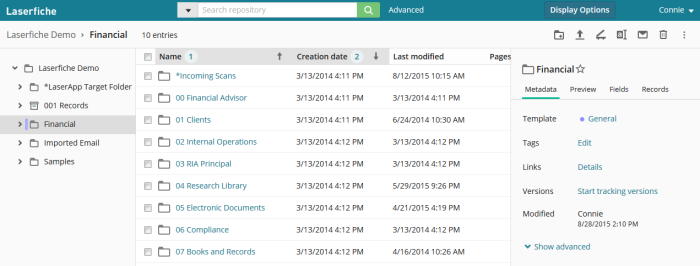 Laserfiche’s data capture also runs on AI by automatically extracting, sorting, and naming data from documents, reducing the time it takes to populate and save a file and make it easily searchable.
Best for: mid-sized companies or enterprises that seek sophisticated AI technology in their enterprise content management system.
Zoho Docs is a comprehensive solution set up for creating, storing, sharing, and collaborating on a variety of white-labeled file formats (160+ types), all online. Zoho Docs’s primary specializations are in document management and collaboration.
Zoho Docs enables users to create a variety of documents and directly export them to the website, if desired, using its Writer tool. It’s also easy to add graphics that depict data with Zoho Docs’s Sheet tool. To share information with stakeholders, the Zoho Show tool facilitates presentations that are easy to design and shareable.
Many functionalities overlap with other major collaborative tools, such as Google Docs; however, Zoho Docs offers more nuance in its user controls. For example, document owners can mark a file as final.
Document owners are also privy to statistics on how many times a file was opened and by whom. This helps project leaders track each user’s interaction with the document to verify equitable workloads among team members. Zoho Docs also allows for controlled access of files to external audiences by providing password-protected access to authorized parties.
Best for: enterprises that desire varied levels of access control to company-owned files.
Synergis Adept is a document management platform that harmonizes business processes and documents across the organization’s workforce. 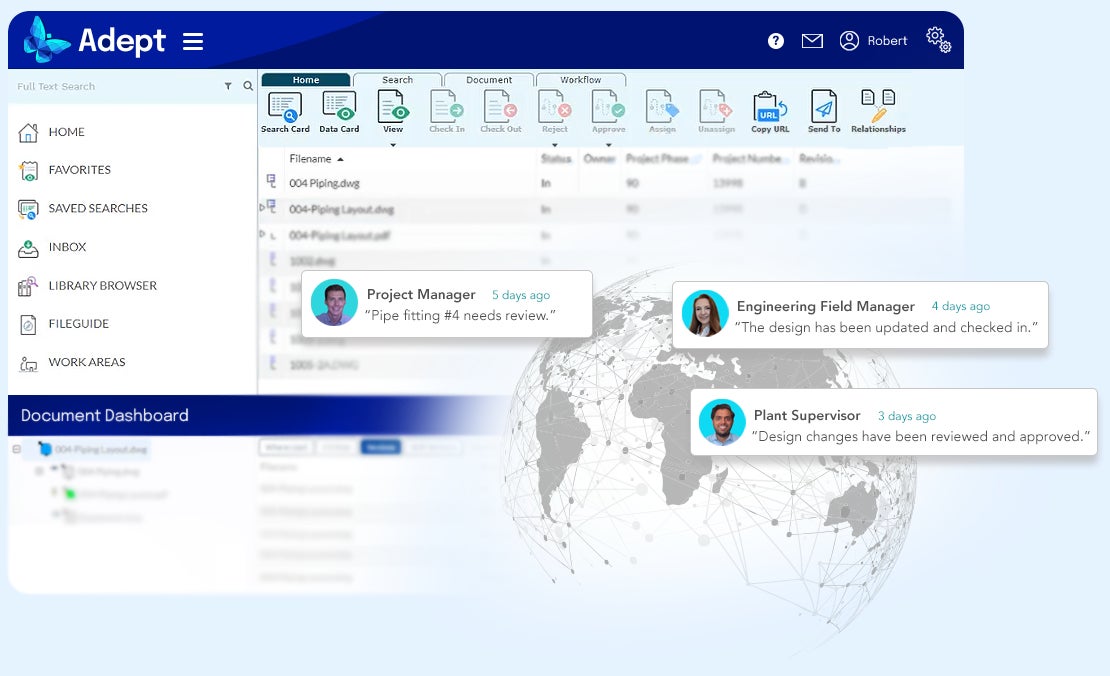
Synergis Adept features a suite of computer-aided design (CAD) tools for complex design projects that ensures designers and engineers are working with the most current project version. One of its core document management capabilities is the data card that displays a file’s metadata that provides the most pertinent information to each member of a project team.
Files are easy to find and retrieve later on with Synergis Adept’s robust search functions. Users can find files based on metadata searches, Boolean search terms, or recently used files.
The ability to create document relationships is another way that Synergis Adept makes it easy for users to find information they seek. For example, drawings and emails are linkable to specific work orders, and CAD drawings are linkable to 3D models, including AutoCAD, MicroStation, SolidWorks, and Inventor.
Synergis Adept affords administrators control over document relationships by creating hierarchies among them. This makes it easy to see how smaller tasks roll up into larger ones.
Though Synergis Adept integrates with many popular work tools, users report issues such as lagging load time.
Best for: Mid-sized engineering, design, manufacturing companies that want to synchronize and organize complex design tools within document management.
Given the varied capabilities across vendors, we’ll break down what each feature is used for and which vendors offer it.
Advanced search is useful for quickly sifting through vast amounts of information to find what you need. The best search tools for enterprises will support sophisticated queries and return results in a variety of file formats that are contextualized to user intent and role.
If search ranks highly on a feature you desire in an enterprise content management system, check out Hyland, iManage, Laserfiche, and Synergis Adept.
AI makes the difference between mere information gathering and leveraging that information to help your business run more effectively. It helps, for example, with automatic purges of old information or extracting information from a document and saving it in the proper place.
Hyland, iManage, and Laserfiche incorporate AI for smarter content management.
Analytics in an enterprise content management system helps administrators, project managers, and other parties identify information bottlenecks and workflow disruptions as well as manage user behavior, data storage, and more.
Hyland, Laserfiche, and Zoho Docs all have analytics and reporting capabilities.
Businesses of any size proliferate a large volume of internal and external documents that necessitate proper management. All vendors here provide document management.
However, Hyland and Laserfiche help enterprises align with compliance standards by generating new documents based on industry conventions or templates. Laserfiche also uses automation for organization, saving users time from manually organizing folders, sub-folders, etc.
Zoho Docs is similar to the Google Workspace but has analytics and reporting capabilities that provide insight into the amount, composition, and use of documents and information.
Synergis Adept’s document management approach is suitable for work environments that incorporate design files generated from CAD tools.
For companies that rely on email communication as a way to exchange information, make sure that valuable information in emails is not only secure but also doesn’t fall through the cracks. Enterprise management systems like Hyland, iManage, Laserfiche, and Zoho Docs extract, link, save, and organize files that are exchanged via email.
Your company may want autonomy in choosing cloud-based, on-premise, or hybrid content management solutions. A cloud-based platform offloads data maintenance to a third party to free up your company’s own resources.
An on-premise solution gives you more control over the system and the information, more importantly over its security. If your company is in the healthcare or finance industries, you’ll want a solution that at least gives the option of on-premise hosting.
Hyland, iManage, Laserfiche, and Synergis Adept all offer flexible hosting.
If your company is in a highly regulated industry and is subject to routine audits, you’ll want record management as a feature in the enterprise content management platform of choice. Record management helps your organization effectively manage the information lifecycle—from creation to purge—in a way that is compliant to the industry you work in.
Hyland and Laserfiche offer record management as part of their solutions.
Keeping track of documents where multiple people collaborate both on- and offline creates potential confusion about which document is the most current.
iManage, Zoho Docs, and Synergis Adept all offer version control.
To choose the right vendor for your unique business needs, order the features by importance and identify the vendor that satisfies at least your top three. For a robust solution that has a lot of capability, Hyland and Laserfiche are good places to start.
Read next: Top Business Process Management Tools for 2022
CIO Insight offers thought leadership and best practices in the IT security and management industry while providing expert recommendations on software solutions for IT leaders. It is the trusted resource for security professionals who need to maintain regulatory compliance for their teams and organizations. CIO Insight is an ideal website for IT decision makers, systems integrators and administrators, and IT managers to stay informed about emerging technologies, software developments and trends in the IT security and management industry.
Advertise with TechnologyAdvice on CIO Insight and our other IT-focused platforms.
Property of TechnologyAdvice.
© 2022 TechnologyAdvice. All Rights Reserved
Advertiser Disclosure: Some of the products that appear on this site are from companies from which TechnologyAdvice receives compensation. This compensation may impact how and where products appear on this site including, for example, the order in which they appear. TechnologyAdvice does not include all companies or all types of products available in the marketplace.
- Published in Uncategorized
Global Productivity Software Market to Reach Valuation of $132.82 Billion by 2028 | AI is become an Integral Part of Productivity Software – GlobeNewswire

September 22, 2022 10:56 ET | Source: SkyQuest Technology Consulting Pvt. Ltd. SkyQuest Technology Consulting Pvt. Ltd.
Ahmedabad,, INDIA
Westford, USA, Sept. 22, 2022 (GLOBE NEWSWIRE) — Productivity software is one of the most popular applications. The demand for productivity software market is growing rapidly and there are several reasons why this is so. One reason is that businesses are becoming more competitive and they need to be efficient in their operations in order to stay ahead of their competition. Another reason is that people are becoming increasingly digitalized and they want tools that help them manage their time and workflow better. In addition, businesses are realizing the importance of retaining employees by providing them with effective tools that help them be more productive.
One of the leading providers in the global productivity software market is Microsoft. Microsoft has a wide variety of products that provide tools to improve work productivity. Some of these products include Outlook, Word, Excel, Power Point, and Access. Thunderbird has been designed to be both comfortable and easy to use. LibreOffice has been designed to be both comfortable and easy to use. In addition to productivity software, there are also other tools that can help employees be more efficient. One example is Google Docs. Google Docs is a free online document editor that allows users to create and edit documents online.
Get sample copy of this report:
https://skyquestt.com/sample-request/productivity-software-market
Overall, there is a growing demand for productivity software market across all sectors of business. As efficiencies continue to increase, so too will the popularity of these products.
SkyQuest has released a new report on the productivity software market. This report provides detailed insights into the market size, growth drivers, challenges, and opportunities. It also contains an in-depth analysis of the competitive landscape and profiles of major players operating in the market. This would help decision makers understand the potential impact of these trends on their businesses.
72% Small Business are Using Productivity Software
SkyQuest surveyed 588 business users in the global productivity software market to gauge their perceptions of productivity software. The study found that users are increasingly seeking tools that can automate tasks and make work more efficient.
Browse summary of the report and Complete Table of Contents (ToC):
https://skyquestt.com/report/productivity-software-market
As per SkyQuest analysis, the biggest challenge for productivity software market is that users do not see how the software can help them work more efficiently. Employees need an easy-to-use demonstration or tutorial to show them how the software.
SkyQuest’s report on productivity software market is based on extensive analysis of the latest data and information from a variety of sources, including industry experts, product developers, and user feedback. The report covers a wide range of topics, including the latest features and functionality of productivity software, the changing needs of users, and the competitive landscape.
Increasing Integration of AI In Productivity Software
Today, many workers in the global productivity software market rely on productivity software to keep them organized, productive and on-schedule. While many of these programs rely on user input to achieve these goals, AI is being integrated more and more into these apps to help automate tasks and improve efficiency. For example, a recent release of Salesforce IQ includes AI capabilities that allow users to automatically add contacts from their email inbox into Einstein. This integration allows users to quickly identify potential leads and contact them directly from their email, eliminating the need to search for information or click through innumerable contacts.
With AI-assisted automation, users can focus on more important tasks. Other productivity apps are incorporating AI in similar ways. For instance, Google Keep, a leading product in productivity software market, now includes an AI feature that enables people to collate notes and ideas as they occur, then automatically organize them into related categories. This makes it easy to find information when you need it and save time by automating tedious task.
Other companies are also integrating AI into their productivity software products. For instance, Slack uses machine learning to help users communicate more effectively. The company’s bot framework understands the context surrounding messages, which helps users find relevant responses faster. Slack also uses machine learning to predict user needs and trends, enhancing the overall experience for users.
Overall, AI is being integrated more deeply into productivity software in order to make the task of working smarter easier for everyone in the productivity software market. By automating repetitive tasks and integrating AI features like intelligent reminders and daily summaries, workers can focus on more important tasks while the software takes care.
Speak to Analyst for your custom requirements:
https://skyquestt.com/speak-with-analyst/productivity-software-market
Key Players in Global Productivity Software Market
Related Reports in SkyQuest’s Library:
Global Interactive Fitness Market
Global Software Defined Data Center Market
Global Site-to-Site VPN Market
Global Drone Software Market
Global Network Automation Market
About Us:
SkyQuest Technology is leading growth consulting firm providing market intelligence, commercialization and technology services. It has 450+ happy clients globally.
Address:
1 Apache Way, Westford, Massachusetts 01886
Phone:
USA (+1) 617-230-0741
Email: sales@skyquestt.com
LinkedIn Facebook Twitter
- Published in Uncategorized
5 examples of document version control – TechTarget

Getty Images
Many modern organizations give less thought to document version control than companies did when they initially deployed enterprise content management systems two decades ago.
As most new ECM deployments have moved to cloud environments, version control for document storage has become less of an IT priority. As a result, business priorities drive version control requirements rather than IT teams, although they are directly involved in ECM acquisitions and deployments.
For simple collaborative documents, keeping the last 50 or 500 copies is viable. Yet, organizations often overlook how long they should keep each version and that some iterations are more important than others. Organizations should consider version control as a tool, not simply a feature to enable.
Content teams can take several approaches to document version control. Each approach corresponds to specific business needs, and organizations often use multiple approaches based on different business requirements.
The following five high-level strategies fit most business cases.
The auto-save balancing act. A basic, incremental versioning scheme makes sense for content that someone still must finalize — especially content with multiple editors.
Most cloud-based systems permit 50 versions or more. That amount may seem like a lot, but when auto-save continues to create new drafts and collaborators edit the document simultaneously, even 500 copies can occur quickly. Organizations must balance auto-save and version counts to ensure people can retrieve past work.
Iterative documentation. Documentation often has its own versioning scheme or a tie-in to an external numbering system. Employees can use both major — 1.0, 2.0, etc. — and minor — 2.0, 2.1, etc. — versions to see what iteration correlates with which state of the editing process.
Organizations often use minor versions for iterative drafts, while major versions represent final, approved documents. Afterward, content teams can purge minor copies, which become irrelevant when the major version publishes.
Controlled documentation. For controlled documents, the organization has one official version of a document. Even if one is newer, every other copy is either a draft or a historical record. When an approved version becomes the current one, content teams can place it in a central location, and it becomes the source of truth going forward. Content teams should keep a history of these copies to show when each version was effective if questions about past states arise.
While this approach is like iterative documentation, controlled documentation has a single location for the official version and archives previous official editions. These approaches also differ by the effective date, as published versions remain valid for some time. If content teams know which one was official during a specific time, this versioning can help with audit trails.
Labeling. In this scenario, content teams can label specific versions to represent status and relevance. This approach enables people to find a specific version for a particular state in the editing process.
While “approved,” “original” and “current” are obvious labels, other naming conventions may be useful. For example, a team might use “CEO comments” to track a document where the CEO gave specific guidance. Labels can also mark key variations of a document. If an HR policy applies to employees in a specific country, the HR department could label the document to specify that location. Specific labels can ensure content teams don’t mistakenly purge useful older documents.
Purge old versions. This example is part of most version control approaches. Old drafts lack value for organizations, and unapproved or unofficial statements risk losing context and causing confusion.
Even for collaborative content, content teams should determine if they must keep all drafts for any time. Organizations can benefit from a strategy to dispose of outdated and unnecessary documents and knowing which older versions to keep. Labeling and major versioning also come into play here. If the ECM system doesn’t support those capabilities, content teams can move key versions out of working directories into a published, or archive, location.
Not every type of document can fit into a specific bucket. Sometimes, content teams need a hybrid approach. Yet, when these teams understand the purposes of different document types, they can identify the proper versioning approach.
When picking the appropriate document versioning strategy, content teams should ask several questions in advance. Those questions are the following:
Content teams should fully understand their organization’s needs and what resources they already have available. If an organization’s current ECM tool cannot meet their needs without significant effort, that tool may not measure up in other ways, like version control.
Teams should also consider the business requirement of different departments to ensure versioning meets everyone’s needs and doesn’t simply create multiple copies of the same document.
Part of: Ensuring document integrity and versioning
Although best practices have changed, many organizations lack a suitable versioning strategy. Proper document version control can improve collaboration and fact-checking.
Organizations planning content migrations should verify file integrity and ensure files weren’t corrupted in the move. File validation can keep critical data secure.
Document version control can help organizations improve their content management strategies if they choose the right approach, like labeling copies and purging old drafts.
The data management and analytics tools, including new data sharing and data lake platforms, are designed to let users access …
A new integration with GitLab, a multi-tenant environment and enhancements to the Extense Framework are designed to further the …
New capabilities scheduled for release as part of the vendor’s final two platform updates in 2022 are designed to speed the …
After a year in preview, the database vendor is making its serverless offering generally available. It provides a new …
The database vendor is continuing its effort to evolve the Apache Druid database, developing new capabilities to help users more …
Data quality management tools help organizations automate and fill gaps in data processes from lacking quality to dated analytics…
RFID can help companies in their supply chain operations by assisting with product tracking and potentially improving product …
Analyst Vinnie Mirchandani, author of ‘SAP Nation 3.0,’ says adaptability, customer loyalty and periodic management shakeups are …
Both RFID and barcodes are valuable in the supply chain, but each is more useful for particular scenarios. Learn what to consider…
With its Cerner acquisition, Oracle sets its sights on creating a national, anonymized patient database — a road filled with …
Oracle plans to acquire Cerner in a deal valued at about $30B. The second-largest EHR vendor in the U.S. could inject new life …
The Supreme Court ruled 6-2 that Java APIs used in Android phones are not subject to American copyright law, ending a …
SAP Multi-Bank Connectivity has added Santander Bank to its partner list to help companies reduce the complexity of embedding …
Over its 50-year history, SAP rode business and technology trends to the top of the ERP industry, but it now is at a crossroads …
Third-party support providers make a pitch that they can provide greater flexibility at a lower cost, but customers should think …
All Rights Reserved, Copyright 2011 – 2022, TechTarget
Privacy Policy
Cookie Preferences
Do Not Sell My Personal Info
- Published in Uncategorized
Best Fleet Management Software 2022 – Forbes Advisor – Forbes

- Published in Uncategorized
Auth0’s OpenFGA explained: Open source universal authorization – CSO Online

 By Matthew Tyson
Software Architect, CSO |
Auth0’s OpenFGA project is an open source effort that undertakes to provide a universal authorization solution. FGA stands for “Fine Grained Authorization,” a granular approach to authorization modeling that is flexible enough to handle almost any imaginable use case.
Read on for an introduction to the OpenFGA project.
Authentication is concerned with who and authorization with what. Authentication answers the question: who are you? Authorization answers the question: given who you are, what can you do?
Both of these are essential areas of cybersecurity, but of the two, authorization presents the more demanding architectural challenge. That is because authorization deals with more complexity and far more data points.
Authorization has to track a whole range of permissioned entities, like URLs and business objects, as well as access types like view, create, and edit. Not only that, it must also deal with granting and revoking permissions to these objects. Therefore, it is responsible for determining not just who has access to what, but who has permission to control permissions, the hierarchy of control between organizations and individuals.
Anyone who has dealt with these things knows just how messy it can become. Tracking and applying permissions is a thorny problem, and it’s one that you can’t sidestep or cut corners on. The difficulties only multiply the larger the system becomes. Simple scalability begins to become a real challenge in the face of millions of permissions checks against billions of entities.
Defining a generalized system to handle such requirements—one that is flexible enough to deal with the variety of in-the-world requirements, but still reliable, secure, and performant—is a substantial undertaking, but one that promises major benefits to enterprise. Beyond making authorization more standard and eliminating the need to rebuild it per-application, such a system would enable more streamlined cross-application authorization communication. Furthermore, concentrating authorization into a single, well-tested system offers security improvements.
Google’s Zanzibar project (whitepaper) describes such a universal authorization layer. It incorporates a number of technological ideas to achieve the performance and availability goals of the system, and it offers a fairly developer friendly application programming interface (API) for interacting with it. In particular, it delivers a universal domain-specific language (DSL) for describing users, groups, roles, and access control lists (ACLs) for expressing permissions.
Auth0 (now part of Okta) took up the challenge of delivering a system based on Zanzibar’s ideas in a reusable way with its upcoming Fine Grained Authorization SaaS. Auth0 FGA essentially creates a remote API with which any app can integrate to obtain a universal permissions service. Auth0’s Matias Woloski describes it as a high-performance and flexible authorization microservice that you don’t have to build and run yourself. This allows application developers to offload much of the complexity in authorization to the remote service, while retaining control over most data in-house.
Although this is a good model for many use cases, Auth0 has taken the further step of open sourcing its FGA core as the OpenFGA project (GitHub repo). This is a significant move on a couple fronts. For one, it represents a major commitment to open source by Auth0. For the other, it contributes an enormous amount of know-how and capability to the OSS community. Once the community has its hands on things, it tends to elaborate and expand upon them in unexpected ways.
In its announcement of the move, Auth0 gives several reasons and among them are the desire to encourage an active community that will support adoption, integration with technology-specific tooling, and the systemic improvement of security in the industry. It does indeed appear we are looking at a big enterprise-open-source partnership win here.
Woloski outlines Auth0’s strategy, saying that by “open sourcing it, we let developers embed this component in their own infrastructure. Once they feel comfortable, they can decide to let us run it for them as a service with additional enterprise features, or keep using the open source version. We are committed to maintaining it in the long term.”
The core of the project is the permission engine itself, a standalone server that can handle the authorization requests. The OpenFGA server is modular with respect to data storage, and currently you can choose between an in-memory datastore or PostgresSQL. The ability to run the server on owned infrastructure is a key benefit, as some compliance situations demand it. This server is fundamentally an HTTP API allowing for defining permission models, and querying/modifying them.
The server is written in Go and can be built from sources for those interested in contributing, but most end users will deploy the binaries or Docker image. Quickstart for running on localhost via Docker is here.
Being based on the Zanzibar architecture, the OpenFGA server is built with an eye to scaling and availability. Of course, that depends greatly on the underlying infrastructure.
“Zanzibar implementations are heavily optimized to answer if a user can perform an action on a resource in a scalable way. OpenFGA is not an exception,” says Woloski. “When using the Auth0 FGA implementation, Auth0 will own the infrastructure and make sure it is highly scalable and available. OpenFGA users will be responsible for operating the service on their infrastructure, so the scalability/availability characteristics of the service will depend on it.”
Once the server is running, you can set up a client in your application based on the stack you are using—currently, software development kits (SDKs) exist for Node, Go and .NET. The client allows you to interact with the server API in an idiomatic way.
The first task is to define a store on the server, the root level container object for holding the auth information, much like a database within a database management system (DBMS). The store is then configured with the authorization model, analogous to the schema in a database.
Once you have the server up, a client installed and a store provisioned, you can define the model by issuing a request using JSON. For example, using the Node client, a simple data model is configured as in Listing 1. (This is from the Auth0 quick start).const { authorization_model_id: id } = await fgaClient.writeAuthorizationModel({ "type_definitions": [ { "type": "document", "relations": { "reader": { "this": {} }, "writer": { "this": {} }, "owner": { "this": {} } } } ]});
OpenFGA also supports a DSL for modeling. The same model in the DSL is in Listing 2.type document relations define reader as self define writer as self define owner as self
At this time it’s not usable with the in-code SDKs, but you can convert between the two and get a visualization using the OpenFGA sandbox here. (You can also use the SyntexTransformer node library). The DSL and visualizer are great for refining models. You can see the simple model from Listings 1 and 2 as seen in the modeler, Figure 1.
Figure 1. Simple auth model in designer (Click image to view full-size)
Tuples are an association among three entities: a user, a relationship, and an object. They express the instances of things within the data model. You can create a tuple in the designer in the lower lefthand pane. For example: owner: alice, relationship: reader, object: document:z.
With the relationship defined, you can query using the query parser at the bottom of the screen, for example: who is related to document:z as reader. This will appropriately return the alice user as in screen 2.
Figure 2. Returning the readers on document:z (Click image to view full-size)
All relationships are modifiable via the code client. This gives you an extraordinary amount of power for controlling authorization from within your application, including self-referential granting and revoking of authority based on groups and roles.
The docs (also now open source) cover a great deal of further ground and use cases including using openID and the specifics of securing resources like URLs.
[ Learn how to find the right testing tool for Okta, Auth0, and other SSO solutions and read our interview with Auth0’s Matias Woloski | Sign up for CSO newsletters! ]Matthew Tyson is a founder of Dark Horse Group, Inc. He believes in people-first technology. When not playing guitar, Matt explores the backcountry and the philosophical hinterlands. He has written for JavaWorld since 2007.
Copyright © 2022 IDG Communications, Inc.
Copyright © 2022 IDG Communications, Inc.
- Published in Uncategorized