


Paradigm Acquires Leading Immigration Case Management … – Business Wire

NEW YORK–(BUSINESS WIRE)–Today, Paradigm, a leading provider of legal software, has announced its acquisition of LollyLaw, an award-winning cloud-based practice management solution built for immigration law firms. LollyLaw is consistently rated as one of the easiest-to-use legal case management platforms and serves law firms across family and business immigration. Co-founders, John and Todd Levesque join the Paradigm team as Co-General Managers of LollyLaw.
“We are thrilled to welcome LollyLaw to the Paradigm family,” said Colin Li, CFO / CRO of Paradigm. “Our mission is to give attorneys the best-in-class legal software solution for their specialty or other unique needs. With LollyLaw, we can now offer immigration attorneys a single intuitive platform to streamline the major functions of their firm and manage the cumbersome, but ultimately rewarding, immigration process from start to finish.”
Founded in 2014, LollyLaw was designed to simplify the complexities that come with running an immigration firm through:
“We are incredibly excited to partner with the Paradigm team,” said John Levesque. “We want LollyLaw to be in the hands of every immigration firm in the country so it can help as many people as possible during some of their toughest moments. With Paradigm’s industry expertise and resources, we can make this vision a reality.”
“We have been working with immigration firms for over 8 years to build a system tailored to their unique needs,” said Todd Levesque. “With the backing of Paradigm, we can double down on providing our customers with the best possible product and support.”
This is the second major acquisition for Paradigm this year, who announced the acquisition of trust accounting software, TrustBooks, in February 2022.
About Paradigm
Paradigm offers a suite of legal software solutions to help lawyers manage, automate and grow their firms. Paradigm’s four leading platforms — PracticePanther, MerusCase, LollyLaw, and Bill4Time — offer fully native practice management, payments, and accounting functionality to law firms across the spectrum of practice area and business need. At Paradigm, we are fast-paced, ambitious and unified by a common vision to build the best legal technology products in the world.
Dan Bowman
Dan@joinparadigm.com
215-896-8942
Today, Paradigm has announced its acquisition of LollyLaw, an award-winning cloud-based practice management solution built for immigration law firms.
Dan Bowman
Dan@joinparadigm.com
215-896-8942
- Published in Uncategorized
Global Document Management System Market to 2027 – Featuring … – Business Wire

DUBLIN–(BUSINESS WIRE)–The “Global Document Management System Market Size By Offering, By Organization, By Deployment Mode, By Application, By Geographic Scope And Forecast” report has been added to ResearchAndMarkets.com’s offering.
The global document management systems market was valued at $4,410.72 Million in 2019 and is projected to reach $9,368.93 Million by 2027, growing at a CAGR of 10.11% from 2020 to 2027.
Companies Mentioned
The Global Document Management System Market report provides a holistic evaluation of the market for the forecast period. The report comprises of various segments as well an analysis of the trends and factors that are playing a substantial role in the market. These factors; the market dynamics, involves the drivers, restraints, opportunities and challenges through which the impact of these factors in the market are outlined. The drivers and restraints are intrinsic factors whereas opportunities and challenges are extrinsic factors of the market. The Global Document Management System Market study provides an outlook on the development of market in terms of revenue throughout the prognosis period.
Growing digitalization in the healthcare industry is a key element that has boosted the growth of the document management system market. The document management system is used in the healthcare industry to track, manage and store documents, which results in the reduction of paper usage. A DMS is capable of storing records that can be created and modified by different users. It reduces human efforts and creates a paperless environment while reducing the number of errors. Furthermore, intense competition in the healthcare industry and an upward focus on patient privacy will drive the demand for the document management system market over the coming years. Additionally, the rising adoption of cloud-based document management services is further propelling the growth of the market.
This report provides an all-inclusive environment of the analysis for the Global Document Management System Market. The market estimates provided in the report are the result of in-depth secondary research, primary interviews and in-house expert reviews. These market estimates have been considered by studying the impact of various social, political and economic factors along with the current market dynamics affecting the Global Document Management System Market growth.
Along with the market overview, which comprises of the market dynamics the chapter includes a Porter’s Five Forces analysis which explains the five forces: namely buyers bargaining power, suppliers bargaining power, threat of new entrants, threat of substitutes, and degree of competition in the Global Document Management System Market. It explains the various participants, such as system integrators, intermediaries and end-users within the ecosystem of the market. The report also focuses on the competitive landscape of the Global Document Management System Market.
The market is segmented on the basis of Offering, Organization, Deployment Mode, Application, and Geography.
Key Topics Covered:
1 Introduction
2 Research Methodology
3 Executive Summary
3.1 Market Overview
3.2 Global Document Management Systems Market Geographical Analysis (Cagr %)
3.3 Global Document Management Systems Market, by Offering (Usd Million)
3.4 Global Document Management Systems Market, by Organization (Usd Million)
3.5 Global Document Management Systems Market, by Deployment Mode (Usd Million)
3.6 Global Document Management Systems Market, by Application (Usd Million)
3.7 Future Market Opportunities
3.8 Global Market Split
4 Market Outlook
4.1 Global Document Management Systems Market Outlook
4.2 Market Drivers
4.2.1 Increasing Global Demand from Healthcare Domain
4.2.2 Rising Adoption of Cloud Based Document Management Services
4.3 Market Restraints
4.3.1 Information Security and Privacy Concerns
4.3.2 Integration and Implementation Issues of Document Management Systems
4.4 Market Opportunities
4.4.1 Increasing Trend of Cloud Computing
4.4.2 Growing Trend Towards Digitization in Developing Countries
4.5 Covid-19 Impact Analysis on Document Management System Market
5 Market, by Offering
5.1 Overview
5.2 Services
5.3 Solutions
6 Market, by Organization
6.1 Overview
6.2 Smes
6.3 Large Enterprises
7 Market, by Deployment Mode
7.1 Overview
7.2 Cloud-Based
7.3 Hybrid
7.4 On-Premise
8 Market, by Application
8.1 Overview
8.2 Government
8.3 Healthcare
8.4 Industrial Manufacturing
8.5 Banking Financial Services, and Insurance (Bfsi)
8.6 Others
9 Market, by Geography
10 Competitive Landscape
10.1 Overview
10.2 Competitive Scenario
10.3 Company Market Ranking Analysis
11 Company Profiles
For more information about this report visit https://www.researchandmarkets.com/r/vsay8
ResearchAndMarkets.com
Laura Wood, Senior Press Manager
press@researchandmarkets.com
For E.S.T Office Hours Call 1-917-300-0470
For U.S./CAN Toll Free Call 1-800-526-8630
For GMT Office Hours Call +353-1-416-8900
ResearchAndMarkets.com
Laura Wood, Senior Press Manager
press@researchandmarkets.com
For E.S.T Office Hours Call 1-917-300-0470
For U.S./CAN Toll Free Call 1-800-526-8630
For GMT Office Hours Call +353-1-416-8900
- Published in Uncategorized
Global Healthcare BPO Market Size, and Shares are Likely to Grow at a CAGR of 9.1% By 2028- Zion Market – EIN News

There were 510 press releases posted in the last 24 hours and 332,445 in the last 365 days.
Global Healthcare BPO Market
Healthcare BPO Market- Zion Market Research
The global healthcare BPO market size was worth USD 275.7 million in 2021 and is estimated to grow to USD 464.9 million by 2028
Varsharani Lavate
Zion Market Research
+1 855-465-4651
varsha.l@marketresearchstore.com
Visit us on social media:
Facebook
Twitter
LinkedIn
Other
About Zion Market Research
You just read:
EIN Presswire’s priority is source transparency. We do not allow opaque clients, and our editors try to be careful about weeding out false and misleading content. As a user, if you see something we have missed, please do bring it to our attention. Your help is welcome. EIN Presswire, Everyone’s Internet News Presswire™, tries to define some of the boundaries that are reasonable in today’s world. Please see our Editorial Guidelines for more information.
Follow EIN Presswire
© 1995-2023 Newsmatics Inc. dba EIN Presswire
All Right Reserved.
- Published in Uncategorized
Document Management vs Content Management [2023 Guide] – Cloudwards
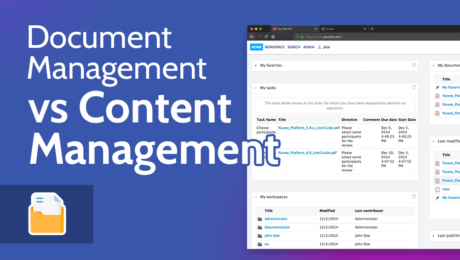
People often confuse document management vs content management systems. In this article, we’ll explore both DMS and CMS, what the similarities are and how their differences dictate which platform is the best for your business.
Document management and content management are closely related. On the surface, they appear to be the same thing, but when you begin to analyze document management vs content management, you begin to see the differences.
If your business is looking to implement a document management system (DMS) or a content management system (CMS), you may be left wondering which one is right for you.
The best document management software and content management systems can come with a hefty price tag, so it’s best to learn what you’re investing your money in and which platform will best serve your needs.
We’re here to help ease confusion and answer some common questions, which will put you in a better position to select which type of software you need to use.
Document management software is specifically designed to hold business documents that multiple users can organize, create, edit and access. A content management system applies to several content types like text, video and images, all of which are published publicly through a website.
Technically yes, you can use a CMS to create and store text-based documents. However, we wouldn’t advise using a CMS for document management as it doesn’t provide the same organization and creation tools as dedicated document management software.
Microsoft SharePoint is a document management system that also includes some traditional CMS features. For example, you can create private web pages and share content with other users in your business.
To help you learn more about document management systems and content management systems, we’re going to explore each platform separately, then look at some of the core differences and similarities.
A document management system is a piece of software that allows companies to manage documents throughout their business. See it as somewhat of a digital filing cabinet, where a range of documents exist and various users are able to access them.
However, unlike a physical filing cabinet, which is only capable of holding documents, an electronic document management system offers much more.
For example, certain document management software allows you to send out internal communications that help keep everyone up to date on critical business processes. You can also collaborate on documents, access older versions and allow multiple users to edit them.
The most common types of document management systems are on-premise and cloud-based. On-premise document management software gives you total control over your internal servers and allows you to establish security for your documents.
The cloud-based option means your documents exist on a third-party company’s servers. Cloud solutions make it easier to access documents on multiple devices, as well as collaborate on documents with others.
Among other things, good document management software enables you to create and store document types such as invoices, employee contracts, spreadsheets, training materials and almost any other business document you can imagine.
The very best also have tools that offer scanning capabilities so you can transfer paper documents to your electronic DMS. Scanning tools include optical character recognition, which lets you edit paper documents that you have migrated to electronic documents.
If you would like more information on what a DMS can do, check out our document management basics article. We also have a document management best practices guide, that outlines how to choose a DMS and make the most of its features.
A content management system is a space that allows you to upload various types of content such as text, images and video. Through various software options, a content management system lets you easily publish content publicly on the web without needing to know how to code it from scratch.
Whether you’re a blogger or a large online publication, you’ll need a content management system in order to create, schedule and publish content. A leading CMS, like WordPress, also offers templates for your website, and gives you the ability to create a unique design.
Most content management systems let you add multiple users to one centralized content stream. You can give users permission to create, edit and publish content. Other users, such as editors, can also access content and edit where appropriate.
After your website goes live, you can access your content management system and create new web pages within your website. You can also modify content even after you publish it online, and all of this can be done without the need for a web developer. This makes it simple for even inexperienced CMS users.
Now that you have a better understanding of what a DMS and a CMS are, let’s take a closer look at some of the core differences and similarities.
A DMS tends to handle what’s called structured data; it’s a space that allows you to easily categorize, search and share data within one centralized platform.
By contrast, a CMS is a place for unstructured data, where content does not have a defined data model and isn’t organized in a defined manner.
Structured data includes easily searchable data, such as names, addresses, charts, documents and PDF files; whereas unstructured data involves data that’s not easy to search, for example video files and audio files.
The platforms share similarities in that they offer a centralized space to upload, create, retrieve and share content. That’s really where the common ground ends, as the type of content created and shared is vastly different.
By now, you should be able to ascertain which platform is the best for your business. If you’re still unsure, here are some things to consider.
Two other terms you’re likely to come across are enterprise content management (ECM) and enterprise document management (EDM). Despite the different terms, not much separates an enterprise content management system from a standard CMS, and the same is true with a DMS. The main difference is scalability.
ECM software allows you to add and manage more users, while also giving them the ability to access content and documents from multiple devices in different locations.
Due to the size of each platform, it’s common to see more tools for automation that allow you to provide fluid updates on business processes and content. This makes enterprise-level management systems ideal for large businesses.
While the foundations of a DMS and CMS are similar, you can clearly see that each software type is built for different purposes. Both of them will certainly help you manage content and work with others on different content and document types; a defined objective will help choose which platform you need.
Which DMS do you use? What’s your favorite CMS? Do you utilize enterprise content management? How do you keep track of your business’ digital assets? Is there something you wish we explained in the article? Let us know in the comments. Thanks for reading.
document.getElementById( “ak_js_1” ).setAttribute( “value”, ( new Date() ).getTime() );
Also interesting
Most popular on Cloudwards
© 2007-2023 Cloudwards.net – We are a professional review site that receives compensation from the companies whose products we review. We test each product thoroughly and give high marks to only the very best. We are independently owned and the opinions expressed here are our own.
Because the Cloudwards.net team is committed to delivering accurate content, we implemented an additional fact-checking step to our editorial process. Each article that we fact check is analyzed for inaccuracies so that the published content is as accurate as possible.
You can tell that an article is fact checked with the Facts checked by symbol, and you can also see which Cloudwards.net team member personally verified the facts within the article. However, providers frequently change aspects of their services, so if you see an inaccuracy in a fact-checked article, please email us at feedback[at]cloudwards[dot]net. We strive to eventually have every article on the site fact checked. Thank you.
- Published in Uncategorized
DynamoDB Data Transformation Safety: from Manual Toil to … – InfoQ.com

Live Webinar and Q&A: Panel: 2023 Data Engineering Trends and Predictions (January 19, 2023) Save Your Seat
Facilitating the Spread of Knowledge and Innovation in Professional Software Development
2022 was another year of significant technological innovations and trends in the software industry and communities. The InfoQ podcast co-hosts met last month to discuss the major trends from 2022, and what to watch in 2023.. This article is a summary of the 2022 software trends podcast.
Anna Shipman discusses her experience joining the FT to lead on FT.com a few years after launchm and shares things implemented to stop the drift towards an unmaintainable system and another rebuild.
Sara Bergman introduces the field of green software engineering, showing options to estimate the carbon footprint and discussing ideas on how to make Machine Learning greener.
In this podcast Shane Hastie spoke to Melissa Daley, Bob Crews and Adam Sandman, about the state of testing and how to instil a culture of quality into software teams
GitHub Actions is an effective CI tool. However, integrating it into enterprise organizations can be challenging. This article looks at best practices for GitHub Actions in the enterprise.
Learn how to achieve high-level observability without picking and choosing which logs to collect. Register Now.
Adopt the right emerging trends to solve your complex engineering challenges. Register Now.
Your monthly guide to all the topics, technologies and techniques that every professional needs to know about. Subscribe for free.
InfoQ Homepage Articles DynamoDB Data Transformation Safety: from Manual Toil to Automated and Open Source
Nov 23, 2022 15 min read
by
reviewed by
When designing a product to be a self-serve developer tool, there are often constraints – but likely one of the most common ones is scale. Ensuring our product, Jit – a security-as-code SaaS platform, was built for scale was not something we could embed as an afterthought, it needed to be designed and handled from the very first line of code.
We wanted to focus on developing our application and its user experience, without having challenges with issues and scale be a constant struggle for our engineers. After researching the infrastructure that would enable this for our team – we decided to use AWS with a serverless-based architecture.
AWS Lambda is becoming an ever-popular choice for fast-growing SaaS systems, as it provides a lot of benefits for scale and performance out of the box through its suite of tools, and namely the database that supports these systems, AWS’s DynamoDB.
Presented by: Dunith Dhanushka – Senior Developer Advocate, Redpanda Data
Save your seat
One of its key benefits is that it is already part of the AWS ecosystem, and therefore this abstracts many of the operational tasks of management and maintenance, such as maintaining connections with the database, and it requires minimal setup to get started in AWS environments.
As a fast-growing SaaS operation, we need to evolve quickly based on user and customer feedback and embed this within our product. Many of these changes in application design have a direct impact on data structures and schemas.
With rapid and oftentimes significant changes in the application design and architecture, we found ourselves needing to make data transformations in DynamoDB very often, and of course, with existing users, it was a priority that this be achieved with zero downtime. (In the context of this article Data Transformation will refer to modifying data from state A to state B).
In the spirit of Brendon Moreno from the UFC:
Maybe not today, maybe not tomorrow, and maybe not next month, but only one thing is true, you will need to make data transformations one day, I promise.
Yet, while data transformation is a known constant in engineering and data engineering, it remains a pain point and challenge to do seamlessly. Currently, in DynamoDB, there is no easy way to do it programmatically in a managed way, surprisingly enough.
While there are many forms of data transformation, from replacing an existing item’s primary key to adding/removing attributes, updating existing indexes – and the list goes on (these types are just a few examples), there remains no simple way to perform any of these in a managed and reproducible manner, without just using breakable or one-off scripting.
Below, we are going to dive into a real-world example of a data transformation process with production data.
Let’s take the example of splitting a “full name” field into its components “first name” and “last name”. As you can see in the example below, the data aggregation currently writes names in the table with a “full name” attribute. But let’s say we want to transform from a full name, and split this field into first and last name fields.
BeforeIdFullName123Guy Br
AfterIdFirstNameLastName123GuyBr
Looks easy, right? Not so, to achieve just this simple change these are the steps that will need to be performed on the business logic side, in order to successfully transform this data.
But let's discuss some of the issues you would need to take into account before you even get started, such as – how do you run and manage these transformations in different application environments? Particularly when it’s not really considered a security best practice to have access to each environment. In addition, you need to think about service dependencies. For example, what should you do when you have another service dependent on this specific data format? Your service needs to be backward compatible and still provide the same interface to external services relying on it.
When you have production clients, possibly one of the most critical questions you need to ask yourself before you modify one line of code is how do you ensure that zero downtime will be maintained?
Some of the things you’d need to plan for to avoid any downtime is around testing and verification. How do you even test your data transformation script? What are some good practices for running a reliable dry run of a data transformation on production data?
There are so many things to consider before transforming data.
Now think that this is usually, for the most part, done manually. What an error-prone, tedious process! It looks like we need a fine-grained process that will prevent mistakes and help us to manage all of these steps.
To avoid this, we understood we’d need to define a process that would help us tackle the challenges above.
Figure 1: Rewrite Process Flow Chart
First, we started by adjusting the backend code to write the new data format to the database while still keeping the old format, by first writing the FullName, FirstName and LastName to provide us some reassurance of backward compatibility. This would enable us to have the ability to revert to the previous format if something goes terribly wrong.
Link to GitHub
Next, we wrote a data transformation script that scans the old records and appends the FirstName and LastName attributes to each of them, see the example below:
Link to GitHub
After writing the actual script (which is the easy part), we now needed to verify that it actually does what it’s supposed to. To do so, the next step was to run this script on a test environment and make sure it works as expected. Only after the scripts usability is confirmed, it could be run on the application environments.
The last phase is the cleanup, this includes taking the plunge and ultimately deleting the FullName column entirely from our database attributes. This is done in order to purge the old data format which is not used anymore, and reduce clutter and any future misuse of the data format.
Link to GitHub
Lets quickly recap what we have done in the process:
This well-defined process helped us to build much-needed safety and guardrails into our data transformation process. As we mentioned before, with this process we were able to avoid downtime by keeping the old format of the records until we don’t need them anymore. This provided us with a good basis and framework for more complex data transformations.
Now that we have a process––let’s be honest, real-world data transformations are hardly so simple. Let’s assume, a more likely scenario, that the data is actually ingested from an external resource, such as the GitHub API, and that our more advanced data transformation scenario actually requires us to ingest data from multiple sources.
Let’s take a look at the example below for how this could work.
In the following table, the GSI partition key is by GithubUserId.
For the sake of this data transformation example, we want to add a “GithubUsername” column to our existing table.
BeforeIdGithubUserId1237654321
AfterIdGithubUserIdGithubUsername1237654321Guy7B
This data transformation looks seemingly as straightforward as the example with the full name, but there is a little twist.
How can we get the Github username if we don’t have this information? We have to use an external resource, in this case, it's the Github API.
GitHub has a simple API for extracting this data (you can read the documentation here). We will pass the GithubUserId and get information about the user which contains the Username field that we want.https://api.github.com/user/:id
The naive flow is similar to the full name example above:
However, in contrast to our previous flow, there is an issue with this naive flow. The flow above is not safe enough. What happens if you have issues while running the data transformation when calling the external resource? Perhaps the external resource will crash / be blocked by your IP or is simply unavailable for any other reason? In this case, you might end up with production errors or a partial transformation, or other issues with your production data.
What can we do on our end to make this process safer?
While you can always resume the script if an error occurs or try to handle errors in the script itself, however, it is important to have the ability to perform a dry run with the prepared data from the external resource before running the script on production. A good way to provide greater safety measures is by preparing the data in advance.
Below is the design of the safer flow:
Only after we do this, we scan the user records, get GithubUsername for each of them using Github API, append it to a JSON Object `{ [GithubUserId]: GithubUsername }` and then write that JSON to a file.
This is what such a flow would look like:
Link to GitHub
Next we scan the user records (get GithubUsername by GithubUserId for each record using Preparation Data), and move ahead to updating the record.
Link to GitHub
And finally, like the previous process, we wrap up by running the script on the testing environment, and then the application environments.
Once we built a robust process that we could trust for data transformation, we understood that to do away with human toil and ultimately error, the best bet would be to automate it.
We realized that even if this works for us today at our smaller scale, manual processes will not grow with us. This isn’t a practical long-term solution and would eventually break as our organization scales. That is why we decided to build a tool that would help us automate and simplify this process so that data transformation would no longer be a scary and painful process in the growth and evolution of our product.
Every data transformation is just a piece of code that helps us to perform a specific change in our database, but these scripts, eventually, must be found in your codebase.
This enables us to do a few important operations:
By enabling automation for data transformation processes, you essentially make it possible for every developer to be a data transformer. While you likely should not give production access to every developer in your organization, applying changes is the last mile. When only a handful of people have access to production, this leaves them with validating the scripts and running them on production, and not having to do all of the heavy lifting of writing the scripts too. We understand it consumes more time than needed for those operations and it is not safe.
When the scripts in your codebase and their execution are automated via CI/CD pipelines
other developers can review them, and basically, anyone can perform data transformations on all environments, alleviating bottlenecks.
Now that we understand the importance of having the scripts managed in our codebase, we want to create the best experience for every data-transforming developer.
Every developer prefers to focus on their business logic – with very few context disruptions and changes. This tool can assist in keeping them focused on their business logic, and not have to start from scratch every time they need to perform data transformations to support their current tasks.
For example – dynamo-data-transform provides the benefits of:
Quick Installation for serverless:
The package can be used as a standalone npm package see here.
To get started with DynamoDT, first run:npm install dynamo-data-transform --save-dev
To install the package through NPM (you can also install it via…)
Next, add the tool to your serverless.yml Run:npx sls plugin install -n dynamo-data-transform
You also have the option of adding it manually to your serverless.yml:plugins: - dynamo-data-transform
You can also run the command:sls dynamodt --help
To see all of the capabilities that DynamoDT supports.
Let’s get started with running an example with DynamoDT. We’ll start by selecting an example from the code samples in the repo, for the sake of this example, we’re going to use the example `v3_insert_users.js`, however, you are welcome to test it out using the examples you’ll find here.
We’ll initialize the data transformation folder with the relevant tables by running the command: npx sls dynamodt init --stage local
For serverless (it generates the folders using the resources section in the serverless.yml):
The section above should be in serverless.yml
The data-transformations folder generated with a template script that can be found here.
We will start by replacing the code in the template file v1_script-name.js with:
Link to GitHub
For most of the regular data transformations, you can use the util functions from the dynamo-data-transform package. This means you don’t need to manage the versions of the data transformation scripts, the package will do this work for you. Once you’ve customized the data you’ll want to transform, you can test the script using the dry run option by running:npx sls dynamodt up --stage local --dry
The dry run option prints the records in your console so you can immediately see the results of the script, and ensure there is no data breakage or any other issues.
Once you’re happy with the test results, you can remove the –dry flag and run it again, this time it will run the script on your production data, so make sure to validate the results and outcome.
Once you have created your data transformation files, the next logical thing you’d likely want to do is add this to your CI/CD. To do so add the command to your workflow/ci file for production environments.
The command will run immediately after the `sls deploy` command, which is useful for serverless applications.
Finally, all of this is saved, as noted above so if you want to see the history of the data transformations, you can run:
`npx sls dynamodt history –table UserExample –stage local`
The tool also provides an interactive CLI for those who prefer to do it this way.
And all of the commands above are supported via CLI as well.
With Dynamo Data Transform, you get the added benefits of being able to version and order your data transformation operations and manage them in a single place. You also have the history of your data transformation operations if you would like to roll back an operation. And last but not least, you can reuse and review your previous data transformations.
We have open-sourced the Dynamo Data Transform tool that we built for internal use to perform data transformations on DynamoDB and serverless-based environments and manage these formerly manual processes in a safe way.
The tool can be used as a Serverless Plugin and as a standalone NPM package.
Feel free to provide feedback and contribute to the project if you find it useful.
Figure 2: Data Transformation Flow Chart
Becoming an editor for InfoQ was one of the best decisions of my career. It has challenged me and helped me grow in so many ways. We’d love to have more people join our team.
A round-up of last week’s content on InfoQ sent out every Tuesday. Join a community of over 250,000 senior developers. View an example
We protect your privacy.
You need to Register an InfoQ account or Login or login to post comments. But there’s so much more behind being registered.
Get the most out of the InfoQ experience.
Allowed html: a,b,br,blockquote,i,li,pre,u,ul,p
by Rob Finneran,
by Rob Finneran,
Your message is awaiting moderation. Thank you for participating in the discussion.
Great article on an often-overlooked topic! I am always looking for more tools and more ideas about DynamoDB since it is such an important part of my AWS tool set. Here are a couple of related ideas that I have been thinking about: (1) Schema control or versioning of the JSON structure of the DynamoDB rows, and (2) data versioning and related topics like optimistic concurrency, and (3) AWS Glue crawlers and related mechanisms that allow joining DynamoDB “tables” with other data sources in a SQL JOIN command. Also, check out tools like Dynobase and let us all know of your other finds!
Allowed html: a,b,br,blockquote,i,li,pre,u,ul,p
Allowed html: a,b,br,blockquote,i,li,pre,u,ul,p
A round-up of last week’s content on InfoQ sent out every Tuesday. Join a community of over 250,000 senior developers. View an example
We protect your privacy.
Real-world technical talks. No product pitches.
Practical ideas to inspire you and your team.
March 27-29, 2023. Attend in-person or online.
QCon London brings together the world’s most innovative senior software engineers across multiple domains to share their real-world implementation of emerging trends and practices.
Level-up on 15 major software and leadership topics including Modern Frontend Development and Architecture, Enhancing Developer Productivity and Experience, Remote and Hybrid Work, Debugging Production, AI/ML Trends, Data Engineering Innovations, Architecture in 2025, and more.
SAVE YOUR SPOT NOW
InfoQ.com and all content copyright © 2006-2023 C4Media Inc.
Privacy Notice, Terms And Conditions, Cookie Policy
- Published in Uncategorized
Appfire Expands into the Microsoft Ecosystem with Acquisition of … – Business Wire

7pace Timetracker is the industry’s first AI-driven multi-cloud time management solution and is a leading integration for teams using Azure DevOps and GitHub. Expansion to the Atlassian ecosystem is planned.
BOSTON–(BUSINESS WIRE)–Appfire, an enterprise collaboration software company that enables teams to plan and deliver their best work, announced today the acquisition of German company 7pace, creators of the top-selling app for Azure DevOps, 7pace Timetracker, which recently launched on GitHub. This acquisition marks a strategic expansion for Appfire into the Microsoft ecosystem, with continued staffing, product expansion, and go-to-market investments planned for both Azure DevOps and GitHub products. In addition, Appfire and 7pace will bring this leading solution to the Atlassian ecosystem, enhancing and expanding time management offerings for customers.
This latest addition to Appfire’s purpose-built portfolio is driven by a mission to equip and connect every team so they can plan and deliver their best work. Designed and built by developers for developers, 7pace Timetracker incorporates AI and machine learning to seamlessly capture time data within the developer’s workflow. This technology gives individuals and teams the real-time insights they need to improve the way they work across multiple platforms.
“At Appfire, we follow teams, not tools,” comments Randall Ward, Co-Founder and CEO of Appfire. “To drive success and ambitious transformation, product developers need to spend more time innovating. 7pace has developed an AI-driven experience that teams not only need, but want, and we’re thrilled to welcome Marc Schaeffler and the 7pace team to Appfire.”
Time tracking is often perceived as a necessary but high-friction activity in development environments, with negative perceptions of managerial surveillance, lost productivity, and unintuitive platforms. Timetracker was built to not only relieve these pain points, but to actively shift the culture associated with time tracking to address the needs of the developer. The product identifies individual patterns and uses underlying work item data to guide developers, flipping the script on an outdated, contextually unaware time entry model.
Capturing and aggregating time data across platforms helps work flow across tools and teams, aligning perfectly with Appfire’s product strategy.
“This acquisition represents a continued investment in our customers and an opportunity to disrupt the legacy time management market,” comments 7pace Founder and CEO Marc Schaeffler. “We have searched for a partner that aligns with our values, not only internally with our people, but on the level of service and respect we show our customers, and we immediately felt at home with Appfire.”
The entire 7pace team — many of whom are local to 7pace’s headquarters of Munich, Germany — has joined Appfire. This new location will allow Appfire to more directly support customers and channel partners within the German market.
About Appfire
Appfire is a leading enterprise collaboration software provider for teams looking to make work flow, from planning to product ideation, to product development, project delivery, and beyond. Appfire gives teams the best solutions to enhance, augment, connect, and extend platforms like Atlassian, Salesforce, and Microsoft. Appfire enables teams to thrive and do their best work. Many of Appfire’s popular software products are sold on the Atlassian Marketplace, where Appfire has the most widely adopted portfolio of Atlassian apps with 200,000+ active installations across tens of thousands of customers worldwide. Appfire’s popular solutions help teams with Workflow & Automation, Product Portfolio Management, IT Service Management, Document Management, Business Intelligence and Reporting, Administrative Tools, Agile Tools, Developer Tools, Time Tracking, Publishing, and Visual Collaboration. Learn more at www.appfire.com.
About 7pace
7pace Timetracker is a fully built-in professional time management solution for teams using Azure DevOps and GitHub (beta). 7pace Timetracker supports engineers, builds feedback, and helps teams learn and improve over time. It automates standard tasks, allows teams to create reports, and helps forecast project time. From user stories to individual work items or issues, 7pace Timetracker integrates seamlessly into existing IT landscapes. 7pace offers a desktop app, an integrated API, and more options to get project and time data wherever it’s needed. Learn more at www.7pace.com.
Josh Payne, PR Director
joshua.payne@walkersands.com
781-264-8096
Josh Payne, PR Director
joshua.payne@walkersands.com
781-264-8096
- Published in Uncategorized
Case Management Software Market is foreseen to grow at CAGR of … – Digital Journal

Hi, what are you looking for?
By
Published
Case management software is a type of software used to manage cases in a court or other legal setting. It is used to track the progress of a case from start to finish, store associated documents and evidence, and provide access to the case data to all parties involved. The software typically includes features such as task management, calendar management, document management, and collaborative communication tools. It is designed to help legal professionals save time and money, and improve the overall efficiency of their workflow.
Case Management Software Market research is an intelligence report with meticulous efforts undertaken to study the right and valuable information. The data which has been looked upon is done considering both, the existing top players and the upcoming competitors. Business strategies of the key players and the new entering market industries are studied in detail. Well explained SWOT analysis, revenue share and contact information are shared in this report analysis.
The global Case Management Software market is expected to grow at a CAGR of 9% in terms of revenue over the forecast period from 2023 to 2030, owing to a number of variables about which A2Z Market Research provides detailed insights and projections in the global Case Management Software market research.
Get the PDF Sample Copy (Including FULL TOC, Graphs and Tables) of this report @:
https://a2zmarketresearch.com/sample-request
Top Key Players Profiled in this report are:
Pegasystems, IBM, LegalEdge, AINS, Salesforce, MyCase, Actionstep, Dell Technologies, Appian, Athena Software
The key questions answered in this report:
Global Case Management Software Market Segmentation:
Market Segmentation: By Type
Web-Based
Cloud Based
On-Premise
Market Segmentation: By Application
Law Firms
Hospitals
Various factors are responsible for the market’s growth trajectory, which are studied at length in the report. In addition, the report lists down the restraints that are posing threat to the global Case Management Software market. It also gauges the bargaining power of suppliers and buyers, threat from new entrants and product substitute, and the degree of competition prevailing in the market. The influence of the latest government guidelines is also analyzed in detail in the report. It studies the Case Management Software market’s trajectory between forecast periods.
Regions Covered in the Global Case Management Software Market Report 2022:
The Middle East and Africa (GCC Countries and Egypt)
North America (the United States, Mexico, and Canada)
South America (Brazil etc.)
Europe (Turkey, Germany, Russia UK, Italy, France, etc.)
Asia-Pacific (Vietnam, China, Malaysia, Japan, Philippines, Korea, Thailand, India, Indonesia, and Australia
The cost analysis of the Global Case Management Software Market has been performed while keeping in view manufacturing expenses, labor cost, and raw materials and their market concentration rate, suppliers, and price trend. Other factors such as Supply chain, downstream buyers, and sourcing strategy have been assessed to provide a complete and in-depth view of the market. Buyers of the report will also be exposed to a study on market positioning with factors such as target client, brand strategy, and price strategy taken into consideration.
For Any Query or Customization:
https://a2zmarketresearch.com/ask-for-customization
The report provides insights on the following pointers:
Market Penetration: Comprehensive information on the product portfolios of the top players in the Case Management Software market.
Product Development/Innovation: Detailed insights on the upcoming technologies, R&D activities, and product launches in the market.
Competitive Assessment: In-depth assessment of the market strategies, geographic and business segments of the leading players in the market.
Market Development: Comprehensive information about emerging markets. This report analyzes the market for various segments across geographies.
Market Diversification: Exhaustive information about new products, untapped geographies, recent developments, and investments in the Case Management Software market.
Table of Contents
Global Case Management Software Market Research Report 2022 – 2029
Chapter 1 Case Management Software Market Overview
Chapter 2 Global Economic Impact on Industry
Chapter 3 Global Market Competition by Manufacturers
Chapter 4 Global Production, Revenue (Value) by Region
Chapter 5 Global Supply (Production), Consumption, Export, Import by Regions
Chapter 6 Global Production, Revenue (Value), Price Trend by Type
Chapter 7 Global Market Analysis by Application
Chapter 8 Manufacturing Cost Analysis
Chapter 9 Industrial Chain, Sourcing Strategy and Downstream Buyers
Chapter 10 Marketing Strategy Analysis, Distributors/Traders
Chapter 11 Market Effect Factors Analysis
Chapter 12 Global Case Management Software Market Forecast
Buy Exclusive Report @:
https://a2zmarketresearch.com/checkout
If you have any special requirements, please let us know and we will offer you the report as you want.
About A2Z Market Research:
The A2Z Market Research library provides syndication reports from market researchers around the world. Ready-to-buy syndication Market research studies will help you find the most relevant business intelligence.
Our Research Analyst Provides business insights and market research reports for large and small businesses.
The company helps clients build business policies and grow in that market area. A2Z Market Research is not only interested in industry reports dealing with telecommunications, healthcare, pharmaceuticals, financial services, energy, technology, real estate, logistics, F & B, media, etc. but also your company data, country profiles, trends, information and analysis on the sector of your interest.
Contact Us:
Roger Smith
1887 WHITNEY MESA DR HENDERSON, NV 89014
[email protected]
+1 775 237 4157
COMTEX_422461836/2769/2023-01-11T01:53:21
Drones deployed on a scale never seen before to carry out surveillance and strikes have become a defining feature of the conflicts.
The hottest startup in Silicon Valley right now is OpenAI, the Microsoft-backed developer of ChatGPT.
Tesla announced it will cut the price of its best-selling electric vehicle models up to 20 percent in Europe and the United States.
JPMorgan Chase reported higher fourth-quarter profits Friday, boosted by income tied to increasing interest rates.
COPYRIGHT © 1998 – 2023 DIGITAL JOURNAL INC. Sitemaps: XML / News . Digital Journal is not responsible for the content of external sites. Read more about our external linking.
- Published in Uncategorized
American Financial Resources, Inc. Expands Partnership with … – Business Wire

Lender accelerates digital transformation, scales operations, and enhances the overall mortgage experience.
SANTA CLARA, Calif.–(BUSINESS WIRE)–Tavant, a Silicon Valley-based provider of industry-leading digital lending solutions, and American Financial Resources, Inc. (AFR), a national mortgage lender, operating in the wholesale, correspondent, and retail origination channels, have partnered to enhance the lender’s digital mortgage experience, end-to-end. Leveraging Tavant’s Touchless Lending™, AFR’s correspondent lenders, mortgage brokers, loan originators, and consumers will now be able to automate the traditionally cumbersome lending process, providing a more streamlined and seamless experience for all stakeholders.
Tavant’s Touchless Documents instantly recognizes documents, automating document classification, indexing, splitting, categorization/subcategorization, pairing with borrowers, and data extraction with the highest accuracy. Additionally, the Touchless Lending platform integrates seamlessly with existing lender systems, including CRMs, Point-of-Sales, LOS, and document management systems, to optimize document-related workflows, organize and process documents faster, and deposit the results of the document classification and data extraction back into the system of record.
“With the launch of FinDecision being so successful, adding Tavant’s Touchless Documents into the mix seemed like the logical next step,” said Scott Dubnoff, Chief Technology Officer at American Financial Resources, Inc. “And we were right. Their implementation was a smooth and painless process. It took about six weeks to integrate Tavant’s product into our systems fully. After one month of running Touchless Docs with real data, we determined their document classification accuracy greatly surpassed our expectations. We have only just started with this technology yet are already seeing returns in both labor efficiency and data accuracy. We have only scratched the surface with document classification and plan to expand to data extraction next. This opens even more possibilities for automation as we look to expand usage of the product to other areas of our process.”
Before deploying Touchless Documents, processing broker-submitted loan documents was time-consuming and labor-intensive, requiring the utilization of a pool of human resources and turnaround times that could potentially be overnight. After implementing Tavant’s Touchless Documents, what used to take hours now takes minutes. Brokers can get immediate feedback on their file uploads and provide direct input to their borrowers on requested document uploads. After only one month of usage, Touchless Docs has processed close to 500 loans and over 90k pages of loan documentation with a document classification success rate of approximately 92%.
“AFR and Tavant have aligned missions to make homeownership more accessible for all and to provide several offerings that can support underserved communities in the housing market,” said Hassan Rashid, Chief Revenue Officer at Tavant. “While lenders have had to undergo lengthy processes in the past manually, Tavant now introduces a machine-oriented approach that successfully increases workflow up to 80% by automating and regulating the processes of loan application and disbursal.”
As the leading Fintech software and solutions provider for more than 20 years, Tavant proactively anticipates customer needs and adjusts accordingly to provide the right configurable solutions. American Financial Resources joins Tavant’s growing customer base, which originates one out of every three loans in the United States. Tavant’s VΞLOX product suite, which now includes Touchless Lending™, maximizes data-driven decision-making to solve even the most complex lender and borrower challenges.
About Tavant
Headquartered in Santa Clara, Calif., Tavant is a digital products and solutions company that provides impactful results to its customers across North America, Europe, and Asia-Pacific. Founded in 2000, the company employs over 3000 people and is a recognized top employer. Tavant is creating an AI-powered intelligent lending enterprise by reimagining customer experiences, driving operational efficiencies, and improving collaboration.
Find Tavant on LinkedIn and Twitter.
About American Financial Resources, Inc.
American Financial Resources, Inc. (AFR) offers a comprehensive array of residential mortgage products to meet various financing needs. AFR is a leading FHA 203(k) lender for sponsored originations and an innovator in construction and renovation lending. AFR utilizes the latest technology and delivers educational resources to correspondent lenders, mortgage brokers, loan originators, and consumers. American Financial Resources, Inc. is an Equal Housing Lender and Equal Opportunity Employer. Lender NMLS 2826 at www.nmlsconsumeraccess.org. For more information, visit www.afrcorp.com.
Adrie Morales
adrie@williammills.com
678-781-7227
Adrie Morales
adrie@williammills.com
678-781-7227
- Published in Uncategorized
Right Networks Expands Intelligent Cloud with Addition of … – CPAPracticeAdvisor.com

Hello. It looks like you’re using an ad blocker that may prevent our website from working properly. To receive the best experience possible, please make sure any blockers are switched off and refresh the page.
If you have any questions or need help you can email us
Accounting & Audit
The alliance will enable accounting firms and professionals to easily access and securely share sensitive client documents directly within …
Dec. 06, 2022
Right Networks, the only intelligent accounting cloud, has announced a new partnership with SmartVault, a provider of document management and secure file sharing for the accounting profession. The alliance will enable accounting firms and professionals to easily access and securely share sensitive client documents directly within their fully managed cloud environments from Right Networks.
“For us, security is our number one priority, and having both SmartVault and Right Networks gives me peace of mind that my data and my clients’ data is secure and easily accessible in the cloud,” said Caleb Jenkins, EA, CQP, Leader of Client Accounting Services at RLJ Financial Services, Inc. “Right Networks enables us to run our more powerful desktop-based software applications in the cloud and acts as a data bridge and connector to other cloud applications. At the same time, SmartVault enables us to integrate with other apps, reducing security risks by preventing documents from being shared via email.”
Accountants Can Work More Securely and Efficiently in the Cloud with Right Networks and SmartVault
SmartVault can now be purchased directly from Right Networks as part of its intelligent accounting cloud, giving accounting firms and professionals the critical tools needed to operate in the cloud securely, easily and efficiently.
“SmartVault and Right Networks are both on a mission to deliver purpose-built solutions to accounting firms and their clients,” said Gary Engel, Executive Vice President of Cloud Products at Right Networks. “We are excited to partner with a team that shares the same vision for moving the accounting industry forward through innovation.”
SmartVault document management software enables firms to standardize their document-based workflows, supporting cost reduction, increased productivity and the ability to deliver higher service levels to their clients. Email is still widely used in the profession to route documents. A document management system like SmartVault, paired with Right Networks, offers firms a far more secure way to request, store, e-sign and share files—enabling the business controls required across the full document lifecycle. This is an essential component of meeting regulatory compliance mandates.
“Partnering with Right Networks creates a powerful synergy that further supports the unique security and workflow needs of the accounting profession. We are confident that it will continuously improve the everyday lives of our customers and their clients,” said Dania Buchanan, President of SmartVault. “The feedback from our shared customers is already proving that the pairing of our solutions delivers clear value and satisfies the need for business efficiency and higher levels of security when working with documents.”
To learn more about the Right Networks and SmartVault partnership or to see the integration in action, visit the Right Networks booth (#C23) and SmartVault booth (#B12) at QuickBooks Connect 2022.
Accounting & Audit
Jason Bramwell
Accounting & Audit
Accounting & Audit
Jason Bramwell
Accounting & Audit
Subscribe for free and get unlimited access to all CPA Practice Advisor content
Subscribe
CPAPA is registered with the National Association of State Boards of Accountancy (NASBA) as a sponsor of continuing professional education on the National Registry of CPE Sponsors.
© 2023 Firmworks, LLC. All rights reserved
- Published in Uncategorized
$8000+ Mn, Intelligent Document Processing Market Size to Grow at … – GlobeNewswire

October 12, 2022 09:00 ET | Source: The Insight Partners The Insight Partners
Pune, INDIA
New York, Oct. 12, 2022 (GLOBE NEWSWIRE) — The Insight Partners published latest research study on “Intelligent Document Processing Market Size, Share, Growth, Industry Trends and Forecast to 2028,” the global intelligent document processing market size is expected to grow from USD 1,022.73 million in 2021 to USD 8,045.81 million by 2028, with an estimated CAGR of 34.6% from 2022 to 2028.
Download Sample PDF Brochure of Intelligent Document Processing Market Size – COVID-19 Impact and Global Analysis with Strategic Insights at: https://www.theinsightpartners.com/sample/TIPRE00028611/
Global Intelligent Document Processing Market Report Scope, Segmentations, Regional & Country Scope:
Global Intelligent Document Processing Market: Competitive Landscape
ABBYY; IBM Corp; Kofax Inc.; Datamatics Global Services Limited; Appian; WorkFusion, Inc.; Parascript; Open Text Corporation; Hyland Software, Inc.; and Extract Systems are among the key intelligent document processing market players profiled during the intelligent document processing market study. Several other major companies were studied and analyzed during this research study to get a holistic view of the intelligent document processing market and its ecosystem.
Inquiry Before Purchase: https://www.theinsightpartners.com/inquiry/TIPRE00028611/
Companies in the intelligent document processing market offer different products for various types of document processing. These products help streamline document and data flow, which helps in ensuring swift decision-making. For instance, in the retail industry, these products offer measurable and consistent business value to processes such as customer correspondence and claims, sales order processing, and accounts payable. The document processing platform reads the unstructured documents, further redacting or extracting the information the customer needs, and routes the data to the final destination. The document processing offered by the companies in the market lessens the time spent manually, reduces human error typically caused by manual data entry, and offers fast access to valuable discrete data that customers can compare, share, report, and analyze, contributing to the intelligent document processing market growth.
The rising demand for the extraction of insights from unstructured data is catalyzing the growth of the intelligent document processing market. The awareness related to the advantages of intelligent document processing solutions is maximum among large enterprises, which generate enormous amounts of data daily. These large enterprises invest substantial amounts toward enhancing the respective business process and optimizing the efficiency of the business. Thus, the demand for intelligent document processing solutions among large enterprises is on a constant rise, which is allowing the intelligent document processing market players to experience growth in respective sales, ultimately driving the intelligent document processing market.
Speak to Research Expert – https://www.theinsightpartners.com/speak-to-analyst/TIPRE00028611
Most business data in recent years is unstructured, and end users face significant challenges in gathering meaningful insights from the data. The data is represented in various modules, including documents, emails, spreadsheets, audio & visual, presentations, images, and web searches. In order to gain maximum information from unstructured data, several end users or industries are opting for intelligent document processing solutions, which facilitates them in extracting important insights.
In the intelligent document processing market, end-use industries such as BFSI and manufacturing, and government- across the different regions have attributed in the solution popularity. For instance, the strong presence of manufacturing and BFSI sectors in China and India has witnessed substantial demand for robust and efficient document processing tools in the past few years. North America holds the highest share in the intelligent document processing market as most of the companies in the region have already shifted to digital transformation to compete effectively in the global intelligent document processing market.
Furthermore, several other countries are increasing their adoption of digital transformation technology to compete effectively in the global market and increase revenue growth. Moreover, the demand for document processing solutions is predicted to grow during the forecast period, owing to the need for automated operations from manufacturing industries in several emerging economies of APAC, contributing to the intelligent document processing market growth in the region.
Quickly Purchase Premium Copy of Global Intelligent Document Processing Market Growth Report (2022-2028) at: https://www.theinsightpartners.com/buy/TIPRE00028611/
Browse Adjoining Reports:
Document Imaging Market Forecast to 2028 – COVID-19 Impact and Global Analysis by Component (Hardware, Software); Deployment Type (Cloud, On-premises); End-user (Educational Institutions, Government, Enterprises, Law Firms, Others) and Geography
Document Reader Market Forecast to 2028 – COVID-19 Impact and Global Analysis By Product Type (Passport, E-Passport, Visa, IDs, Licenses, Others); Technology (NFC/RFID, Barcode, Contact SmartCard, Others); Application (Border Crossings, Airports, Train/ Bus Terminals, Banks, Travel agencies, Others) and Geography
Document Analysis Market to 2027 – Global Analysis and Forecasts by Solutions (Products and Services); Deployment Type (Cloud and On-premise); Organization Size (Large Enterprises and Small & Medium Enterprises (SMEs)); Industry Vertical (BFSI, Government, Healthcare, Retail, Manufacturing, and Others)
Document Management Software Market Forecast to 2028 – Covid-19 Impact and Global Analysis – by Component (Solutions, Services), Deployment Mode (On-Premise, Cloud-Based), Organization Type (SME and Large Enterprise), Application (Healthcare, BFSI, Government, Education, Retail, and others) and Geography
Document Drafting Platform Market Forecast to 2028 – COVID-19 Impact and Global Analysis By Deployment Type (Cloud, On Premise); End User (Individual, Enterprise) and Geography
Medical Document Management Systems Market Forecast to 2028 – Covid-19 Impact and Global Analysis – By Application (Image Management, Patient Medical Records Management, Admission and Registering Documents Management, Patient Billing Documents Management); Solution (Document Scanning Software, Document Management Software); Mode of Delivery (Cloud Based, Web Based, On – Premise Model); End User (Hospitals and Clinics, Insurance Providers, Nursing Homes, Other End Users) and Geography
Document Scanner Market Forecast to 2028 – Covid-19 Impact and Global Analysis – by Product Type (Sheetfed Scanners, Handheld, Flatbed); Enterprise Size (SMEs, Large Enterprises); Industry Vertical (BFSI, IT and Telecom, Healthcare, Education, Transportation and Logistics, Others) and Geography
Document Camera Market Forecast to 2028 – COVID-19 Impact and Global Analysis by Connection Type (Wired, Wireless); End-Use (Education, Corporate, Others) and Geography
Medical Record Management Market Forecast to 2028 – Covid-19 Impact and Global Analysis – by Component (Software, Services); Application (Patient Record Management, Admission and Registration Document Management, Patient Billing Document Management, Others); Deployment (Cloud, On-Premise); End User (Hospitals and Clinics, Nursing Homes, Healthcare Payers, Others) and Geography
About Us:
The Insight Partners is a one stop industry research provider of actionable intelligence. We help our clients in getting solutions to their research requirements through our syndicated and consulting research services. We specialize in industries such as Semiconductor and Electronics, Aerospace and Defense, Automotive and Transportation, Biotechnology, Healthcare IT, Manufacturing and Construction, Medical Device, Technology, Media and Telecommunications, Chemicals and Materials.
Contact Us:
If you have any queries about this report or if you would like further information, please contact us:
Contact Person: Sameer Joshi
E-mail: sales@theinsightpartners.com
Phone: +1-646-491-9876
Press Release: https://www.theinsightpartners.com/pr/intelligent-document-processing-market
Industry Research: https://www.biospace.com/employer/2309254/tip-knowledge-services-pvt-ltd-/
- Published in Uncategorized