


Acquisition will continue to accelerate Appfire’s position as a leading platform of enterprise collaboration software
BOSTON–(BUSINESS WIRE)–Appfire, a leading provider of software that helps teams solve modern challenges with digital solutions, today announced it has acquired Comalatech. Comalatech’s suite of document management apps joins Appfire’s portfolio of software solutions to improve collaboration for teams of all sizes. As part of the One Appfire initiative, Comalatech will become fully integrated into the Appfire brand for a streamlined customer experience with the Appfire platform.
Founded in 2005, Comalatech was first-to-market with powerful collaboration solutions for Confluence, one of Atlassian’s leading work management solutions. Notable Comalatech products include Comala Document Management, Comala Publishing, and Comala Metadata. The addition of these products to Appfire’s portfolio further cements Appfire’s position within the Atlassian communities as a trusted software platform to help make work flow.
“Confluence is at the center of knowledge management and collaboration for teams, and it integrates natively with many of the top products teams rely on each day, including Slack, Microsoft Teams, and Google Workspace,” said Randall Ward, Co-Founder and CEO of Appfire. “Comalatech’s suite of products amplifies collaboration in today’s distributed workplace by introducing governance and workflow, making it easier to create, approve, and distribute content. We’re excited to welcome this talented team to Appfire.”
Comalatech Founder and CEO Roberto Dominguez and Comalatech’s 40-plus team members bring decades of deep experience solving document management challenges across the enterprise. The team will continue to develop these solutions with additional investments, support, and infrastructure within Appfire.
“Appfire has always had a close pulse on the latest and greatest apps in the Atlassian Marketplace,” said Roberto Dominguez, Comalatech Founder. “We’re looking forward to joining the team and so many other innovative app developers, creators, and collaborators in the Appfire family.”
Comalatech has offices in British Columbia, Canada and Bilbao, Spain. Appfire plans to keep both offices and further expand headcount in both geographies.
About Appfire
Appfire is a global authority in the Atlassian ecosystem. Appfire’s popular solutions help teams with Workflow Automation, Product Portfolio Management, IT Service Management, Document Management, Business Intelligence and Reporting, Administrative Tools, Agile, Developer Tools, and Publishing. The company has the largest portfolio of apps on the Atlassian Marketplace with 225,000 active installations worldwide. Learn more at www.appfire.com.
Allison Baldwin
AppfirePR@walkersands.com
401-782-7844
Allison Baldwin
AppfirePR@walkersands.com
401-782-7844

As companies continue to digitally transform, they increasingly turn to enterprise content management systems to help manage high volumes of information. In fact, the global enterprise content management market is expected to grow to $37.7 billion by 2026. Enterprise content management helps businesses manage information, such as records, images, and documents, under one roof.
Table of Contents
We’ve compiled our top enterprise content management systems based on key features, such as search capability, AI functionality, analytics, and more.
Hyland’s content management platforms help manage, organize, and distribute content effectively across an organization. The features of the suite include common features, such as advanced search and process automation but also less common features, such as case management and customer communications management. Hyland offers two content management solutions: OnBase and Perceptive Content.
Hyland’s OnBase solution is a secure, central content hub designed for software development environments. It’s built on a database, code base, and content repository so customers can build and deploy applications at scale. Document capture, data extraction, document management, system performance analytics, and more are available with this product.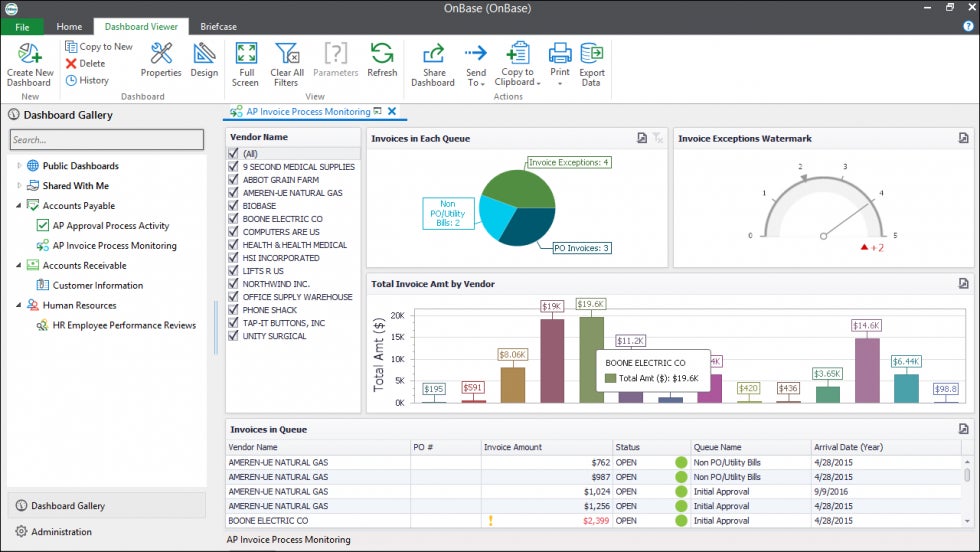
Hyland’s Perceptive Content platform is geared toward content production and lifecycle management. It features interactive forms, widgets, and portals to enhance the end-user experience. Like OnBase, Perceptive Content also captures and extracts information from a variety of formats but manages multiple types of content across their lifecycle.
For instance, the Perceptive Interact tool assists in email lifecycle management by archiving and categorizing email information in a way that’s easily searchable and purges old email data. Perceptive Content’s email management feature integrates with Outlook, but if your company uses the Google Workspace, this functionality might not be available.
While OnBase focuses on back-end content management, Perceptive Content assists with front-end, externally facing content.
Best for: Enterprises that want to promote optimal end-user interaction with content.
iManage offers a comprehensive platform to help organizations manage knowledge to achieve business outcomes. As part of that platform, email management and document management leverages company knowledge into actionable insights. 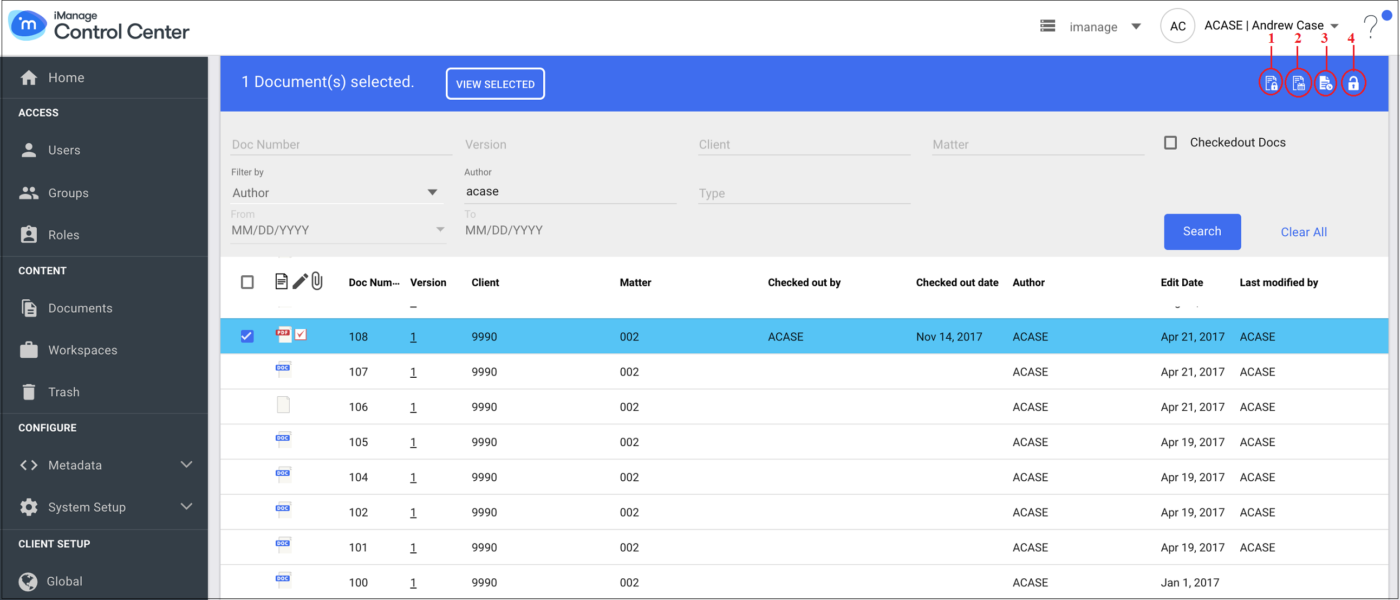 iManage is a single source of truth that increases overall productivity by uniting information originating from documents and emails to break down organizational silos. At the same time, it organizes the information by client, project, etc.
iManage’s document management feature is a shared, self-service network drive that empowers end users to easily find the information they need when they need it. For example, it allows users to securely connect from any device, even work offline, and it automatically syncs users’ changes to files.
Also read: Why Data Democratization is Better Than Busting Down Silos
To help employees work smarter, not harder, iManage’s document management tool enables users to rename files in bulk, upload files to third-party apps, and more. The document management tool is designed to be quickly implemented with no training for end users, and current customers indeed confirm in their reviews that this is the case.
Designed to work well with Microsoft 365, iManage may not be the best fit for your organization if you use Google Workspace.
Best for: companies of any size looking to securely streamline email and document management.
Laserfiche’s content management solution includes document management, process automation, analytics, security, and flexible hosting–whether cloud-based or on-premise. The platform’s standout feature is its artificial intelligence (AI) functionality.
For example, Laserfiche’s AI-powered analytics estimates how long tasks will take and which tasks are likely to finish past deadlines. This allows project managers to proactively address workflow issues and set up employees for success. 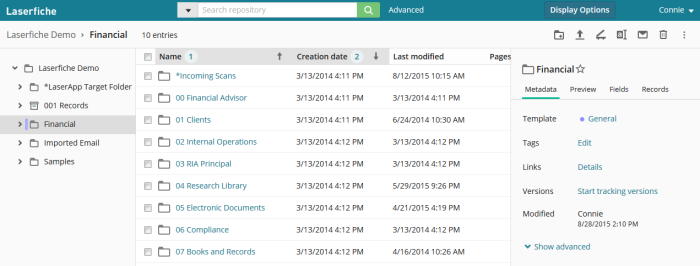 Laserfiche’s data capture also runs on AI by automatically extracting, sorting, and naming data from documents, reducing the time it takes to populate and save a file and make it easily searchable.
Best for: mid-sized companies or enterprises that seek sophisticated AI technology in their enterprise content management system.
Zoho Docs is a comprehensive solution set up for creating, storing, sharing, and collaborating on a variety of white-labeled file formats (160+ types), all online. Zoho Docs’s primary specializations are in document management and collaboration.
Zoho Docs enables users to create a variety of documents and directly export them to the website, if desired, using its Writer tool. It’s also easy to add graphics that depict data with Zoho Docs’s Sheet tool. To share information with stakeholders, the Zoho Show tool facilitates presentations that are easy to design and shareable.
Many functionalities overlap with other major collaborative tools, such as Google Docs; however, Zoho Docs offers more nuance in its user controls. For example, document owners can mark a file as final.
Document owners are also privy to statistics on how many times a file was opened and by whom. This helps project leaders track each user’s interaction with the document to verify equitable workloads among team members. Zoho Docs also allows for controlled access of files to external audiences by providing password-protected access to authorized parties.
Best for: enterprises that desire varied levels of access control to company-owned files.
Synergis Adept is a document management platform that harmonizes business processes and documents across the organization’s workforce. 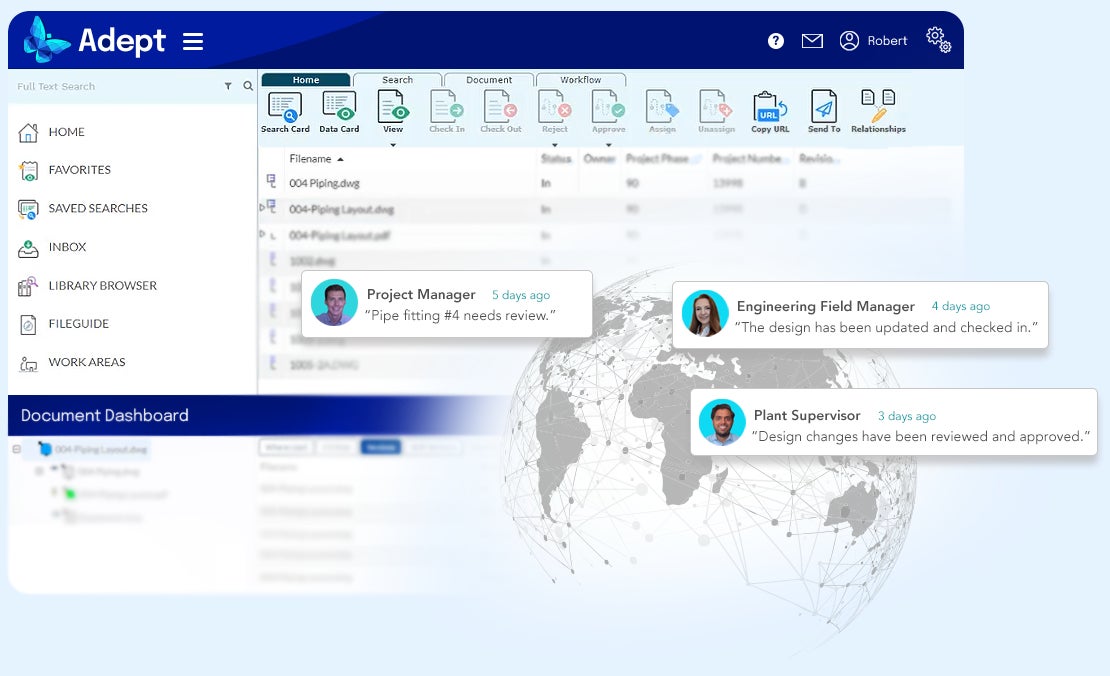
Synergis Adept features a suite of computer-aided design (CAD) tools for complex design projects that ensures designers and engineers are working with the most current project version. One of its core document management capabilities is the data card that displays a file’s metadata that provides the most pertinent information to each member of a project team.
Files are easy to find and retrieve later on with Synergis Adept’s robust search functions. Users can find files based on metadata searches, Boolean search terms, or recently used files.
The ability to create document relationships is another way that Synergis Adept makes it easy for users to find information they seek. For example, drawings and emails are linkable to specific work orders, and CAD drawings are linkable to 3D models, including AutoCAD, MicroStation, SolidWorks, and Inventor.
Synergis Adept affords administrators control over document relationships by creating hierarchies among them. This makes it easy to see how smaller tasks roll up into larger ones.
Though Synergis Adept integrates with many popular work tools, users report issues such as lagging load time.
Best for: Mid-sized engineering, design, manufacturing companies that want to synchronize and organize complex design tools within document management.
Given the varied capabilities across vendors, we’ll break down what each feature is used for and which vendors offer it.
Advanced search is useful for quickly sifting through vast amounts of information to find what you need. The best search tools for enterprises will support sophisticated queries and return results in a variety of file formats that are contextualized to user intent and role.
If search ranks highly on a feature you desire in an enterprise content management system, check out Hyland, iManage, Laserfiche, and Synergis Adept.
AI makes the difference between mere information gathering and leveraging that information to help your business run more effectively. It helps, for example, with automatic purges of old information or extracting information from a document and saving it in the proper place.
Hyland, iManage, and Laserfiche incorporate AI for smarter content management.
Analytics in an enterprise content management system helps administrators, project managers, and other parties identify information bottlenecks and workflow disruptions as well as manage user behavior, data storage, and more.
Hyland, Laserfiche, and Zoho Docs all have analytics and reporting capabilities.
Businesses of any size proliferate a large volume of internal and external documents that necessitate proper management. All vendors here provide document management.
However, Hyland and Laserfiche help enterprises align with compliance standards by generating new documents based on industry conventions or templates. Laserfiche also uses automation for organization, saving users time from manually organizing folders, sub-folders, etc.
Zoho Docs is similar to the Google Workspace but has analytics and reporting capabilities that provide insight into the amount, composition, and use of documents and information.
Synergis Adept’s document management approach is suitable for work environments that incorporate design files generated from CAD tools.
For companies that rely on email communication as a way to exchange information, make sure that valuable information in emails is not only secure but also doesn’t fall through the cracks. Enterprise management systems like Hyland, iManage, Laserfiche, and Zoho Docs extract, link, save, and organize files that are exchanged via email.
Your company may want autonomy in choosing cloud-based, on-premise, or hybrid content management solutions. A cloud-based platform offloads data maintenance to a third party to free up your company’s own resources.
An on-premise solution gives you more control over the system and the information, more importantly over its security. If your company is in the healthcare or finance industries, you’ll want a solution that at least gives the option of on-premise hosting.
Hyland, iManage, Laserfiche, and Synergis Adept all offer flexible hosting.
If your company is in a highly regulated industry and is subject to routine audits, you’ll want record management as a feature in the enterprise content management platform of choice. Record management helps your organization effectively manage the information lifecycle—from creation to purge—in a way that is compliant to the industry you work in.
Hyland and Laserfiche offer record management as part of their solutions.
Keeping track of documents where multiple people collaborate both on- and offline creates potential confusion about which document is the most current.
iManage, Zoho Docs, and Synergis Adept all offer version control.
To choose the right vendor for your unique business needs, order the features by importance and identify the vendor that satisfies at least your top three. For a robust solution that has a lot of capability, Hyland and Laserfiche are good places to start.
Read next: Top Business Process Management Tools for 2022
CIO Insight offers thought leadership and best practices in the IT security and management industry while providing expert recommendations on software solutions for IT leaders. It is the trusted resource for security professionals who need to maintain regulatory compliance for their teams and organizations. CIO Insight is an ideal website for IT decision makers, systems integrators and administrators, and IT managers to stay informed about emerging technologies, software developments and trends in the IT security and management industry.
Advertise with TechnologyAdvice on CIO Insight and our other IT-focused platforms.
Property of TechnologyAdvice.
© 2022 TechnologyAdvice. All Rights Reserved
Advertiser Disclosure: Some of the products that appear on this site are from companies from which TechnologyAdvice receives compensation. This compensation may impact how and where products appear on this site including, for example, the order in which they appear. TechnologyAdvice does not include all companies or all types of products available in the marketplace.

September 22, 2022 10:56 ET | Source: SkyQuest Technology Consulting Pvt. Ltd. SkyQuest Technology Consulting Pvt. Ltd.
Ahmedabad,, INDIA
Westford, USA, Sept. 22, 2022 (GLOBE NEWSWIRE) — Productivity software is one of the most popular applications. The demand for productivity software market is growing rapidly and there are several reasons why this is so. One reason is that businesses are becoming more competitive and they need to be efficient in their operations in order to stay ahead of their competition. Another reason is that people are becoming increasingly digitalized and they want tools that help them manage their time and workflow better. In addition, businesses are realizing the importance of retaining employees by providing them with effective tools that help them be more productive.
One of the leading providers in the global productivity software market is Microsoft. Microsoft has a wide variety of products that provide tools to improve work productivity. Some of these products include Outlook, Word, Excel, Power Point, and Access. Thunderbird has been designed to be both comfortable and easy to use. LibreOffice has been designed to be both comfortable and easy to use. In addition to productivity software, there are also other tools that can help employees be more efficient. One example is Google Docs. Google Docs is a free online document editor that allows users to create and edit documents online.
Get sample copy of this report:
https://skyquestt.com/sample-request/productivity-software-market
Overall, there is a growing demand for productivity software market across all sectors of business. As efficiencies continue to increase, so too will the popularity of these products.
SkyQuest has released a new report on the productivity software market. This report provides detailed insights into the market size, growth drivers, challenges, and opportunities. It also contains an in-depth analysis of the competitive landscape and profiles of major players operating in the market. This would help decision makers understand the potential impact of these trends on their businesses.
72% Small Business are Using Productivity Software
SkyQuest surveyed 588 business users in the global productivity software market to gauge their perceptions of productivity software. The study found that users are increasingly seeking tools that can automate tasks and make work more efficient.
Browse summary of the report and Complete Table of Contents (ToC):
https://skyquestt.com/report/productivity-software-market
As per SkyQuest analysis, the biggest challenge for productivity software market is that users do not see how the software can help them work more efficiently. Employees need an easy-to-use demonstration or tutorial to show them how the software.
SkyQuest’s report on productivity software market is based on extensive analysis of the latest data and information from a variety of sources, including industry experts, product developers, and user feedback. The report covers a wide range of topics, including the latest features and functionality of productivity software, the changing needs of users, and the competitive landscape.
Increasing Integration of AI In Productivity Software
Today, many workers in the global productivity software market rely on productivity software to keep them organized, productive and on-schedule. While many of these programs rely on user input to achieve these goals, AI is being integrated more and more into these apps to help automate tasks and improve efficiency. For example, a recent release of Salesforce IQ includes AI capabilities that allow users to automatically add contacts from their email inbox into Einstein. This integration allows users to quickly identify potential leads and contact them directly from their email, eliminating the need to search for information or click through innumerable contacts.
With AI-assisted automation, users can focus on more important tasks. Other productivity apps are incorporating AI in similar ways. For instance, Google Keep, a leading product in productivity software market, now includes an AI feature that enables people to collate notes and ideas as they occur, then automatically organize them into related categories. This makes it easy to find information when you need it and save time by automating tedious task.
Other companies are also integrating AI into their productivity software products. For instance, Slack uses machine learning to help users communicate more effectively. The company’s bot framework understands the context surrounding messages, which helps users find relevant responses faster. Slack also uses machine learning to predict user needs and trends, enhancing the overall experience for users.
Overall, AI is being integrated more deeply into productivity software in order to make the task of working smarter easier for everyone in the productivity software market. By automating repetitive tasks and integrating AI features like intelligent reminders and daily summaries, workers can focus on more important tasks while the software takes care.
Speak to Analyst for your custom requirements:
https://skyquestt.com/speak-with-analyst/productivity-software-market
Key Players in Global Productivity Software Market
Related Reports in SkyQuest’s Library:
Global Interactive Fitness Market
Global Software Defined Data Center Market
Global Site-to-Site VPN Market
Global Drone Software Market
Global Network Automation Market
About Us:
SkyQuest Technology is leading growth consulting firm providing market intelligence, commercialization and technology services. It has 450+ happy clients globally.
Address:
1 Apache Way, Westford, Massachusetts 01886
Phone:
USA (+1) 617-230-0741
Email: sales@skyquestt.com
LinkedIn Facebook Twitter

Getty Images
Many modern organizations give less thought to document version control than companies did when they initially deployed enterprise content management systems two decades ago.
As most new ECM deployments have moved to cloud environments, version control for document storage has become less of an IT priority. As a result, business priorities drive version control requirements rather than IT teams, although they are directly involved in ECM acquisitions and deployments.
For simple collaborative documents, keeping the last 50 or 500 copies is viable. Yet, organizations often overlook how long they should keep each version and that some iterations are more important than others. Organizations should consider version control as a tool, not simply a feature to enable.
Content teams can take several approaches to document version control. Each approach corresponds to specific business needs, and organizations often use multiple approaches based on different business requirements.
The following five high-level strategies fit most business cases.
The auto-save balancing act. A basic, incremental versioning scheme makes sense for content that someone still must finalize — especially content with multiple editors.
Most cloud-based systems permit 50 versions or more. That amount may seem like a lot, but when auto-save continues to create new drafts and collaborators edit the document simultaneously, even 500 copies can occur quickly. Organizations must balance auto-save and version counts to ensure people can retrieve past work.
Iterative documentation. Documentation often has its own versioning scheme or a tie-in to an external numbering system. Employees can use both major — 1.0, 2.0, etc. — and minor — 2.0, 2.1, etc. — versions to see what iteration correlates with which state of the editing process.
Organizations often use minor versions for iterative drafts, while major versions represent final, approved documents. Afterward, content teams can purge minor copies, which become irrelevant when the major version publishes.
Controlled documentation. For controlled documents, the organization has one official version of a document. Even if one is newer, every other copy is either a draft or a historical record. When an approved version becomes the current one, content teams can place it in a central location, and it becomes the source of truth going forward. Content teams should keep a history of these copies to show when each version was effective if questions about past states arise.
While this approach is like iterative documentation, controlled documentation has a single location for the official version and archives previous official editions. These approaches also differ by the effective date, as published versions remain valid for some time. If content teams know which one was official during a specific time, this versioning can help with audit trails.
Labeling. In this scenario, content teams can label specific versions to represent status and relevance. This approach enables people to find a specific version for a particular state in the editing process.
While “approved,” “original” and “current” are obvious labels, other naming conventions may be useful. For example, a team might use “CEO comments” to track a document where the CEO gave specific guidance. Labels can also mark key variations of a document. If an HR policy applies to employees in a specific country, the HR department could label the document to specify that location. Specific labels can ensure content teams don’t mistakenly purge useful older documents.
Purge old versions. This example is part of most version control approaches. Old drafts lack value for organizations, and unapproved or unofficial statements risk losing context and causing confusion.
Even for collaborative content, content teams should determine if they must keep all drafts for any time. Organizations can benefit from a strategy to dispose of outdated and unnecessary documents and knowing which older versions to keep. Labeling and major versioning also come into play here. If the ECM system doesn’t support those capabilities, content teams can move key versions out of working directories into a published, or archive, location.
Not every type of document can fit into a specific bucket. Sometimes, content teams need a hybrid approach. Yet, when these teams understand the purposes of different document types, they can identify the proper versioning approach.
When picking the appropriate document versioning strategy, content teams should ask several questions in advance. Those questions are the following:
Content teams should fully understand their organization’s needs and what resources they already have available. If an organization’s current ECM tool cannot meet their needs without significant effort, that tool may not measure up in other ways, like version control.
Teams should also consider the business requirement of different departments to ensure versioning meets everyone’s needs and doesn’t simply create multiple copies of the same document.
Part of: Ensuring document integrity and versioning
Although best practices have changed, many organizations lack a suitable versioning strategy. Proper document version control can improve collaboration and fact-checking.
Organizations planning content migrations should verify file integrity and ensure files weren’t corrupted in the move. File validation can keep critical data secure.
Document version control can help organizations improve their content management strategies if they choose the right approach, like labeling copies and purging old drafts.
The data management and analytics tools, including new data sharing and data lake platforms, are designed to let users access …
A new integration with GitLab, a multi-tenant environment and enhancements to the Extense Framework are designed to further the …
New capabilities scheduled for release as part of the vendor’s final two platform updates in 2022 are designed to speed the …
After a year in preview, the database vendor is making its serverless offering generally available. It provides a new …
The database vendor is continuing its effort to evolve the Apache Druid database, developing new capabilities to help users more …
Data quality management tools help organizations automate and fill gaps in data processes from lacking quality to dated analytics…
RFID can help companies in their supply chain operations by assisting with product tracking and potentially improving product …
Analyst Vinnie Mirchandani, author of ‘SAP Nation 3.0,’ says adaptability, customer loyalty and periodic management shakeups are …
Both RFID and barcodes are valuable in the supply chain, but each is more useful for particular scenarios. Learn what to consider…
With its Cerner acquisition, Oracle sets its sights on creating a national, anonymized patient database — a road filled with …
Oracle plans to acquire Cerner in a deal valued at about $30B. The second-largest EHR vendor in the U.S. could inject new life …
The Supreme Court ruled 6-2 that Java APIs used in Android phones are not subject to American copyright law, ending a …
SAP Multi-Bank Connectivity has added Santander Bank to its partner list to help companies reduce the complexity of embedding …
Over its 50-year history, SAP rode business and technology trends to the top of the ERP industry, but it now is at a crossroads …
Third-party support providers make a pitch that they can provide greater flexibility at a lower cost, but customers should think …
All Rights Reserved, Copyright 2011 – 2022, TechTarget
Privacy Policy
Cookie Preferences
Do Not Sell My Personal Info