


Powerland, a leading IT infrastructure provider in Canada and a Xerox Business Solutions Company, has been named Canada HPE GreenLake Partner of the Year 2022 from Hewlett Packard Enterprise (HPE) as part of the broader HPE Partner of the Year Awards program.
Hewlett Packard Enterprise (HPE) announced the winners of the HPE Partner of the Year Awards 2022 in recognition of HPE partners who exemplify commitment and success in delivering value to their customers on their digital transformation journey. This recognition has been given to HPE partners who have achieved exceptional results in financial performance, innovative solutions and meaningful business results.
“We’re proud that Powerland has been recognized as a strong partner for its infrastructure as a service through HPE GreenLake, which showcases our ability to enhance business outcomes for our growing network of customers,” said Martin Bachant, president, Xerox Canada. “While companies are faced with an increasingly complex suite of services as they continue to prioritize IT services that support and scale their operations, Powerland is committed to managing the technology so that companies can focus solely on managing their business. We are honored that HPE has recognized Powerland’s leadership position in this important category.”
Xerox acquired Powerland in February 2022 as part of a larger strategy to expand the company’s IT services in North America. Powerland joins Xerox as a Xerox Business Solutions company focused on providing cloud, cyber security, end user computing and managed services locally to clients. Under the Xerox umbrella, Powerland has continued to serve as a strategic partner to HPE, helping to empower customers through efficient solutions that help them meet their business goals and deliver better customer experience.
“The HPE portfolio and specifically GreenLake has provided a strong complimentary suite of solutions to Powerland’s go to market strategy,” said Ashley Penner, chief executive officer, Powerland. “We continue to focus on our ‘as a service’ offerings to provide our customers with leading edge technology that can be operationalized and managed on their behalf.”
“It is an honor to celebrate the winners of the HPE Partner Awards this year as the channel once again has shown the ability to adapt, transform and grow together.” said George Hope, Worldwide Head of Partner Sales, HPE. “Our partner ecosystem remains at our core, and the winners of the partner awards this year have best demonstrated success through partnering with HPE as one team. HPE remains committed to delivering the best partner experience with opportunities for all partners to grow and succeed with us.”
HPE Partner Awards winners were announced at the HPE Partner Growth Summit that took place on June 27th. A full list of this year’s winners can be found here.
Learn more about Powerland here and all of Xerox Business Solutions’ offerings here.
About Xerox Holdings Corporation (NASDAQ: XRX)
For more than 100 years, Xerox has continually redefined the workplace experience. Harnessing our leadership position in office and production print technology, we've expanded into software and services to sustainably power today's workforce. From the office to industrial environments, our differentiated business solutions and financial services are designed to make every day work better for clients — no matter where that work is being done. Today, Xerox scientists and engineers are continuing our legacy of innovation with disruptive technologies in digital transformation, augmented reality, robotic process automation, additive manufacturing, Industrial Internet of Things and cleantech. Learn more at xerox.com.
About Hewlett Packard Enterprise
Hewlett Packard Enterprise (NYSE: HPE) is the global edge-to-cloud company that helps organizations accelerate outcomes by unlocking value from all of their data, everywhere. Built on decades of reimagining the future and innovating to advance the way people live and work, HPE delivers unique, open and intelligent technology solutions as a service. With offerings spanning Cloud Services, Compute, High Performance Computing & AI, Intelligent Edge, Software, and Storage, HPE provides a consistent experience across all clouds and edges, helping customers develop new business models, engage in new ways, and increase operational performance. For more information, visit: www.hpe.com
-XXX-
© 1986 – 2022 Xerox Corporation. All rights reserved. Xerox® is a trademark of Xerox Corporation in the United States and/or other countries.
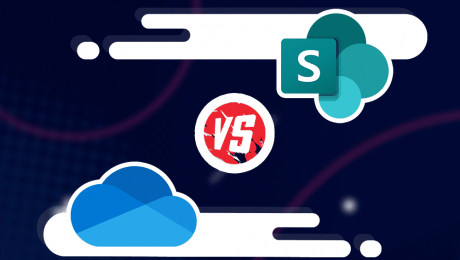
OneDrive and SharePoint are popular Microsoft products that have some crossover features. With that, it’s not always clear what their differences are or how you should use them. To clean up any confusion, we’ve assembled this SharePoint vs OneDrive guide.
This SharePoint vs OneDrive article isn’t so much a head-to-head, but rather a guide that clearly outlines the difference between these Microsoft products. Because the two services are often linked, it’s easy to get confused about what each of them does, and which one (if not both) you should be using.
SharePoint Online and OneDrive are predominantly cloud-based products. They both come with storage space and they both can be a home for documents, images and videos. Despite their similarities, both SharePoint and OneDrive target different audiences. In this piece, we’ll break both services down and give you a clear idea of their features.
While we’ll give you a good chunk of information about both services, it’s worth checking out our individual reviews to really grasp what they’re about. Both our OneDrive review and our SharePoint review will help you decide if either or both services suit your needs.
Microsoft Teams is a communication tool built for instant messaging with team members. SharePoint is a place to build internal communication sites and effectively manage documents. OneDrive is a cloud-based storage solution to back up files online and is suitable for personal, family and business use.
No. The SharePoint platform is designed for advanced document management, whereas OneDrive better serves as a place to upload, share and sync files to the cloud.
Both SharePoint and OneDrive are excellent online tools and excel at what they do. We would only consider SharePoint better for business users looking for advanced document management and communication tools.
While OneDrive and SharePoint both provide an online space to access files, their broader use is what separates them. SharePoint is predominantly an online document management system and communication site. OneDrive is a cloud storage solution that people mainly use to create an online backup of their files.
You may be thinking, but you can create documents in both OneDrive and SharePoint. Yes, this is true. However, the intention of those documents is different.
SharePoint, for example, lets you create what is called a “SharePoint site,” and its features primarily target business use and teams. OneDrive, on the other hand, can serve as personal storage for your Uncle Steve who wants to back up his biking photos and poetry.
That’s not to dumb down what OneDrive is capable of (we’ll go into advanced use shortly), but it should give you a clearer idea of each product’s target audience and how their features cater to each of them.
Microsoft 365 is the main hub that contains a range of Microsoft products, including both OneDrive and SharePoint. You’ll also find software like Word and Excel, plus communication tools such as Microsoft Teams.
You can purchase SharePoint and sign up to OneDrive plans without having to pay for other products. Alternatively, you can subscribe to the range of 365 plans and incorporate all of Microsoft’s productivity and communication tools, plus its project management tool.
Microsoft OneDrive is a mainstream cloud-based service. It can play home for your personal files like photographs, family videos and documents that you wish to create. It’s also an excellent collaboration tool, as it lets multiple users with remote access work on files either simultaneously or at different times.
OneDrive is also useful for anyone who wishes to share files and folders. Take a photographer, for example. If they need to send multiple images to a publisher, they can upload them to OneDrive, send a link to the publisher and grant them access to the images.
Not only is OneDrive a place to store files, it’s also a space to create them. Microsoft integrates the online versions of its Office tools, allowing users to create documents, spreadsheets, presentations and more — directly on the web. Because OneDrive instantly syncs your files, you can access them on multiple devices, including mobile devices.
Beyond storing files, a SharePoint site has several features that make it easier to circulate company updates across your business, as well as being a home for developing business-related documents.
A SharePoint site has two functions. The first is for team collaboration and is known as a SharePoint team site; the other is a communication site, which allows you to ping both short- and long-form updates to your team or whole business.
For documents, think of SharePoint as an online folder system. Remember the days when all your paper files were stored in large filing cabinets? This is the same theory, only the practice is done digitally. Online document storage makes it far easier to be efficient with your sorting of documents, and it’s also more secure and disaster-proof.
If you’re looking to take all your files from your computer and upload them to online file storage, OneDrive is the way to go. It’s also good for freelancers who create documents (writers, for example) and need to share them with clients while also backing them up to the cloud.
OneDrive is also a good option for those looking for personal cloud storage to back up their files from their smartphones. It’s not the only option, however, and those looking for cloud storage for their mobile device should check out our best cloud storage for Android and the best cloud storage iPhone articles.
For those who need an enterprise-level product to manage documents and create intranet pages, SharePoint is the path to take. It’s useful for adding signatures to important business contracts and for building a broader collaborative workspace. On that note, we’ll break down even further what SharePoint has to offer.
As you’ll see below, SharePoint has plenty of features that go beyond what OneDrive can do. We’ll go over the main features to be aware of and provide you with an overview of what each of them can do for you.
Enterprise-grade security is somewhat of a buzz term. It essentially means a company is applying the highest level of security measures to protect your data.
SharePoint uses industry-standard encryption to protect your data both in transit and at rest. It also employs round-the-clock oversight for when security patches are required or customer data may be under threat.
A SharePoint library allows you to create different categories for your documents. This helps you separate financial, legal, training documents, etc. to create a better online filing system.
You can access your document library in your communication and team sites. It’s also possible to manage access for other users, so they can only work within the library you authorize.
Microsoft integrates all the tools needed to create documents directly in SharePoint. Whether it’s a Word document or an Excel spreadsheet, you and your team can be productive without leaving the SharePoint software.
Newly created documents automatically sync to the cloud and they’ll also exist as OneDrive files, allowing you to access them either on SharePoint or the OneDrive platform.
Just like cloud-based storage, SharePoint allows you to share your files with a single user or with groups you have created inside the platform. You’re able to grant permissions for users to edit, view or review the document. If you’re authorized, you can also share files with users outside your organization.
SharePoint is a collaboration tool, and because it’s an online solution, it makes it easy for two or more people to work on the same document simultaneously. This is what SharePoint calls co-authoring, and because it works in real time, you can have one person writing a document and another person editing, for example.
It also includes version history, which is on by default and allows users to view previous versions of documents. It’s a great way to restore documents and remind yourself what changes have been made.
A news post is essentially a blog post that you publish within your company. It’s a good way to craft short- or long-form articles that keep your business teams updated on what’s going on in your company. Making a news post is easy and is done so in blocks, allowing you to blend images, text and videos.
Managing documents comes with many tedious tasks. Thankfully, SharePoint allows you to create many useful automations that remove the need to manually perform certain actions.
For example, you can program SharePoint to send emails for approval when a new document is created or edited. If you’re working with contracts, you can also send automated digital signature requests.
Microsoft has integrated lists inside SharePoint. With lists, you can develop easily digestible content that clearly outlines anything from issue tracking to content scheduling. Microsoft provides you with the option to create a fresh list, or you can use one of the several templates available for a quicker workflow.
If you want to make quick notes for ideas or objectives, you can do so with OneNote. It’s labeled as a NoteBook inside SharePoint. It’s best used for paragraph-sized concepts that you want to make note of for later or to discuss with other members of your team.
If you don’t wish to use the online version of SharePoint, it’s also available as locally installed software. This is referred to as “on-premise software.” This means your IT team has full control over the software and is responsible for things like responding to security breaches, working on updates and patches and performing backups.
You should now have a better understanding of the core differences between OneDrive and SharePoint. They’re both great for file storage and file sharing, but as outlined above, the way you use and implement each software is vastly different.
Those who need more than just a space to store files and work with important documents should of course consider using SharePoint. For those who need a simple space for their range of files and may want some productivity tools, OneDrive will be more than enough.
Did you find this guide helpful? Are there similar comparisons you would like us to write? What’s your favorite document management software? Let us know in the comments. Thanks for reading.
document.getElementById( “ak_js_1” ).setAttribute( “value”, ( new Date() ).getTime() );
Also interesting
Most popular on Cloudwards
© 2007-2022 Cloudwards.net – We are a professional review site that receives compensation from the companies whose products we review. We test each product thoroughly and give high marks to only the very best. We are independently owned and the opinions expressed here are our own.
Because the Cloudwards.net team is committed to delivering accurate content, we implemented an additional fact-checking step to our editorial process. Each article that we fact check is analyzed for inaccuracies so that the published content is as accurate as possible.
You can tell that an article is fact checked with the Facts checked by symbol, and you can also see which Cloudwards.net team member personally verified the facts within the article. However, providers frequently change aspects of their services, so if you see an inaccuracy in a fact-checked article, please email us at feedback[at]cloudwards[dot]net. We strive to eventually have every article on the site fact checked. Thank you.

EXPLORE
Agile techniques drive software developers to deliver value in small increments and implement continuous feedback.
Agile is defined as an iterative software development approach where value is provided to users in small increments rather than through a single large launch. Agile teams evaluate requirements and results continuously, which leads to the efficient implementation of change. This article covers the meaning, life cycle, methodology, and examples of Agile.
Agile software development methodologies often called Agile, preach flexibility and pragmatism in the application delivery process. This iterative software development approach delivers value to users in small increments rather than through a single large launch. Agile teams evaluate requirements and results continuously, which leads to the efficient implementation of change.
Using Agile gives teams the ability to create value in the face of a dynamic market and fast-paced competition while maintaining speed and efficiency. Creating a pan-org collaborative work culture is a crucial tenet of Agile as it drives teams to work together with a deep understanding of individual roles within the system.
Agile also mandates testing throughout the development cycle. This allows teams to make changes whenever required, alert each other of potential problems, and consequently gives them the confidence to create and release high-quality applications.
The core values of Agile are embodied in the Agile Manifesto, which was created by a group of software development personnel in 2001. This manifesto outlines four key concepts that encourage lightweight development, outlined below.
Apart from these core values, the Agile Manifesto outlines 12 principles for development teams to improve their functioning:
Implementing Agile requires a shift in the culture of traditional companies as it drives the clean delivery of isolated components rather than an entire application at once. Today, Agile has replaced the Waterfall software development model in most companies. However, it may be replaced or merged with DevOps as the latter grows in popularity globally.
See More: What Is DevOps? Definition, Goals, Methodology, and Best Practices
The Agile life cycle sees developers strategically move the application from conceptualization to retirement.
Agile Software Development Life Cycle
Listed below are the steps of this cycle:
In the first step of the Agile life cycle, the product owner defines the project scope. In the case of multiple projects, the critical ones are prioritized. Depending on the organization’s structure, personnel may be assigned to more than one project at once.
This stage sees the product owner and the client discuss essential requirements and formulate basic documentation based on the finalized project goals. This documentation, perhaps in the form of a product requirements document (PRD), will include the proposed aim of the project and supported features. The time and cost of the project are also estimated at this stage.
The in-depth analysis carried out during conceptualization helps determine feasibility before work starts. Developers can aim to complete only the most critical requirements as one can add more in later stages.
Once the project is conceptualized, the next step is building the software development team. In this stage, the product owner checks the availability of team members and assigns the best available ones to the project. The product owner is responsible for giving these team members the required resources.
Once the team is set, it will begin the design process by creating a mock-up of the user interface and, perhaps, a few user flow and UML diagrams. The project architecture is also built at this stage. The designed elements are then shown to the stakeholders for further input.
All this lets the team fully establish the requirements in the design and figure out application functionality and how it will all fit into the existing system. Frequent check-ins by the business team will ensure that inception stays on track.
The construction phase, known as the iteration phase, is where most work happens. This is usually the longest phase, with the dev team and the UX designers collaborating closely to bring together the requirements and feedback and interpret the design into code.
The construction goal is to create the application’s basic functionality before the first iteration (or ‘sprint’, as described below) ends. Additional secondary features and minor modifications can occur in future iterations. The main goal is to swiftly create a working application and implement improvements for client satisfaction.
When the team enters this stage, the product should be nearly ready to release. However, before this can happen, the QA team must test the application and make sure it is fully functional according to the decided project goals. Testing also takes place to ensure that no bugs and defects exist in the code; if any are found, they must be reported swiftly and fixed by the dev team. Clean code is a cornerstone of this stage.
This phase also includes user training, the creation of the system, and user documentation to support it. Visualizing the code is helpful here. Once all the defects are ironed out, and user training is completed, the final iteration of the product can be taken live and released into production.
Once the application is released successfully and made available to end users, the team moves into maintenance mode. This phase sees the dev team providing continuous support to ensure smooth system operations and quash any newly found bugs.
The team will also be on call to offer additional training to customers and resolve post-live queries to ensure that the product is used as intended. Developers can also use the feedback collected during this stage to plan the features and upgrades for the next iterations.
The application may be slated for retirement for two reasons: replacement with a new version or the lack of a use case due to redundancy or obsolescence.
If an application enters this phase, the first step is to notify users of the impending retirement of the software. Next, one must ensure a smooth migration to the new system. Finally, the dev team must complete all the pending end-of-life activities and cease the support provided to the existing application.
Each Agile phase outlined above leads to the creation of numerous software iterations. These iterations are created as the dev team repeats its processes to refine the application and create the best possible version according to the determined project requirements. These iterations are ‘sub-cycles’ contained within the larger Agile software development life cycle.
The Agile life cycle divides work into ‘sprints’ to complete these iterations. The goal of each sprint is to produce a working application. A typical sprint should last for 10 business days (2 weeks).
Outlined below is the typical sprint workflow:
Sprint planning meetings are helpful, but the team should also meet regularly (if possible, daily) to take stock of the sprint’s progress and sort out any clashes. Collaboration and receptiveness to change are key components of the Agile life cycle and a proven way to keep the process moving effectively.
See More: What Are Microservices? Definition, Examples, Architecture, and Best Practices for 2022
Agile software development is not a singular framework of methodologies. Rather, it encompasses numerous project management frameworks.
Listed below are four well-known Agile methodologies:
Scrum is perhaps the most popular Agile project management methodology. Sprints define it, and it advocates maximizing application development time and achieving the product goal. This goal is a big-picture value objective that comes closer to realization with each sprint.
A team following the Scrum methodology begins its day with a 15-minute meeting to synchronize all activities and chalk out the best path for the day ahead. The product manager can take this opportunity to check on the ‘health’ of the sprint and the project’s progress.
Although Scrum is popularly associated with software development, one can use it successfully in most business contexts.
The term Kanban has Japanese origins and is associated with the concept of ‘just in time’. This method splits a ‘Kanban board’ (board or table) into columns. Each flow within the project is shown in columns as a ‘card’, and the information changes as developments move ahead. A new card is added whenever a new task is introduced.
Kanban drives transparency and communication by allowing members from across teams to see the project status at any given time. Its primary focus is team capacity, which is especially useful for iterations with multiple minor changes. Besides software development, Kanban is useful for business departments such as HR and marketing, as it drives visibility for all team tasks.
This typical Agile framework focuses on discovering the ‘simplest way to make it happen’ while deprioritizing the long-term product goal. Its core values include simplicity, communication, courage, respect, and feedback. XP’s highest priority is customer satisfaction, and it encourages the team to accept changes in project requirements even at later stages of the development process.
Teamwork is also a key component of XP, with customers, managers, and team members working closely to ensure the efficient creation of the best possible application. In XP, testing takes place from day one, and feedback is continuously collected to enhance quality. Activities such as pair programming are encouraged in this engineering methodology.
Directly adapted from Toyota’s Lean Manufacturing; this software development method pushes the team to mercilessly scrap every activity that does not add value to the product.
Its seven core principles are:
See More: What Is an API (Application Programming Interface)? Meaning, Working, Types, Protocols, and Examples
How does Agile work in the real world? Let’s look at an example of traditional software development using the Waterfall methodology versus Agile software development.
Designing a basic yet accurate wireframe of all application features would take around 20% of the project time (approximately 6.5 weeks).
Translating the design into code and testing it would take approximately 40% of the project time (13 weeks).
System and integration testing would take around 20% of the project time (another 6.5 weeks).
Developers would spend the remaining time on user acceptance testing by the marketing team.
For this example, let’s assume that the project is split into eight releases of 4 weeks each.
Instead of spending five weeks gathering and analyzing requirements, the business and development teams will work together to determine the essential features that are required by the end of the first iteration (or sprint).
The team will deliver a working application with the predetermined features by the end of the first sprint.
Once the application is ready, the teams will collaboratively determine whether the application is headed in the right direction. They will also decide what changes can be made and which features can be added in the subsequent iterations based on priority.
This methodology allows the marketing team to show a working application to the customer within just four weeks (compared to 8 months). Feedback can be collected and passed to the developers, who will implement it in future iterations.
In the example with the traditional Waterfall methodology, only after the 8-month process is complete does the customer experience the actual product. Also, if the need for significant changes arises, developers must push the release ahead by a few weeks.
It is clear why Agile is far more effective than Waterfall. In the Agile example, by the end of 8 months, the application will not only be ready and already in wide use but also significantly more refined than if produced using the Waterfall method.
See More: CI/CD vs. DevOps: Understanding 8 Key Differences
Agile drives continuous delivery and prioritizes customer satisfaction. This software development methodology delivers a working application with new features every few weeks. Customers can experience the latest iteration of the application and share their feedback, which is then processed by the development team in future iterations.
Frequent collaboration between the business and development teams is a core tenet of Agile. All stakeholders keep an eye on the project’s progress and fine-tune the requirements, thus ensuring the efficient delivery of a high-quality product at the end of each sprint.
While Agile has replaced the Waterfall model in most companies, it can become obsolete, or combined with DevOps, due to the growing popularity of the latter discipline.
Did this article help you gain an in-depth understanding of Agile software development? Share your thoughts with us on Facebook, Twitter, and LinkedIn!
Technical Writer
On June 22, Toolbox will become Spiceworks News & Insights