
https://www.facebook.com/itzonepakistan
×

HOW TO SHOP

1 Login or create new account.
2 Review your order.
3 Payment & FREE shipment

If you still have problems, please let us know, by sending an email to support@website.com . Thank you!

SHOWROOM HOURS

Mon-Fri 9:00AM - 6:00AM
Sat - 9:00AM-5:00PM
Sundays by appointment only!

FORGOT YOUR DETAILS?

Sunday, 18 December 2022 / Published in Uncategorized

MOST READ TODAY

.jnews_module_1951_1_639effa59802d.jeg_block_heading_9 .jeg_block_title span, .jnews_module_1951_1_639effa59802d.jeg_block_heading_9 .jeg_block_title i { color: #dd3333; }

var jnews_module_1951_2_639effa5983ec = {“header_icon”:””,”first_title”:””,”second_title”:””,”url”:””,”header_type”:”heading_6″,”header_background”:””,”header_secondary_background”:””,”header_text_color”:””,”header_line_color”:””,”header_accent_color”:””,”header_filter_category”:””,”header_filter_author”:””,”header_filter_tag”:””,”header_filter_text”:”All”,”post_type”:”post”,”content_type”:”all”,”number_post”:”1″,”post_offset”:”0″,”unique_content”:”disable”,”include_post”:””,”included_only”:””,”exclude_post”:””,”include_category”:””,”exclude_category”:””,”include_author”:””,”include_tag”:””,”exclude_tag”:””,”sort_by”:”popular_post_day”,”date_format”:”default”,”date_format_custom”:”Y/m/d”,”force_normal_image_load”:””,”pagination_mode”:”disable”,”pagination_nextprev_showtext”:””,”pagination_number_post”:4,”pagination_scroll_limit”:0,”boxed”:””,”boxed_shadow”:””,”el_id”:””,”el_class”:””,”scheme”:””,”column_width”:”auto”,”title_color”:””,”accent_color”:””,”alt_color”:””,”excerpt_color”:””,”css”:”.vc_custom_1662013209749{margin-top: -30px !important;}”,”compatible_column_notice”:””,”paged”:1,”column_class”:”jeg_col_1o3″,”class”:”jnews_block_9″};

var jnews_module_1951_3_639effa59914e = {“header_icon”:””,”first_title”:””,”second_title”:””,”url”:””,”header_type”:”heading_6″,”header_background”:””,”header_secondary_background”:””,”header_text_color”:””,”header_line_color”:””,”header_accent_color”:””,”header_filter_category”:””,”header_filter_author”:””,”header_filter_tag”:””,”header_filter_text”:”All”,”post_type”:”post”,”content_type”:”all”,”number_post”:”2″,”post_offset”:”1″,”unique_content”:”disable”,”include_post”:””,”included_only”:””,”exclude_post”:””,”include_category”:””,”exclude_category”:””,”include_author”:””,”include_tag”:””,”exclude_tag”:””,”sort_by”:”popular_post_day”,”show_date”:””,”date_format”:”default”,”date_format_custom”:”Y/m/d”,”pagination_mode”:”disable”,”pagination_nextprev_showtext”:””,”pagination_number_post”:4,”pagination_scroll_limit”:0,”ads_type”:”disable”,”ads_position”:1,”ads_random”:””,”ads_image”:””,”ads_image_tablet”:””,”ads_image_phone”:””,”ads_image_link”:””,”ads_image_alt”:””,”ads_image_new_tab”:””,”google_publisher_id”:””,”google_slot_id”:””,”google_desktop”:”auto”,”google_tab”:”auto”,”google_phone”:”auto”,”content”:””,”ads_bottom_text”:””,”boxed”:””,”boxed_shadow”:””,”show_border”:””,”el_id”:””,”el_class”:””,”scheme”:””,”column_width”:”auto”,”title_color”:””,”accent_color”:””,”alt_color”:””,”excerpt_color”:””,”css”:”.vc_custom_1662013151981{margin-top: -40px !important;}”,”compatible_column_notice”:””,”paged”:1,”column_class”:”jeg_col_1o3″,”class”:”jnews_block_28″};

.adsslot_hIvMUBmn74{ width:160px !important; height:600px !important; } @media (max-width:1199px) { .adsslot_hIvMUBmn74{ width:300px !important; height:250px !important; } } @media (max-width:767px) { .adsslot_hIvMUBmn74{ width:300px !important; height:250px !important; } } (adsbygoogle = window.adsbygoogle || []).push({});

10 best Tech tools for Writers in 2022

.adsslot_Ch5QzSPHeF{ width:300px !important; height:250px !important; } @media (max-width:1199px) { .adsslot_Ch5QzSPHeF{ width:300px !important; height:250px !important; } } @media (max-width:767px) { .adsslot_Ch5QzSPHeF{ width:300px !important; height:250px !important; } } (adsbygoogle = window.adsbygoogle || []).push({});

Writing is Art and Art demands creativity; on the other hand, Gadgets have made writing easier, and more comfortable. The modern writer has an abundance of technical tools to help overcome the obstacles and challenges of crafting the perfect paper. These technologically advanced tools which are either softwares or hardwares have helped improve how writers work, either through research, collaboration or delivery.

From creative writing , copywriting, technical writing to bog writing, these are 10 of the best gadgets and tools every writer must use to develop or/and improve their writing skills and careers.


(adsbygoogle = window.adsbygoogle || []).push({});

A Good Laptop or Tablet

Who doesn’t use a PC these days? This is prolly the most obvious gadget for everyone. A laptop is a must-have gadget for any writer. It is hard to imagine a profession that doesn’t use PCs for work, not even when Mails, messengers, research, etc seem an integral part of the day.

Since most contents that writers write are pushed online, the easiest tools to curate such is the PC. Tablets can also do similar jobs since they have wide screens, which QWERTY keyboards can be attached to.


(adsbygoogle = window.adsbygoogle || []).push({});

The recent technology of voice input has made life easy for writers such that with voice commands, contents automatically gets written on the screens of PCs or Tablets. This ensures that typing becomes not the only option of creating a text – although it is still not perfect, so it requires corrections. Anyway, the PC is still a working instrument that every writer should have.

It is also important to get a good PC – one with a fast processor which won’t make work get delayed.

Smartphones

Smartphones need no introduction, they are all around us and have become integral parts of our lives. You’ll hardly see anyone in modern times who doesn’t have access to a smartphone, let alone a writer. The good thing is that everything is on the smartphone. Smart home, banking, games, books, music.

Some writers use smartphones to curate their contents especially when in transit, or when PC isn’t available. The con is just the small screen sizes which are not suitable for long working. It is perfect in emergency cases when thought appears, and you need to fixate it immediately. It is a perfect gadget thanks to the options that it provides.

A Good Internet Service Provider

Content writing allows you to be active in your field and present your business ideas in various forms and on multiple platforms. The world is online, as the internet has made the world a global village. Posting regular content online lets people know what your business is about. It informs them about what you do and how you can help them. More so, the internet allows you to source lots of information and do research about your write ups. It is very imperative for a writer to always be online. Many software that aid writing are cloud-based, therefore would need a good internet connection to be accessed.


(adsbygoogle = window.adsbygoogle || []).push({});

Having a good internet provider will help you achieve this and much more. Either using the phone’s hotspot or getting a modem or router, make sure your ISP gives you connectivity that makes your work go smoothly.
Google Docs
Google Docs

Google Docs

Google Docs is quickly becoming the “go-to” platform for a lot of writers. It is a free product that gives writers the ability to save documents in a cloud, such that these documents can easily be retrieved in any computer or phone as long as you have your Google account.

Apart from being free, housed on Google’s cloud sharing makes Docs a good collaboration tool. Docs are able to be shared between many people either as a read-only copy, or allow commenting and editing. Google Docs allows for documents to be merged with spreadsheets, graphs, and images conveniently. Continuous saving occurs, and documents prepared in Google Docs can be exported to many different formats including HTML pages for easy transitioning to publishing online.

Stress of usage of a software is the last thing a writer who has to be creative, would want. These advantages put Google Docs above other document softwares.

Evernote
Evernote
Evernote

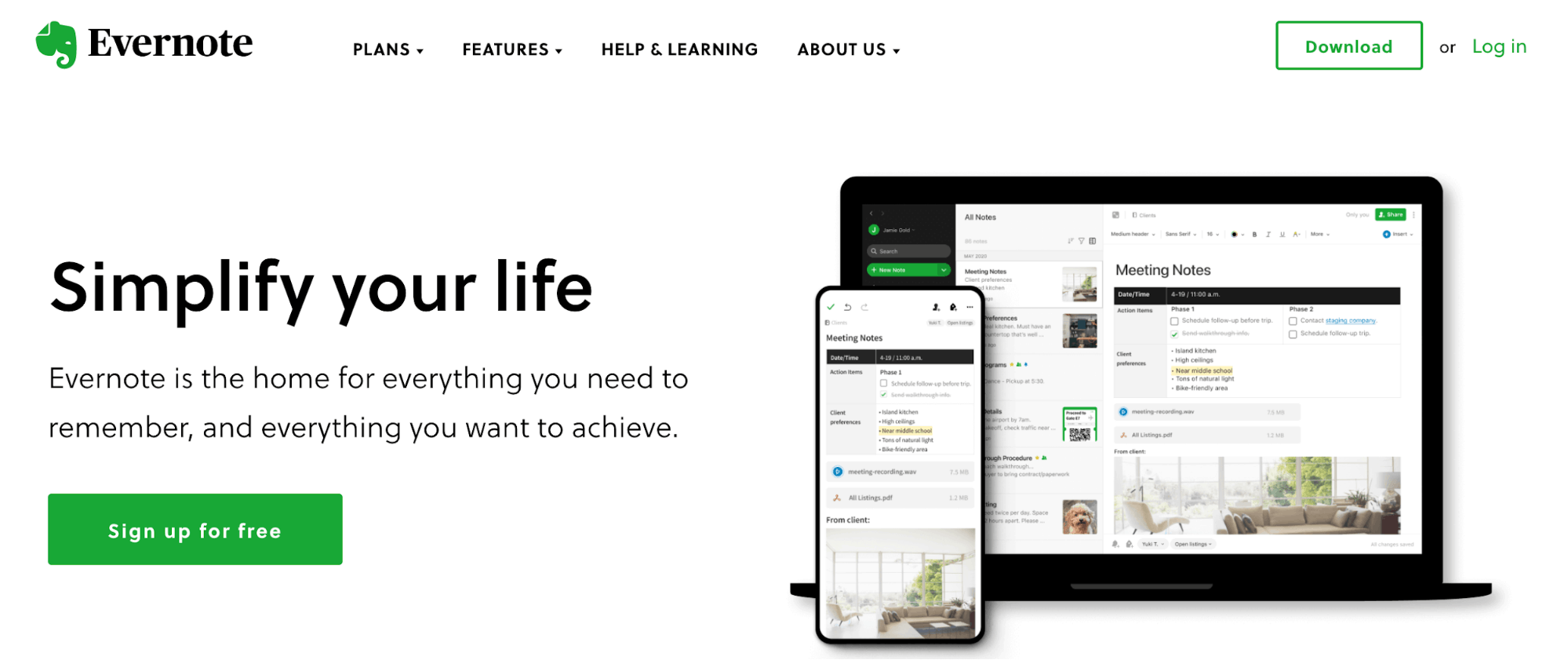
Evernote is a very flexible software – It’s a software that lives on your desktop; it’s an app that lives on all your gadgets; and it’s a website where you can log in remotely and see your stuff.

Another advantage is its syncing abilities. Add anything to Evernote, a photo, a document, an email, a website, it’ll sync across all your gadgets. You can automate this by having folders on your computer that Evernote monitors, and by making notes, taking pictures, or recording audio within the app. It uses the OCR technology, which helps detect text and handwriting in images. Evernote can scan documents, business cards, whiteboards, and receipts, etc. It also has a sophisticated organisation system that allows you to categorise notes into different notebooks. What else does a writer want ?

Grammarly
Grammarly
Grammarly

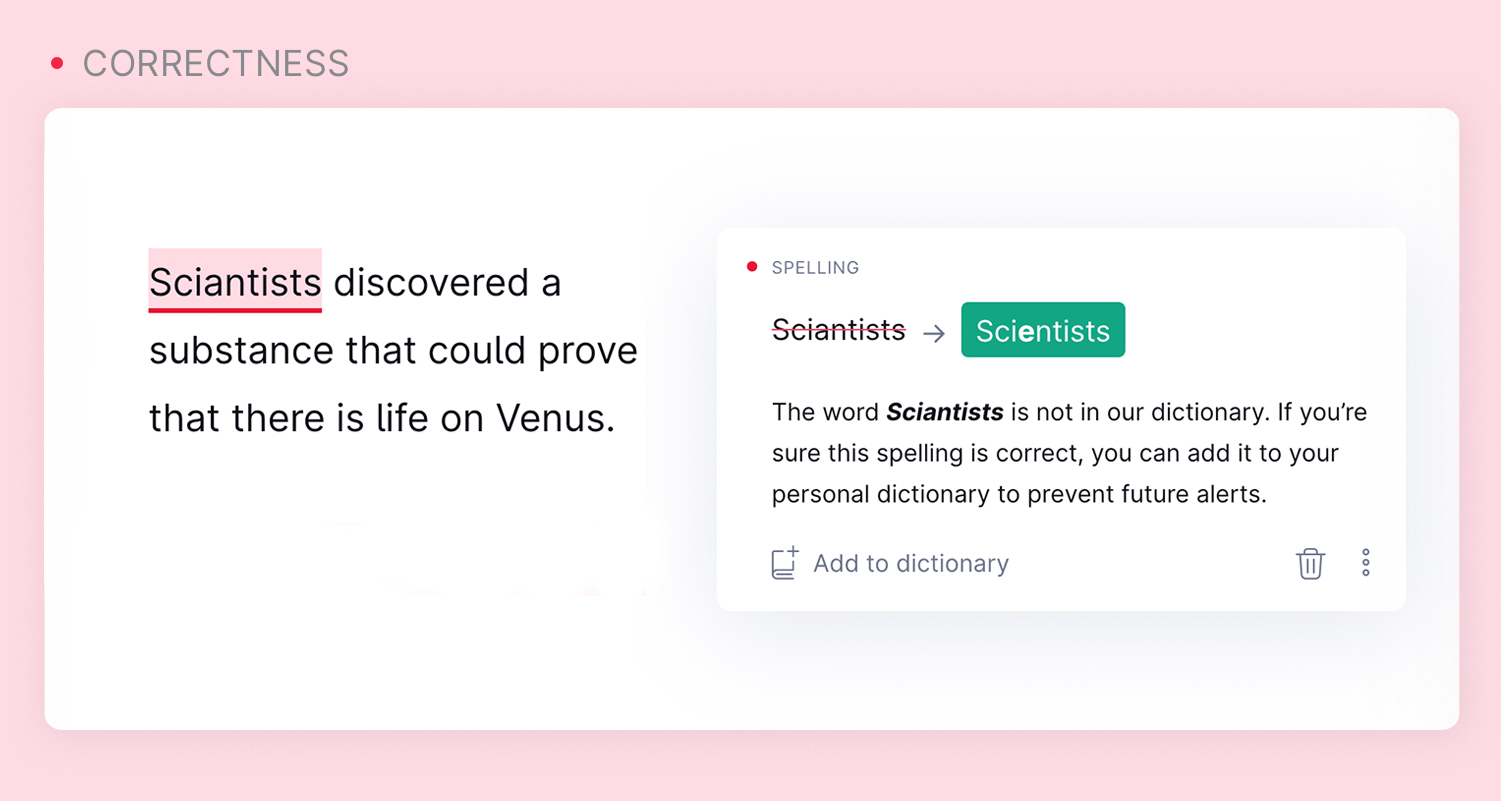
Grammarly is a cloud-based typing assistant that reviews spelling, grammar, punctuation, clarity, engagement, and delivery mistakes. grammar and spelling accuracy. It uses artificial intelligence to check submitted writing against 250 types of grammar mistakes over six different genres of writing.

Grammarly offers the distinct benefit of being a tutoring tool for writers to learn from their mistakes as they observe the suggested changes in the program. This is true not only for grammar but for spelling and vocabulary. Grammarly highlights spelling errors more consistently than Word’s spell check and points out many misused similar words such as affect/effect, lay/lie, etc. Grammarly can not only improve a writer’s expression of concepts but enable them to think with the multidimensionality which supports the novel synthesis of ideas. With Grammarly, you can be sure of fixing your typo-errors.

Project Management Tools – Trello & Asana
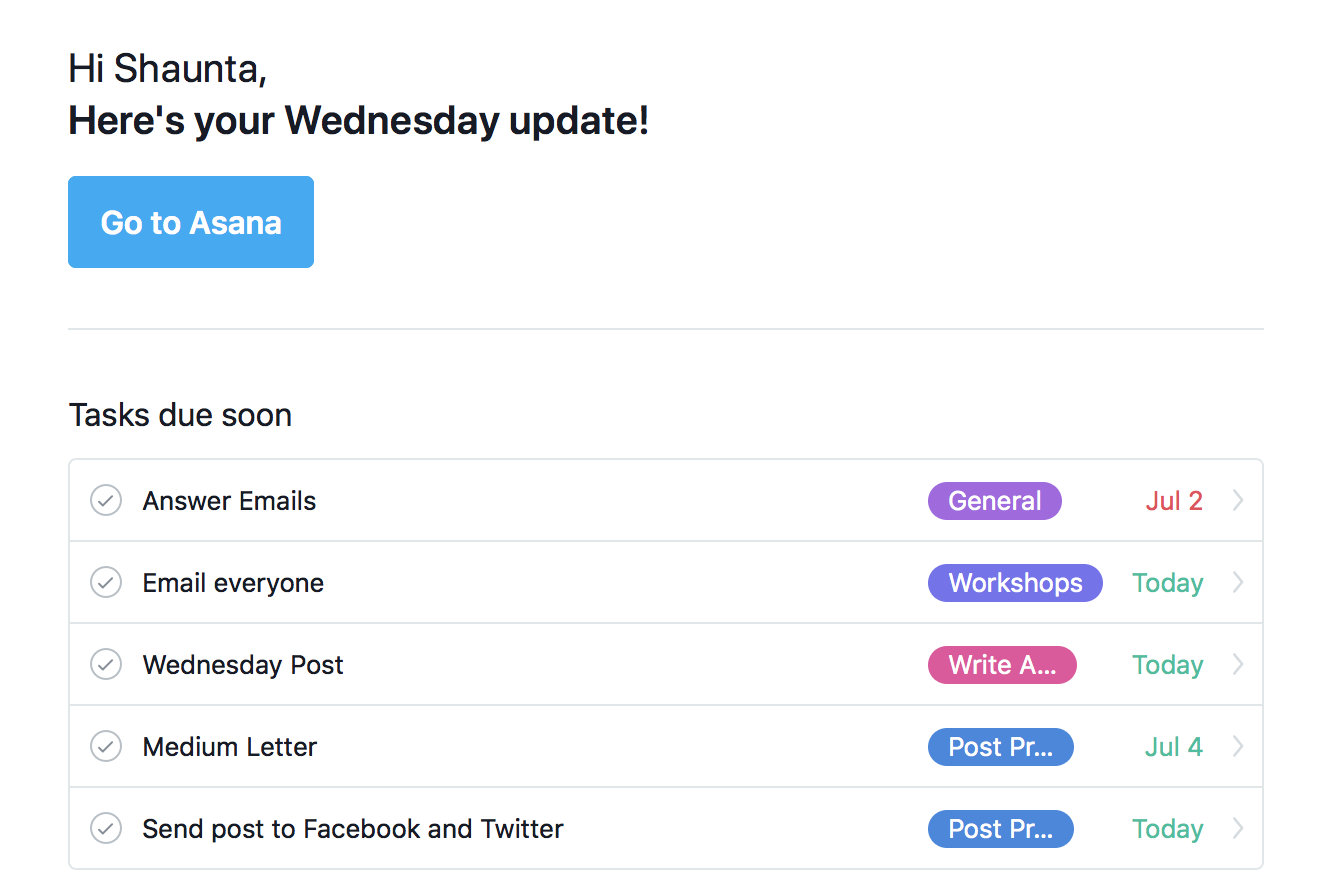
Project Management Tools

As a writer, you have lists of work to be done and deadlines to meet. In accomplishing this, a project management tool is needed. Although there are several, we recommend Asana or Trello.

Asana is ago-to project management tool that can help you organise and track your freelance assignments. The Asana project management platform will help you know what to work on and when it needs to be completed. It can be used on a laptop, desktop, tablet, or mobile device.

With Trello, there’s also a lot of flexibility when it comes to setting up a workflow. You can set up one singular “Freelance” board, and track assignments and projects there, or you could easily create boards for each client. You can use Trello to track pitch ideas and target publications.

Headphones for Writers

Headphones
Headphones for Writers

Maintaining focus while writing or developing an idea can be so challenging due to distractions. One way a writer can overcome this is by the use of headphones, especially the ones which help cancel noises. A good pair of noise cancelling headphones helps writers focus during their writing process. Brands like Sony, Bose, Skullcandy, JBL, and of course Apple Beats are all in the competition for the writers’ demographic.

Digital pen

Digital Pen
Digital Pen

Plenty of writers are going all-out digital. That makes digital pens one of the most useful (and fun) gifts for writers. A digital pen is an electronic device that saves handwritten text in a digital form and that can store handwritten notes on a computer or share them with other electronic devices. Many digital pens do more than just write or draw; they often have built-in capabilities to record audio as well.

A digital pen allows the writer to “write” on the device. The handwriting or drawing can then be loaded to a computer and displayed on the screen. Some modified digital pens have additional features. They can erase handwriting or record audio. While some digital pens require a special tablet or device, technology has made it possible for newer digital pens to be used on most electronic surfaces. Digital Pens are ideal for those who prefer writing by hand over entering information into a laptop computer or PDA.

Handheld voice recorder

Handheld Voice Recorder

Smart work is what is obtainable these days and for a writer, working smartly means you are able to get your ideas saved. This is where handheld voice recorders come in. You can use the voice function on your cell phone or even a free online app to record verbal notes and ideas. There are also digital voice recorders which help you achieve this. Writers A good handheld voice recorder must have these features: clear audio, voice activation recording, easy file transfer to computer, and plenty of recording time.

With technological advancement using AI to transcribe on the screen what is being recorded, as a writer, this tool is a must for you to work very fast and efficiently.

.vc_btn3-style-gradient.vc_btn-gradient-btn-639effa5a5240:hover{color: #fff;background-color: #2a2a2a;border: none;background-position: 100% 0;}.vc_btn3-style-gradient.vc_btn-gradient-btn-639effa5a5240{color: #fff;border: none;background-color: #5aa1e3;background-image: -webkit-linear-gradient(left, #5aa1e3 0%, #2a2a2a 50%,#5aa1e3 100%);background-image: linear-gradient(to right, #5aa1e3 0%, #2a2a2a 50%,#5aa1e3 100%);-webkit-transition: all .2s ease-in-out;transition: all .2s ease-in-out;background-size: 200% 100%;}

.vc_btn3-style-gradient.vc_btn-gradient-btn-639effa5a53dc:hover{color: #fff;background-color: #2a2a2a;border: none;background-position: 100% 0;}.vc_btn3-style-gradient.vc_btn-gradient-btn-639effa5a53dc{color: #fff;border: none;background-color: #f4524d;background-image: -webkit-linear-gradient(left, #f4524d 0%, #2a2a2a 50%,#f4524d 100%);background-image: linear-gradient(to right, #f4524d 0%, #2a2a2a 50%,#f4524d 100%);-webkit-transition: all .2s ease-in-out;transition: all .2s ease-in-out;background-size: 200% 100%;}

MOST READ TODAY

.jnews_module_1951_15_639effa5a5c3a .jeg_block_heading_6 .jeg_block_title span, .jnews_module_1951_15_639effa5a5c3a .jeg_block_heading_6 .jeg_block_title i { color: #dd3333; } var jnews_module_1951_15_639effa5a5c3a = {“header_icon”:”fas fa-chart-line”,”first_title”:”MOST READ TODAY”,”second_title”:””,”url”:””,”header_type”:”heading_6″,”header_background”:””,”header_secondary_background”:””,”header_text_color”:”#dd3333″,”header_line_color”:””,”header_accent_color”:””,”header_filter_category”:””,”header_filter_author”:””,”header_filter_tag”:””,”header_filter_text”:”All”,”post_type”:”post”,”content_type”:”all”,”number_post”:”6″,”post_offset”:0,”unique_content”:”disable”,”include_post”:””,”included_only”:false,”exclude_post”:””,”include_category”:””,”exclude_category”:””,”include_author”:””,”include_tag”:””,”exclude_tag”:””,”sort_by”:”popular_post_jetpack_day”,”date_format”:”default”,”date_format_custom”:”Y/m/d”,”force_normal_image_load”:””,”pagination_mode”:”disable”,”pagination_nextprev_showtext”:””,”pagination_number_post”:6,”pagination_scroll_limit”:0,”boxed”:””,”boxed_shadow”:””,”el_id”:””,”el_class”:””,”scheme”:””,”column_width”:”auto”,”title_color”:””,”accent_color”:””,”alt_color”:””,”excerpt_color”:””,”css”:”.vc_custom_1661023385985{margin-top: 10px !important;margin-right: 10px !important;margin-bottom: 10px !important;margin-left: 10px !important;}”,”compatible_column_notice”:””,”paged”:1,”column_class”:”jeg_col_3o3″,”class”:”jnews_block_21″};

Faster Updates

.vc_btn3-style-gradient.vc_btn-gradient-btn-639effa5a7dda:hover{color: #fff;background-color: #2a2a2a;border: none;background-position: 100% 0;}.vc_btn3-style-gradient.vc_btn-gradient-btn-639effa5a7dda{color: #fff;border: none;background-color: #00c1cf;background-image: -webkit-linear-gradient(left, #00c1cf 0%, #2a2a2a 50%,#00c1cf 100%);background-image: linear-gradient(to right, #00c1cf 0%, #2a2a2a 50%,#00c1cf 100%);-webkit-transition: all .2s ease-in-out;transition: all .2s ease-in-out;background-size: 200% 100%;}

.vc_btn3-style-gradient.vc_btn-gradient-btn-639effa5a7e92:hover{color: #fff;background-color: #2a2a2a;border: none;background-position: 100% 0;}.vc_btn3-style-gradient.vc_btn-gradient-btn-639effa5a7e92{color: #fff;border: none;background-color: #5aa1e3;background-image: -webkit-linear-gradient(left, #5aa1e3 0%, #2a2a2a 50%,#5aa1e3 100%);background-image: linear-gradient(to right, #5aa1e3 0%, #2a2a2a 50%,#5aa1e3 100%);-webkit-transition: all .2s ease-in-out;transition: all .2s ease-in-out;background-size: 200% 100%;}

.vc_btn3-style-gradient.vc_btn-gradient-btn-639effa5a7f39:hover{color: #fff;background-color: #2a2a2a;border: none;background-position: 100% 0;}.vc_btn3-style-gradient.vc_btn-gradient-btn-639effa5a7f39{color: #fff;border: none;background-color: #f4524d;background-image: -webkit-linear-gradient(left, #f4524d 0%, #2a2a2a 50%,#f4524d 100%);background-image: linear-gradient(to right, #f4524d 0%, #2a2a2a 50%,#f4524d 100%);-webkit-transition: all .2s ease-in-out;transition: all .2s ease-in-out;background-size: 200% 100%;}

.vc_btn3-style-gradient.vc_btn-gradient-btn-639effa5a7fde:hover{color: #fff;background-color: #2a2a2a;border: none;background-position: 100% 0;}.vc_btn3-style-gradient.vc_btn-gradient-btn-639effa5a7fde{color: #fff;border: none;background-color: #ebebeb;background-image: -webkit-linear-gradient(left, #ebebeb 0%, #2a2a2a 50%,#ebebeb 100%);background-image: linear-gradient(to right, #ebebeb 0%, #2a2a2a 50%,#ebebeb 100%);-webkit-transition: all .2s ease-in-out;transition: all .2s ease-in-out;background-size: 200% 100%;}

Discussion about this post


(adsbygoogle = window.adsbygoogle || []).push({});
ADVERTISEMENT

LATEST NEWS

var jnews_module_1951_22_639effa5acbf7 = {“header_icon”:””,”first_title”:””,”second_title”:””,”url”:””,”header_type”:”heading_6″,”header_background”:””,”header_secondary_background”:””,”header_text_color”:””,”header_line_color”:””,”header_accent_color”:””,”header_filter_category”:””,”header_filter_author”:””,”header_filter_tag”:””,”header_filter_text”:”All”,”post_type”:”post”,”content_type”:”all”,”number_post”:”8″,”post_offset”:”0″,”unique_content”:”disable”,”include_post”:””,”included_only”:””,”exclude_post”:””,”include_category”:””,”exclude_category”:””,”include_author”:””,”include_tag”:””,”exclude_tag”:””,”sort_by”:”latest”,”date_format”:”ago”,”date_format_custom”:”Y/m/d”,”force_normal_image_load”:””,”pagination_mode”:”disable”,”pagination_nextprev_showtext”:””,”pagination_number_post”:6,”pagination_scroll_limit”:0,”boxed”:””,”boxed_shadow”:””,”el_id”:””,”el_class”:””,”scheme”:””,”column_width”:”4″,”title_color”:””,”accent_color”:””,”alt_color”:””,”excerpt_color”:””,”css”:”.vc_custom_1661557585256{margin-top: -15px !important;margin-right: 10px !important;margin-left: 10px !important;}”,”compatible_column_notice”:””,”paged”:1,”column_class”:”jeg_col_1o3″,”class”:”jnews_block_21″};

.adsslot_TqrEK7YiZX{ width:300px !important; height:600px !important; } @media (max-width:1199px) { .adsslot_TqrEK7YiZX{ width:468px !important; height:60px !important; } } @media (max-width:767px) { .adsslot_TqrEK7YiZX{ width:320px !important; height:50px !important; } } (adsbygoogle = window.adsbygoogle || []).push({});

var jnews_module_1951_24_639effa5ae640 = {“header_icon”:””,”first_title”:””,”second_title”:””,”url”:””,”header_type”:”heading_6″,”header_background”:””,”header_secondary_background”:””,”header_text_color”:””,”header_line_color”:””,”header_accent_color”:””,”header_filter_category”:””,”header_filter_author”:””,”header_filter_tag”:””,”header_filter_text”:”All”,”post_type”:”post”,”content_type”:”all”,”number_post”:”8″,”post_offset”:”8″,”unique_content”:”disable”,”include_post”:””,”included_only”:””,”exclude_post”:””,”include_category”:””,”exclude_category”:””,”include_author”:””,”include_tag”:””,”exclude_tag”:””,”sort_by”:”latest”,”date_format”:”ago”,”date_format_custom”:”Y/m/d”,”force_normal_image_load”:””,”pagination_mode”:”loadmore”,”pagination_nextprev_showtext”:””,”pagination_number_post”:”10″,”pagination_scroll_limit”:0,”boxed”:””,”boxed_shadow”:””,”el_id”:””,”el_class”:””,”scheme”:””,”column_width”:”4″,”title_color”:””,”accent_color”:””,”alt_color”:””,”excerpt_color”:””,”css”:”.vc_custom_1661557597093{margin-top: -10px !important;margin-right: 10px !important;margin-left: 10px !important;}”,”compatible_column_notice”:””,”paged”:1,”column_class”:”jeg_col_1o3″,”class”:”jnews_block_21″};

Writing is Art and Art demands creativity; on the other hand, Gadgets have made writing easier, and more comfortable. The modern writer has an abundance of technical tools to help overcome the obstacles and challenges of crafting the perfect paper. These technologically advanced tools which are either softwares or hardwares have helped improve how writers work, either through research, collaboration or delivery.
From creative writing , copywriting, technical writing to bog writing, these are 10 of the best gadgets and tools every writer must use to develop or/and improve their writing skills and careers.
Table of Contents
Who doesn’t use a PC these days? This is prolly the most obvious gadget for everyone. A laptop is a must-have gadget for any writer. It is hard to imagine a profession that doesn’t use PCs for work, not even when Mails, messengers, research, etc seem an integral part of the day.
Since most contents that writers write are pushed online, the easiest tools to curate such is the PC. Tablets can also do similar jobs since they have wide screens, which QWERTY keyboards can be attached to.
The recent technology of voice input has made life easy for writers such that with voice commands, contents automatically gets written on the screens of PCs or Tablets. This ensures that typing becomes not the only option of creating a text – although it is still not perfect, so it requires corrections. Anyway, the PC is still a working instrument that every writer should have.
It is also important to get a good PC – one with a fast processor which won’t make work get delayed.
Smartphones need no introduction, they are all around us and have become integral parts of our lives. You’ll hardly see anyone in modern times who doesn’t have access to a smartphone, let alone a writer. The good thing is that everything is on the smartphone. Smart home, banking, games, books, music.
Some writers use smartphones to curate their contents especially when in transit, or when PC isn’t available. The con is just the small screen sizes which are not suitable for long working. It is perfect in emergency cases when thought appears, and you need to fixate it immediately. It is a perfect gadget thanks to the options that it provides.
Content writing allows you to be active in your field and present your business ideas in various forms and on multiple platforms. The world is online, as the internet has made the world a global village. Posting regular content online lets people know what your business is about. It informs them about what you do and how you can help them. More so, the internet allows you to source lots of information and do research about your write ups. It is very imperative for a writer to always be online. Many software that aid writing are cloud-based, therefore would need a good internet connection to be accessed.
Having a good internet provider will help you achieve this and much more. Either using the phone’s hotspot or getting a modem or router, make sure your ISP gives you connectivity that makes your work go smoothly.
Google Docs is quickly becoming the “go-to” platform for a lot of writers. It is a free product that gives writers the ability to save documents in a cloud, such that these documents can easily be retrieved in any computer or phone as long as you have your Google account.
Apart from being free, housed on Google’s cloud sharing makes Docs a good collaboration tool. Docs are able to be shared between many people either as a read-only copy, or allow commenting and editing. Google Docs allows for documents to be merged with spreadsheets, graphs, and images conveniently. Continuous saving occurs, and documents prepared in Google Docs can be exported to many different formats including HTML pages for easy transitioning to publishing online.
Stress of usage of a software is the last thing a writer who has to be creative, would want. These advantages put Google Docs above other document softwares.
Evernote is a very flexible software – It’s a software that lives on your desktop; it’s an app that lives on all your gadgets; and it’s a website where you can log in remotely and see your stuff.
Another advantage is its syncing abilities. Add anything to Evernote, a photo, a document, an email, a website, it’ll sync across all your gadgets. You can automate this by having folders on your computer that Evernote monitors, and by making notes, taking pictures, or recording audio within the app. It uses the OCR technology, which helps detect text and handwriting in images. Evernote can scan documents, business cards, whiteboards, and receipts, etc. It also has a sophisticated organisation system that allows you to categorise notes into different notebooks. What else does a writer want ?
Grammarly is a cloud-based typing assistant that reviews spelling, grammar, punctuation, clarity, engagement, and delivery mistakes. grammar and spelling accuracy. It uses artificial intelligence to check submitted writing against 250 types of grammar mistakes over six different genres of writing.
Grammarly offers the distinct benefit of being a tutoring tool for writers to learn from their mistakes as they observe the suggested changes in the program. This is true not only for grammar but for spelling and vocabulary. Grammarly highlights spelling errors more consistently than Word’s spell check and points out many misused similar words such as affect/effect, lay/lie, etc. Grammarly can not only improve a writer’s expression of concepts but enable them to think with the multidimensionality which supports the novel synthesis of ideas. With Grammarly, you can be sure of fixing your typo-errors.
As a writer, you have lists of work to be done and deadlines to meet. In accomplishing this, a project management tool is needed. Although there are several, we recommend Asana or Trello.
Asana is ago-to project management tool that can help you organise and track your freelance assignments. The Asana project management platform will help you know what to work on and when it needs to be completed. It can be used on a laptop, desktop, tablet, or mobile device.
With Trello, there’s also a lot of flexibility when it comes to setting up a workflow. You can set up one singular “Freelance” board, and track assignments and projects there, or you could easily create boards for each client. You can use Trello to track pitch ideas and target publications.
Maintaining focus while writing or developing an idea can be so challenging due to distractions. One way a writer can overcome this is by the use of headphones, especially the ones which help cancel noises. A good pair of noise cancelling headphones helps writers focus during their writing process. Brands like Sony, Bose, Skullcandy, JBL, and of course Apple Beats are all in the competition for the writers’ demographic.
Plenty of writers are going all-out digital. That makes digital pens one of the most useful (and fun) gifts for writers. A digital pen is an electronic device that saves handwritten text in a digital form and that can store handwritten notes on a computer or share them with other electronic devices. Many digital pens do more than just write or draw; they often have built-in capabilities to record audio as well.
A digital pen allows the writer to “write” on the device. The handwriting or drawing can then be loaded to a computer and displayed on the screen. Some modified digital pens have additional features. They can erase handwriting or record audio. While some digital pens require a special tablet or device, technology has made it possible for newer digital pens to be used on most electronic surfaces. Digital Pens are ideal for those who prefer writing by hand over entering information into a laptop computer or PDA.
Smart work is what is obtainable these days and for a writer, working smartly means you are able to get your ideas saved. This is where handheld voice recorders come in. You can use the voice function on your cell phone or even a free online app to record verbal notes and ideas. There are also digital voice recorders which help you achieve this. Writers A good handheld voice recorder must have these features: clear audio, voice activation recording, easy file transfer to computer, and plenty of recording time.
With technological advancement using AI to transcribe on the screen what is being recorded, as a writer, this tool is a must for you to work very fast and efficiently.
NEWS, MULTI MEDIA
WITHIN NIGERIA is an online news media that focuses on authoritative reports, investigations and major headlines that springs from National issues, Politics, Metro, Entertainment; and Articles.
© 2022 WITHIN NIGERIA MEDIA LTD. designed by WebAndName
Login to your account below

Please enter your username or email address to reset your password.

source

Sunday, 18 December 2022 / Published in Uncategorized

Founded in 1993 by brothers Tom and David Gardner, The Motley Fool helps millions of people attain financial freedom through our website, podcasts, books, newspaper column, radio show, and premium investing services.
You’re reading a free article with opinions that may differ from The Motley Fool’s Premium Investing Services. Become a Motley Fool member today to get instant access to our top analyst recommendations, in-depth research, investing resources, and more. Learn More
Customer relationship management (CRM) is an important tool for businesses of all sizes. CRM systems effectively serve as a “home base” for key metrics pertinent to a sales cycle. For example, users can input specific dates when they have meetings with potential clients, which can help leadership understand how deals are progressing through the pipeline.
While there are a number of CRM and project management software tools, perhaps the most well-known is Silicon Valley darling Salesforce.com (CRM -1.66%).  Founded over two decades ago by tech wunderkind Marc Benioff, Salesforce quickly rose in popularity due to its innovative, user-friendly features. In a way, Salesforce.com was the original CRM. 
However, throughout its history, Benioff had the foresight to understand what direction technology was moving. As a result, Salesforce.com developed quite the appetite for mergers and acquisitions. While the company has spent tens of billions of dollars acquiring competitors such as MuleSoft, Tableau, and Slack (just to name a few), it now faces new challenges.
Competitors like Microsoft and Oracle are beginning to catch up. Furthermore, Salesforce.com’s latest earnings report certainly contained some eyebrow-raising concerns. Let’s look at Salesforce.com’s year-to-date financial results, how Wall Street views the stock, and its valuation.
Benioff has always had a knack for the spotlight. He’s not afraid to make headlines by spending billions of dollars to gobble up competitors that, on the surface, seem tangential to Salesforce.com’s platform at best. However, as a visionary, Benioff has a proven ability to understand important trends in the technology landscape and figure out ways to partner with the best in the business. As a result, Salesforce.com has been able to broaden its scope of services, thereby allowing it to cross-sell new products to a wider base of potential customers.
However, exactly two years ago, Salesforce.com spent a whopping $27 billion to acquire chat and document management tool Slack Technologies. While this appeared to be yet another savvy move by Salesforce leadership, the last two years have not been without heavy turbulence. Salesforce.com has faced corporate budget cuts due to the pandemic and lingering inflation, integration problems for Slack, and leadership shake-ups. All these variables contributed their own unique challenges to Salesforce’s business.   
During the fiscal 2023 third-quarter earnings call, investors learned quite a bit about the current state of Salesforce’s business. For the three months ended Oct. 31, Salesforce reported operating cash flow of $313 million, down 23% year over year, and free cash flow of $115 million, down 52%. The company’s CFO, Amy Weaver, explained that lower billings was the primary culprit straining the business. 
Weaver went into more detail as to why billings are lower. She stated:
You recall that last quarter we noted measured customer buying behavior really beginning in July. This led to elongated sales cycles, additional deal approval layers, and deal compression, particularly in enterprise. As Q3 progressed, we saw an even more challenging buying environment, driving intense customer scrutiny on every investment dollar to ensure the highest return possible.
There’s a lot of important detail to unpack here. Effectively what leadership is explaining here is that due to the current macroeconomic environment, companies ( particularly large enterprises) are taking a closer look at budgets and scaling back investments.
As a result, deals will stay in Salesforce’s pipeline longer, leading to higher pressure to generate new sales and renew existing customers. As deals remain open, billings remain outstanding for longer compared to prior periods, resulting in less cash collected and lower operating capital. Unsurprisingly, Salesforce has joined its tech counterparts in companywide layoffs.      
Image source: Getty Images.
Over the last two weeks, Salesforce.com co-CEO Bret Taylor resigned, Slack CEO Stewart Butterfield also resigned, and the stock hit a 52-week low following its earnings report. While this may appear concerning, it’s not uncommon for leaders of acquired companies to depart after an agreed-upon exit date. Given that the Slack deal is coming up on its two-year anniversary, it’s not entirely surprising to see Butterfield leave.
Taylor’s departure, on the other hand, is a bit of a head-scratcher. As a serial entrepreneur, Taylor has a history of co-founding companies and successfully exiting via acquisitions. In fact, he sold his last company, Quip, to Salesforce in 2016 and quickly became a close ally of Benioff.
However, it should be noted that in addition to his responsibilities at Salesforce, Taylor was the former Chairman of the Board at social networking company Twitter. It’s been a volatile year for Twitter and its leadership, to say the least. At the end of the day, while Taylor’s departure is a blow for Salesforce, as investors we should also keep in mind that Benioff ran the company just fine for a decade and a half.   
At the moment, Wall Street seems divided on Salesforce stock. During a recent interview on CNBC’s Halftime Report, Jason Snipe of Odyssey Capital Advisors explained that his fund exited its position in Salesforce due to concerns over decelerating invoicing, longer sales cycles, and an overall bearish outlook on the software industry as a whole. It’s important to note that Snipe’s sell-off was before Butterfield’s exit, and he clearly stated that Taylor’s departure did not influence his decision. 
By comparison, Wedbush Securities analyst Dan Ives appeared on CNBC yesterday and explained his thesis on why he is bullish on the software landscape. According to Ives, his research suggests that big-tech valuations are trading below the last five-year average levels. He named Salesforce.com specifically as his favorite cloud stock and noted the company is ripe for an activist investor. While he calls this a “moment of truth” for Salesforce, Ives stated that the growth potential of the cloud market, combined with Salesforce’s existing install base and product suite, make its current drop in valuation look favorable. 
Salesforce’s leadership did not exactly give investors a bright outlook. However, the company is taking tough but necessary steps to reduce costs in the form of layoffs. Moreover, as inflation continues to cool down, corporations will eventually ratchet up investments in digital transformation again.
There are a multitude of ways Salesforce can generate growth, and for long-term investors, it’s difficult to argue against buying a blue-chip stock as it hovers around its lows. Now could be an ideal opportunity to dollar-cost average into an existing long-term position, or initiate a small position at favorable valuation levels.  
Adam Spatacco has positions in Microsoft. The Motley Fool has positions in and recommends Microsoft and Salesforce. The Motley Fool has a disclosure policy.
*Average returns of all recommendations since inception. Cost basis and return based on previous market day close.
Invest better with The Motley Fool. Get stock recommendations, portfolio guidance, and more from The Motley Fool’s premium services.
Making the world smarter, happier, and richer.

Market data powered by Xignite.

source

Sunday, 18 December 2022 / Published in Uncategorized

We know that legal matters involve in-depth attention to detail and technicality. Have a look at the best project management software for lawyers to get started.
There are many skills a lawyer needs to be successful. With so many things to manage, strong organization is a must. Even the smallest details are important in the legal world, which is why having the best project management software for lawyers can make all the difference.
When dealing with numerous clients every day, it can be difficult to keep all of the case information straight. To help you out, we’ve lined up some of the best legal project management software options for you to check out. For a broader list of options, check out our choices for the best project management software in general.
Legal project management software lets you organize your cases and tasks, track time, and provide updates on events.
Although there is a lot of software available for the legal industry to take advantage of, monday.com is our top recommendation. With monday.com, you can manage your time efficiently and stay ahead of your deadlines.
In the legal field, it helps to have all the information for different clients and cases at arms reach — which is where a top project management tool for law comes in. Here are our top five recommendations.
There are a number of factors to consider when looking for the best project management tool for legal purposes. Law firms often work with a team of lawyers, and one of the most important ingredients for team success is coordination to ensure a smooth workflow.
While you coordinate with your team, you need to balance the workload. An uneven assignment of tasks can result in imbalance and productivity problems. Assigning actionable tasks without overburdening your team members ensures that sufficient project progress is made and helps you stay on track. This is key to overall case management. 
Some legal cases can be wrapped up quickly, whereas others take time. You need to be able to track both your time and the status of every case, while getting constant reminders and updates regarding the next steps. A good legal management tool does not only help in managing your database, but also helps you in improving your efficiency.
Time management is vital in legal work. When looking for the right legal project management software for your needs, you want a tool with a fantastic user interface that helps you maximize efficiency. Here are five of the best project management tools for lawyers. 
More details about monday.com:
Pros:
Cons:
With monday.com’s easy-to-use UI, project management becomes straightforward and stress-free. It’s packed with features to help you stay updated and keep a close eye on all your cases. A drag-and-drop feature helps you easily arrange your case files and relevant documents.
monday.com helps promote seamless collaboration through clear visibility and improved communication. You can help your team and clients stay in the loop throughout the whole case process. Use monday.com’s tools to seamlessly create tasks, organize, add files, attach messages, manage staff members and report status updates.
Security-wise, the company is SOC-2 Type II certified, and it uses TLS when transferring your data to AWS, a company with great security but with a history of leaky buckets.
monday.com provides a set of premade templates, which you can customize based on your needs and requirements. It saves a lot of your time, and you can easily access all relevant case files with a simple click. With a variety of available views like Kanban boards and timelines, monday.com can help you see the case from another angle.
Small legal teams can choose monday.com’s free plan. However, there are some limitations; you cannot have more than two individuals on an account, and there’s a max limit of 1,000 tasks and 500MB of file storage. 
For legal teams, we think the Pro plan is best, as it offers time tracking, private boards and documents, and 25,000 automations and integrations per month. It also comes with 100GB per user, unlimited guests and a one-year activity log. You can always try the 14-day free trial. Check out our monday.com review to learn more.
More details about ClickUp:
Pros:
Cons:
ClickUp lets you access almost all of its majority features for free. There are over 15 different view options for your data (like Gantt charts, calendars, timelines, etc.) and many customizable features. While you have access to various features, the extent to which you can use them is limited.
You can either choose and customize an existing template from the template center, or create, save and customize your own templates to be more adaptable to your style of work. Using its advanced whiteboard and mind map features, you can document important notes on the case and quickly track the information that needs more legal research and focus.
ClickUp has no known history of breaches and, like monday.com, it also stores your data with AWS, so you can trust that the storage is secure.
ClickUp’s whiteboard feature provides an easy and quick overview of all your cases and their stages. You can link tasks, establish dependencies between multiple tasks and navigate to other tasks with ease. Create additional columns and subtasks to assign them to your team and get a bird’s eye view on the progress of every case.
ClickUp’s free version comes with full-fledged accessibility to some major features. However, it’s worth noting some limitations. There’s a 100MB file-size limit, a limit of 100 automations as well as restrictions to the dashboard and Gantt chart views.
 Moreover, if you wish to collaborate and integrate data (such as a timesheet) with external apps (such as Google Drive or OneDrive), or have access to client collaboration, you should consider upgrading. 
For legal teams, the Business plan would be best, as it includes advanced time tracking, workload management, timelines and unlimited storage. For more details, take a look at our ClickUp review.
More details about Wrike:
Pros:
Cons:
Wrike provides an excellent user-friendly interface that can be easily understood and adapted by anyone. Its advanced project management features help you create a clear outline of all your cases. 
You can save time with the project templates and improve efficiency by using its tools for different tasks. You can also navigate through any files, documents and attachments by creating a specific folder for them.
By tracking edits, you can stay up to date on case activity, and compare updates and changes. Wrike also lets you generate detailed reports from various views, such as the Kanban board and Gantt chart, and the software automatically offers suggestions to improve your efficiency.
Wrike is one of the few services to host its own data, and encrypts it using AES-256 both at rest and in transit. This means Wrike offers excellent security. 
With Wrike’s cross-tagging feature, you can categorize and manage the workload of your team as well as their relevant case files. By adding agenda items to a shared list, you can receive and discuss team updates. Cross-tagging helps you save time and improve visibility without compromising on the details and clarity of your cases.
Wrike gives you access to some generous features, such as creating and managing tasks and subtasks. However, there is a limit of 2GB of storage, and a cap of 200 tasks that can be actively used. The paid plans can be a little expensive, but you should consider upgrading if you want to unlock features like multiple views and extra cloud storage. 
The Business plan would be the best option for lawyers, as it includes advanced reports, guest approvals and time tracking. However, note that this plan includes only 5GB per user, which is minimal compared to ClickUp’s unlimited space on paid plans or monday.com’s 100GB per user on the Pro plan. Learn more about the tool in our Wrike review.
More details about Asana:
Pros:
Cons:
Compared to the other entries on this list, Asana’s tools are more focused on deliverables and task management. Legal matters require proper communication, discussion and analysis throughout all stages, and Asana helps provide a complete overview of each activity. 
You can assign dependencies to the created tasks and delegate them to your team based on the available resources. This makes it a perfect tool for improving efficiency and balancing your team’s workload.
Asana’s workflow management and shared calendar ensures that you do not miss anything. You get to analyze your cases in detail with the help of hierarchical charts. You can review the case as a whole and even a particular task to get complete statistical information.
Like monday.com and ClickUp, Asana uses AWS. It holds certificates for SOC 2 Type I and II, and that data is encrypted with TLS when in transit. 
Using Asana’s strategic goal-setting feature, you can ensure that time is not unnecessarily wasted on irrelevant tasks. Clearly defined goals can guide your legal team in the right direction and free you of costly distractions.
With the universal reporting feature, you can track the progress of your cases from the dashboard and prioritize tasks based on available time and resources. You can also use the expense tracking feature to assess your operational costs.
Asana’s free plan provides some good basic features, and lets you collaborate with up to 15 members. You also get unlimited storage in the free plan. However, the file size is capped at 100MB per file. 
If you want to unlock advanced features like customizing fields and building workflows with the admin console page, consider upgrading to the Premium or Business plan. For more insight, check out our Asana review.
More details about Basecamp:
Pros:
Cons:
Lawyers come across rapid new developments in their cases every day. With Basecamp, you can communicate information with your team and assign tasks based on their category. Features include a message board, to-do list, group chat, schedule, automatic check-ins and file sharing.
With Basecamp’s advanced communication tools, you and your team can work remotely when out of town. However, only the basic calendar view is available; other advanced views such as Gantt charts or Kanban boards are not available.
Basecamp uses AWS, but encrypts data in transit and at rest with a reliable cipher. In 2014, extortionists carried out a DDoS attack against Basecamp, and in 2019 attackers staged a mass login attack — both times the company increased its security and also came forward with the news and advised users what to do to protect themselves.
As a legal counsel, your busy schedule can lead to missed meetings and calls. Basecamp’s advanced communication tools can help catch you up. With real-time communication, stay in the loop and ensure that you don’t miss out on any crucial information when you are otherwise engaged.
Basecamp usually provides a free trial for 30 days, where you get storage of up to 1GB with 20 users. However, Basecamp has a special offer where you get 12 months of free access for the first three users. You can extend your document storage capacity up to 500GB and create unlimited case projects. Read more in our Basecamp review.
Running a legal firm or being a lawyer can mean taking on increasingly complex projects. Efficient workflows help you stay on top of your deliverables. Now that you know the most important features of a great legal project management software, finding the right one that suits your requirements will be easier. 
If you want to simplify your workflow, improve efficiency by organizing your tasks and case files, and fulfill your firm’s requirements with great ease, we highly recommend choosing monday.com or Asana. 
We recommend ClickUp or Wrike if your workflow involves multiple levels of tasks and dependencies. If communication is of utmost importance to you, you can try Basecamp. 
Which among the mentioned software on this list did you like the most? Are there any we missed? What elements of legal work do you use these tools for? Let us know in the comments, and thank you for reading. 

document.getElementById( “ak_js_1” ).setAttribute( “value”, ( new Date() ).getTime() );
Also interesting
Most popular on Cloudwards
© 2007-2022 Cloudwards.net – We are a professional review site that receives compensation from the companies whose products we review. We test each product thoroughly and give high marks to only the very best. We are independently owned and the opinions expressed here are our own.
Because the Cloudwards.net team is committed to delivering accurate content, we implemented an additional fact-checking step to our editorial process. Each article that we fact check is analyzed for inaccuracies so that the published content is as accurate as possible.
You can tell that an article is fact checked with the Facts checked by symbol, and you can also see which Cloudwards.net team member personally verified the facts within the article. However, providers frequently change aspects of their services, so if you see an inaccuracy in a fact-checked article, please email us at feedback[at]cloudwards[dot]net. We strive to eventually have every article on the site fact checked. Thank you.

source

Sunday, 18 December 2022 / Published in Uncategorized

Stock Analysis
Xerox Holdings Corporation (NASDAQ:XRX) is about to trade ex-dividend in the next four days. The ex-dividend date is one business day before a company's record date, which is the date on which the company determines which shareholders are entitled to receive a dividend. It is important to be aware of the ex-dividend date because any trade on the stock needs to have been settled on or before the record date. In other words, investors can purchase Xerox Holdings' shares before the 29th of September in order to be eligible for the dividend, which will be paid on the 31st of October.
The company's next dividend payment will be US$0.25 per share, on the back of last year when the company paid a total of US$1.00 to shareholders. Calculating the last year's worth of payments shows that Xerox Holdings has a trailing yield of 7.0% on the current share price of $14.33. Dividends are a major contributor to investment returns for long term holders, but only if the dividend continues to be paid. So we need to investigate whether Xerox Holdings can afford its dividend, and if the dividend could grow.
See our latest analysis for Xerox Holdings
Dividends are typically paid out of company income, so if a company pays out more than it earned, its dividend is usually at a higher risk of being cut. Xerox Holdings paid a dividend last year despite being unprofitable. This might be a one-off event, but it's not a sustainable state of affairs in the long run. Considering the lack of profitability, we also need to check if the company generated enough cash flow to cover the dividend payment. If Xerox Holdings didn't generate enough cash to pay the dividend, then it must have either paid from cash in the bank or by borrowing money, neither of which is sustainable in the long term. It paid out 87% of its free cash flow as dividends, which is within usual limits but will limit the company's ability to lift the dividend if there's no growth.
Click here to see the company's payout ratio, plus analyst estimates of its future dividends.
When earnings decline, dividend companies become much harder to analyse and own safely. Investors love dividends, so if earnings fall and the dividend is reduced, expect a stock to be sold off heavily at the same time. Xerox Holdings was unprofitable last year and, unfortunately, the general trend suggests its earnings have been in decline over the last five years, making us wonder if the dividend is sustainable at all.
The main way most investors will assess a company's dividend prospects is by checking the historical rate of dividend growth. Xerox Holdings has delivered an average of 3.9% per year annual increase in its dividend, based on the past 10 years of dividend payments.
Get our latest analysis on Xerox Holdings's balance sheet health here.
From a dividend perspective, should investors buy or avoid Xerox Holdings? First, it's not great to see the company paying a dividend despite being loss-making over the last year. On the plus side, the dividend was covered by free cash flow." With the way things are shaping up from a dividend perspective, we'd be inclined to steer clear of Xerox Holdings.
With that in mind though, if the poor dividend characteristics of Xerox Holdings don't faze you, it's worth being mindful of the risks involved with this business. To that end, you should learn about the 2 warning signs we've spotted with Xerox Holdings (including 1 which is a bit concerning).
A common investing mistake is buying the first interesting stock you see. Here you can find a full list of high-yield dividend stocks.
Find out whether Xerox Holdings is potentially over or undervalued by checking out our comprehensive analysis, which includes fair value estimates, risks and warnings, dividends, insider transactions and financial health.
Have feedback on this article? Concerned about the content? Get in touch with us directly. Alternatively, email editorial-team (at) simplywallst.com.

This article by Simply Wall St is general in nature. We provide commentary based on historical data and analyst forecasts only using an unbiased methodology and our articles are not intended to be financial advice. It does not constitute a recommendation to buy or sell any stock, and does not take account of your objectives, or your financial situation. We aim to bring you long-term focused analysis driven by fundamental data. Note that our analysis may not factor in the latest price-sensitive company announcements or qualitative material. Simply Wall St has no position in any stocks mentioned.
Xerox Holdings Corporation, a workplace technology company, designs, develops, and sells document management systems and solutions in the United States, Europe, Canada, and internationally.
The Snowflake is a visual investment summary with the score of each axis being calculated by 6 checks in 5 areas.
Read more about these checks in the individual report sections or in our analysis model.
Undervalued average dividend payer.
Simply Wall Street Pty Ltd (ACN 600 056 611), is a Corporate Authorised Representative (Authorised Representative Number: 467183) of Sanlam Private Wealth Pty Ltd (AFSL No. 337927). Any advice contained in this website is general advice only and has been prepared without considering your objectives, financial situation or needs. You should not rely on any advice and/or information contained in this website and before making any investment decision we recommend that you consider whether it is appropriate for your situation and seek appropriate financial, taxation and legal advice. Please read our Financial Services Guide before deciding whether to obtain financial services from us.

source

TOP